
WorkflowMail vs FlowSend, MailAction, Sendjo & Workflow Transactional Email: Which Shopify Flow Email App Should You Pick?
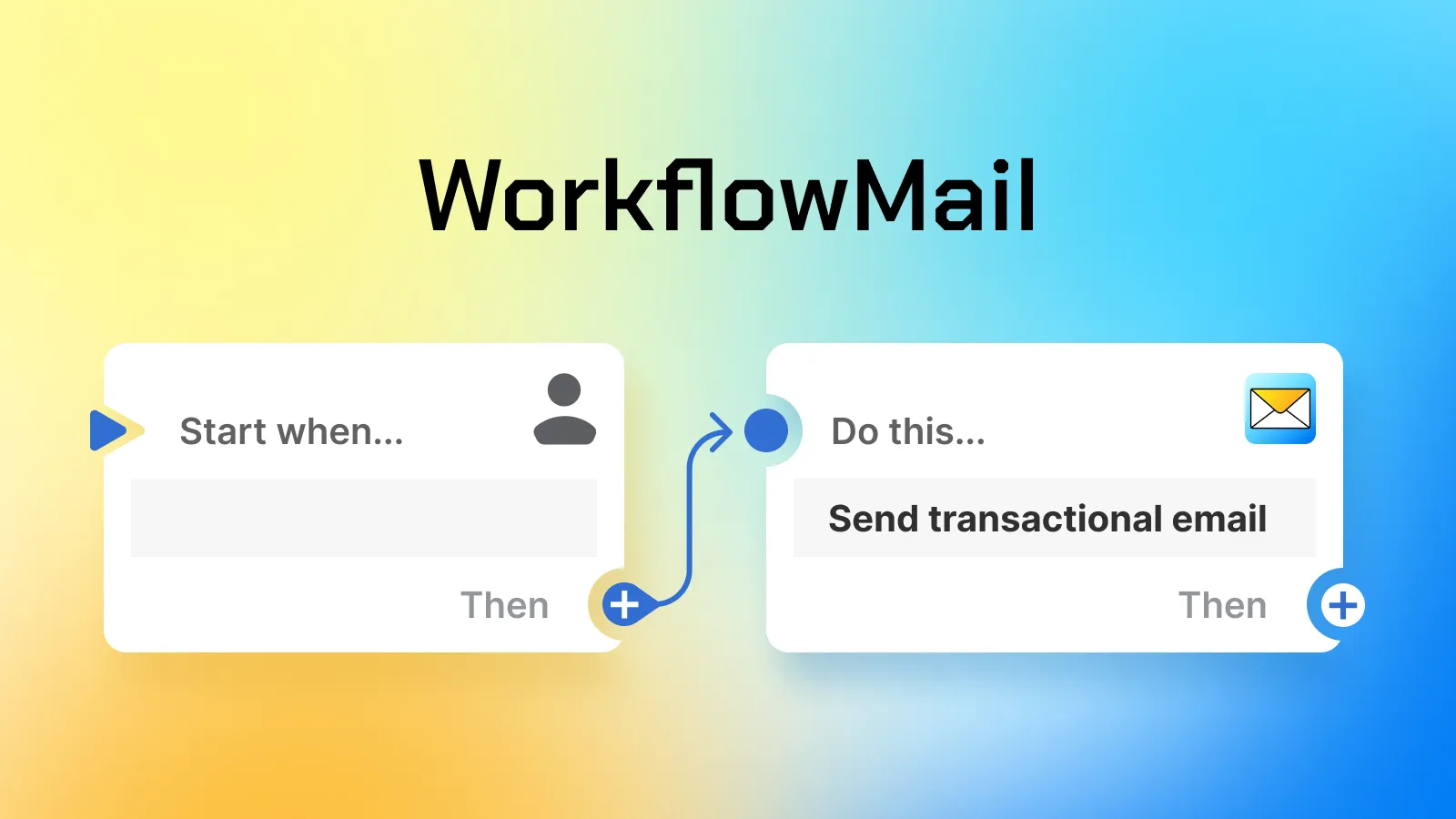
Shopify Flow is brilliant at deciding what should happen — but its native email options are limited. That's why a whole category of apps has appeared that add a proper send transactional email action to your workflows: order confirmations, download links, internal alerts, fraud checks, B2B invoices and more.
If you're evaluating that category right now, you'll probably run into these five apps:
- WorkflowMail (formerly FlowMail) — by Intelli-ua
- FlowSend ‑ Flow Mail App — by Final Apps
- MailAction: Send Email in Flow — by IE Aleksei Kulikov
- Sendjo: Emails & SMS via Flow — by ToastCode
- Workflow Transactional Email — by Code Creation Labs GmbH
All five do the same core job. So how do you actually choose? Below is an honest, side-by-side look based on the public Shopify App Store listings — with a particular focus on the two things merchants ask us about most: file attachments and email design that survives Outlook.
The quick comparison
| App | Rating (as of 20 Oct 2026) | Launched | Attachments | Built for Shopify |
|---|---|---|---|---|
| WorkflowMail | ★ 5.0 (50 reviews) | Feb 8, 2024 | Yes — static upload + dynamic via URL |  |
| FlowSend | 4.2 (5 reviews) | Mar 9, 2026 | Yes | No |
| MailAction | 5.0 (1 review) | May 18, 2026 | Not listed | No |
| Sendjo | 5.0 (1 review) | Jul 15, 2026 | Not listed | No |
| Workflow Transactional Email | 4.3 (12 reviews) | Mar 20, 2026 | Yes — stored in app file storage | |
Ratings and review counts stated as of 20 Oct 2026, taken from the public Shopify App Store listings. Ratings, review counts and pricing change over time — check each listing for current details.
Why attachments matter more than you think
For a lot of merchants, "send an email from Flow" is only half the story. The real requirement is sending an email with a file attached:
- a per-order invoice or packing slip as a PDF
- a contract, certificate or membership document
- a download link file, serial key or event ticket
- an internal report or audit export attached to a team notification
This is exactly where the apps in this category start to differ — and where the details of the implementation matter a lot:
- Static attachment — you upload a file once (a standard terms PDF, a brand letterhead, a return label template) and every email from that action carries it. Cheap, simple, no external dependencies.
- Dynamic attachment from a URL — the file is generated somewhere else (your ERP, an invoicing service, a PDF generator endpoint) and the app downloads it at send time. This is the only way to attach a unique document per order.
WorkflowMail supports both: static file upload attachments from the Professional plan, and dynamic attachment from a URL with parameters from the Advanced plan — so you can pass an order ID, a token or any other variable in the URL and get the right file for each recipient.
The case for WorkflowMail
1. Attachments are a first-class feature — static or dynamic
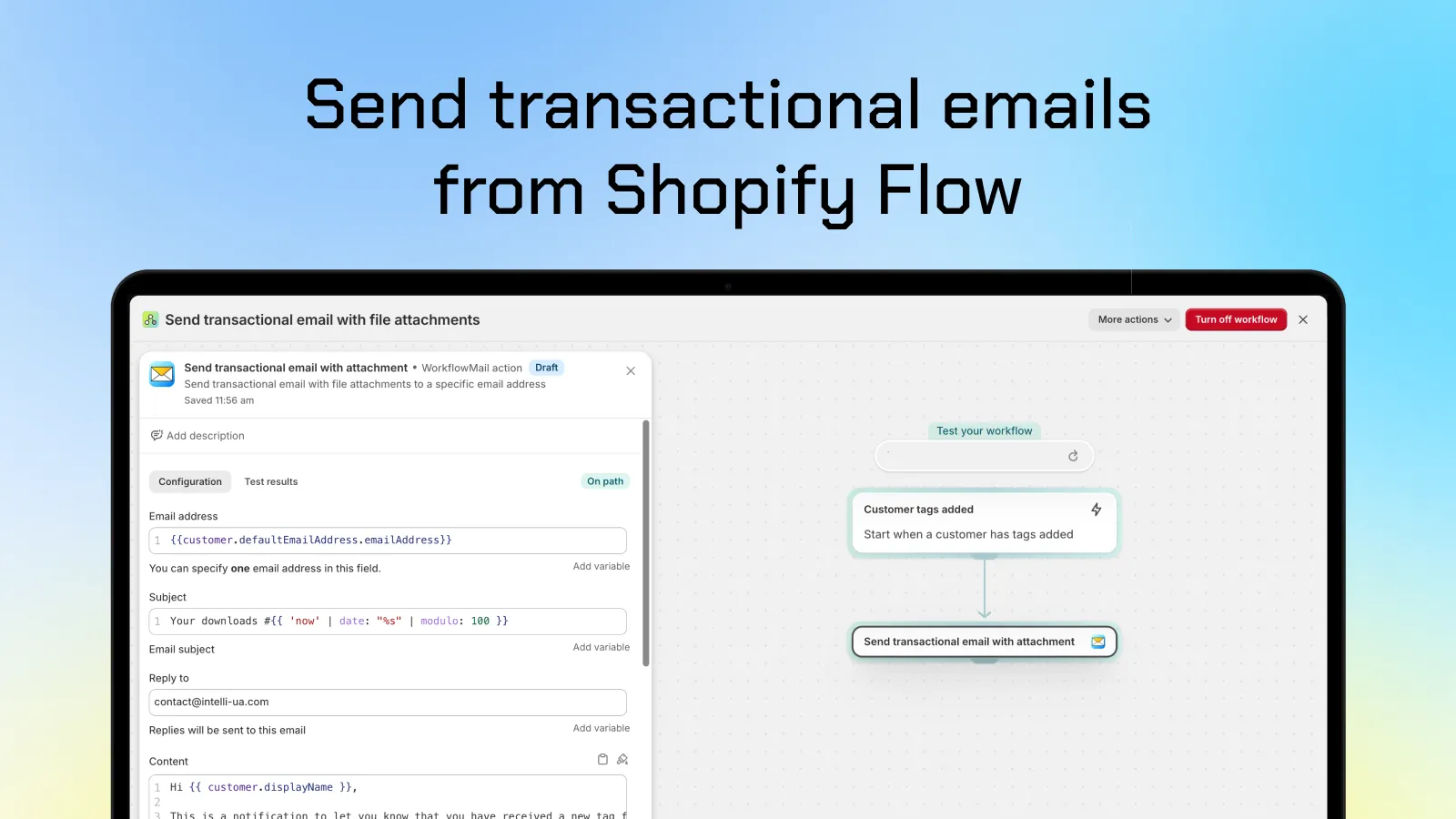
WorkflowMail was built around the transactional email use case, and attachments are part of that core, not an afterthought. You can attach a static file uploaded in the app, or fetch a dynamic file from a URL with query parameters — the same action, one Flow step, no middleware, no custom code, no external service in the middle.
2. Built for Shopify
WorkflowMail carries Shopify's Built for Shopify badge — the highest quality standard Shopify awards to apps. It means the app was reviewed against strict performance, design and integration criteria. Only one other app in this comparison holds the same badge.
3. ★ 5.0 rating across 50 reviews (as of 20 Oct 2026)
As of 20 Oct 2026, WorkflowMail holds a perfect 5.0 out of 5 from 50 reviews (98% of them 5 stars) — a very different signal from a 5.0 based on a single review. It's a rating that has been earned across merchants, stores and use cases — including, notably, requests for exactly this kind of flexible attachment support:
"We asked WorkflowMail if it was possible to attach a dynamically generated file (a per-order PDF) to transactional emails sent through Shopify Flow… The team took the request seriously and built out support for exactly that — genuinely responsive and willing to extend the app for a real merchant use case, which isn't something you see from every app team."
— Teamsportausstatter, Germany (Shopify App Store review)
4. The oldest app in this category — production proven
WorkflowMail launched on February 8, 2024. Every other app in this comparison appeared on the App Store in 2026 — FlowSend in March, Workflow Transactional Email in March, MailAction in May and Sendjo in July. That's roughly two extra years of production traffic, Shopify API version migrations (2025-01, 2025-04, 2025-10, 2026-01…), edge cases and support conversations behind the app. When the app sits in the middle of your order automations, maturity is a feature.
5. Email designs that actually render in Outlook and Microsoft 365
This is the benefit nobody puts on their listing page, and it matters more than it sounds: transactional emails have to survive Microsoft's rendering engine. Outlook desktop doesn't use your browser's HTML/CSS engine — it renders email with a Word-based engine that quietly ignores modern CSS, flexbox, web fonts and background images. A template that looks perfect in Gmail can collapse into a broken mess for every recipient on Outlook or Microsoft 365.
WorkflowMail's email templates are built for that reality: layout that holds up under Word-based rendering, the Microsoft-specific mso- attributes where they're needed, and safe fallbacks for what Outlook ignores — so an email that looks right in the preview also looks right in the inbox. And because sending can go through the Microsoft 365 Graph API as well as SMTP, you can deliver from your own Microsoft 365 mailbox with your domain as the sender.
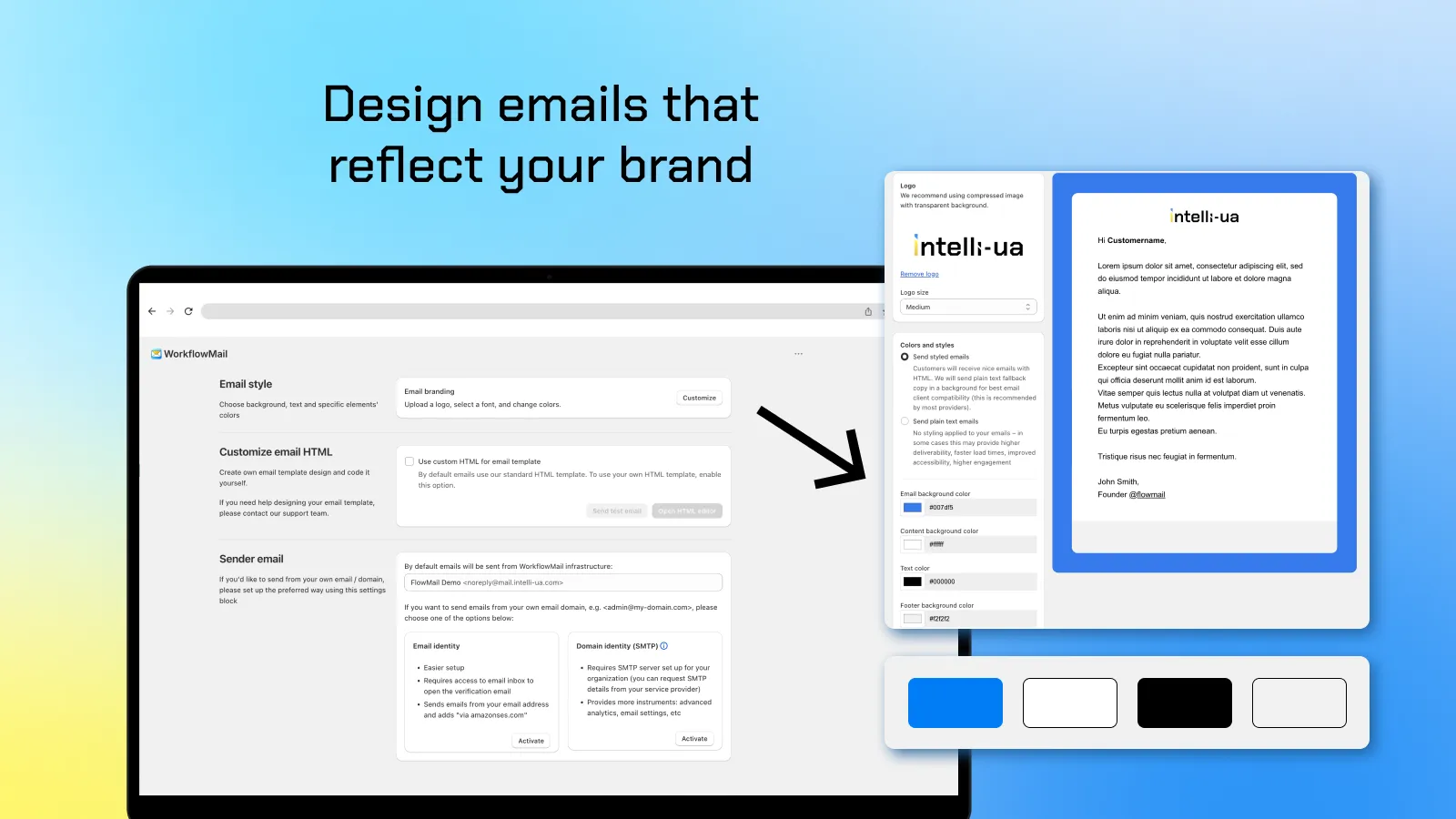
Prefer full control? Every template can be replaced with your own HTML in the built-in editor. That's where you get pixel-perfect control over the email that lands in Outlook, Apple Mail, Gmail and every mobile client your customers use:
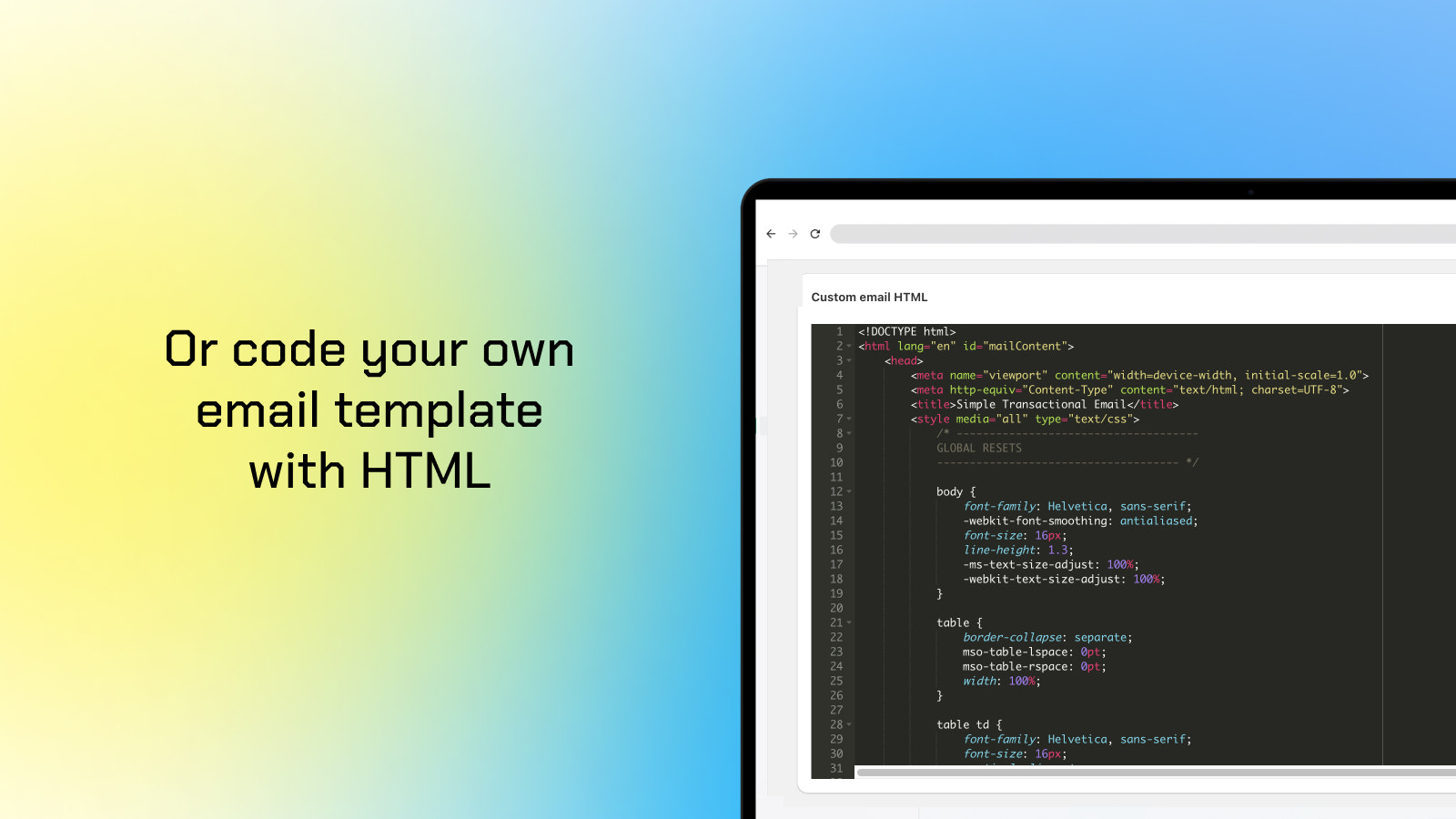
mso- table styles Outlook needs.Bonus: built for Shopify, not bolted on
WorkflowMail is a native Shopify Flow action with SMTP and Microsoft 365 Graph API support, works with dev and production stores, and even has a free plan (500 free lifetime Flow actions to try) so you can test the whole setup before paying anything.
The alternatives, briefly
The other apps are competent and might be the right fit depending on your priorities — here's a fair summary of each.
FlowSend ‑ Flow Mail App (Final Apps)
Launched March 2026, rated 4.2 (5 reviews, as of 20 Oct 2026) including one 1-star review. Supports SMTP, Liquid templates, CC/BCC and email attachments, and its listing now mentions accepting a dynamic file URL. Categorized under Email marketing rather than Workflow automation. Pricing mirrors WorkflowMail's tiers ($9.99 / $29.99 / $49.99 per month). A young app with a small review base.
MailAction: Send Email in Flow (IE Aleksei Kulikov)
Launched May 2026, rated 5.0 (1 review, as of 20 Oct 2026). Interesting extras include a primary + backup provider fallback and delivery status tracking (delivered / bounced / spam). Attachments are not listed as a feature. English only. Pricing: free (50 emails/month), then $9.99 / $29.99 / $49.99 per month.
Sendjo: Emails & SMS via Flow (ToastCode)
Launched July 2026, rated 5.0 (1 review, as of 20 Oct 2026). The one app here that also adds an SMS action to Flow, plus open/click/bounce tracking and drag & drop templates. Attachments are not listed. Pricing: free (50 one-time emails), then $5.99 / $19.99 / $39.99 per month plus usage charges (SMS credits, phone number fee).
Workflow Transactional Email (Code Creation Labs GmbH)
Launched March 2026, rated 4.3 (12 reviews, as of 20 Oct 2026) including two 1-star reviews. Also Built for Shopify and the closest direct competitor: it supports attachments (stored in its own file storage — 500 MB on free, up to 50 GB), multi-language layouts with AI translation, and a bonus HTTP request action. Attachments come from uploaded storage rather than a dynamic URL with parameters, and its pricing starts higher: $15 / $35 / $100 per month.
Pricing at a glance
| App | Free plan | Entry paid plan | Mid plan | Top plan |
|---|---|---|---|---|
| WorkflowMail | 500 free lifetime Flow actions to try | $9.99/mo — 500 actions, static attachments | $29.99/mo — 2,500 actions, URL attachments | $49.99/mo — unlimited |
| FlowSend | Free to install | $9.99/mo — 500 actions | $29.99/mo — 2,500 actions | $49.99/mo — unlimited |
| MailAction | 50 emails/month | $9.99/mo — 500 emails | $29.99/mo — 2,500 emails | $49.99/mo — unlimited |
| Sendjo | 50 emails (one time) | $5.99/mo — 500 emails + usage | $19.99/mo — 3,000 emails + usage | $39.99/mo — 15,000 emails + usage |
| Workflow Transactional Email | 500 actions/30 days | $15/mo — 5,000 actions | $35/mo — 15,000 actions | $100/mo — unlimited |
All prices in USD per month, from the public App Store listings in October 2026. Overage and usage charges apply on some plans.
So which one should you pick?
- You need attachments — especially a unique file per order → WorkflowMail. Static upload and dynamic URL with parameters, in a single Flow action, on an app that has been doing this since 2024.
- You want the most mature, best-reviewed app in the category → WorkflowMail. 5.0 from 50 reviews as of 20 Oct 2026 plus Built for Shopify is the strongest quality signal available here.
- Your recipients live in Outlook / Microsoft 365 → WorkflowMail. Templates are built to render correctly under Outlook's Word-based engine, and you can send through the Microsoft 365 Graph API from your own mailbox.
- You need multi-language layouts with AI translation and an HTTP request action → Workflow Transactional Email is worth a look — it's the only other Built for Shopify app, though it starts at $15/month.
- You need SMS from Flow → Sendjo is the only app in this list with an SMS action (note the usage charges).
- You want provider failover / delivery status tracking → MailAction offers primary + backup routing, on a very new app with a single review.
And if you simply want the safest default: an app with two years of production history, a perfect 50-review rating (as of 20 Oct 2026), the Built for Shopify badge, attachment support that covers both static and dynamic files, and email templates that hold up in Outlook — that's WorkflowMail.
Free plan available · 500 free lifetime Flow actions to try
Disclosure: WorkflowMail is our own app. This comparison is based on publicly available Shopify App Store listings as of October 2026 and is intended to help you make an informed choice — each app's features and pricing may change, so please verify details on the individual listings.