Setting up Google SMTP with WorkflowMail (formerly FlowMail)
With WorkflowMail app for Shopify you can set up SMTP that will use your existing Google organization's infrastructure to send emails. Here is how to set this up:
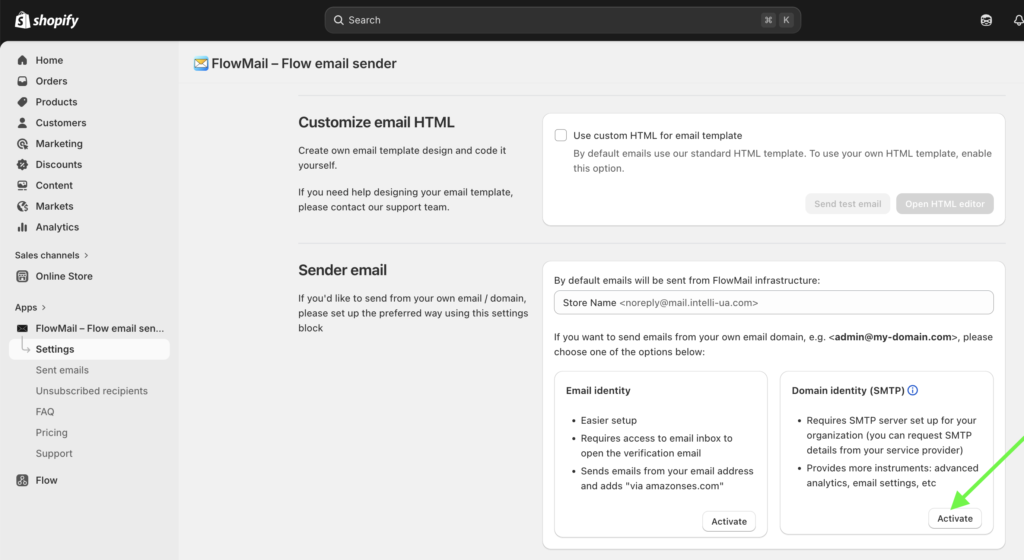
1) Activate domain identity in WorkflowMail Settings:
2) Use the following example to set this up with your sending domain / email:
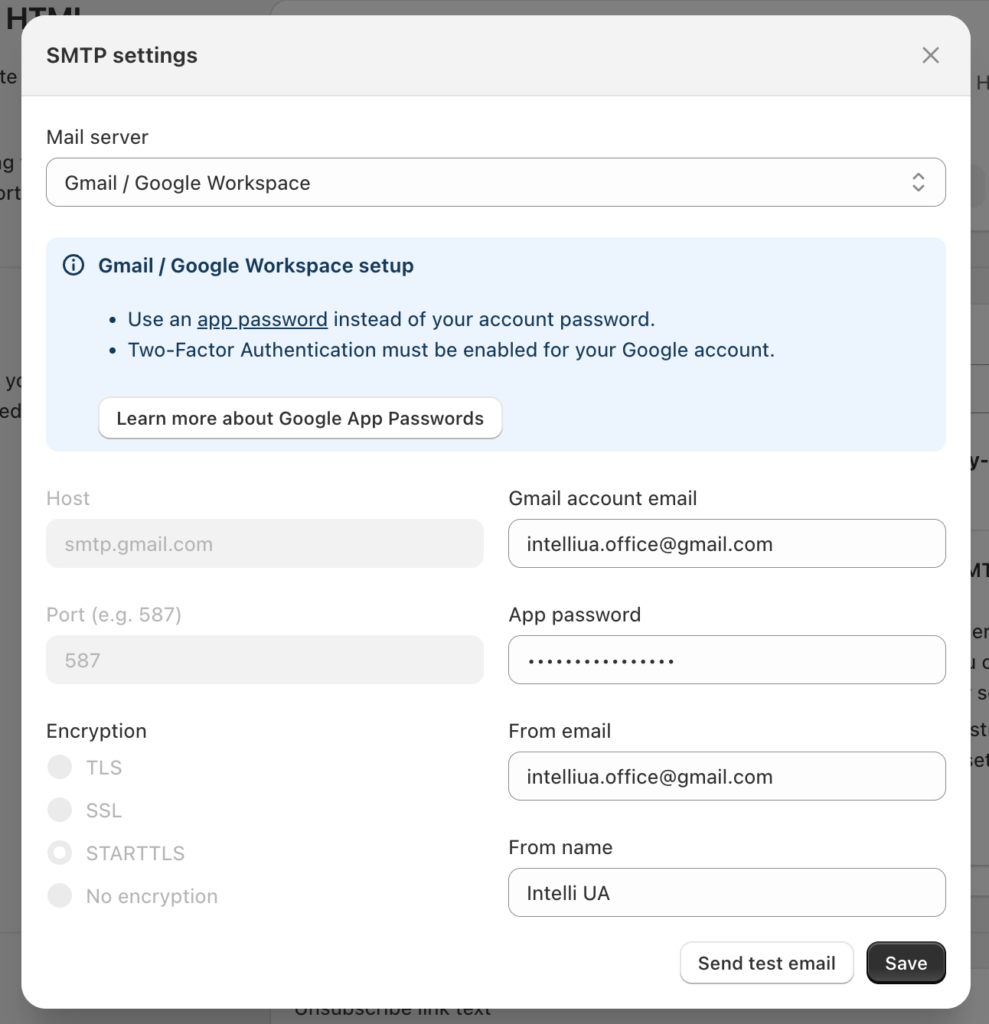
Note: please make sure to use the Google App Password (not Gmail account password) for this setup – the form contains links to an instruction on setting this up.
What about the sending limits? Gmail has own limitations: up to 500 different emails per day, recovery after reaching this limit is 1-24 hours.
FlowFlowMailGmailGooglemailShopifysmtpworkflowmail