
WorkflowMail Emails app icon

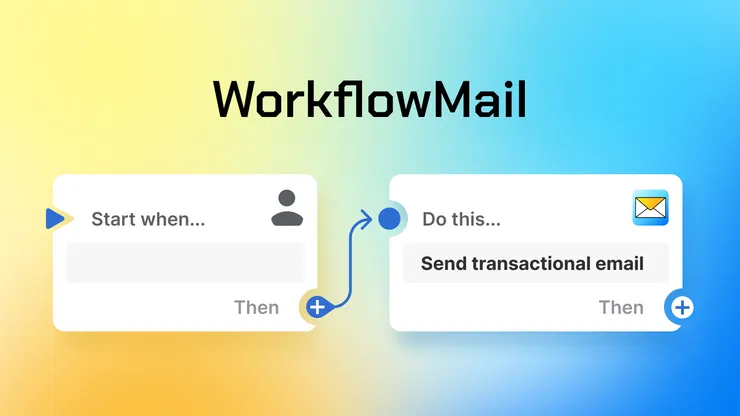
Send personalized transactional emails straight from Shopify Flow

Order confirmations, follow-ups, download links, account validations and more – with your own domain, HTML templates and attachments.
Built for Shopify5.0 (52 reviews)Free plan availableWorkflow automation

500 free lifetime Flow actions to try. Paid plans from $9.99/mo.

WorkflowMail: send transactional emails with Shopify Flow

Where WorkflowMail Emails helps

Order confirmations & follow-ups

Confirm orders, chase missing information, or follow up after fulfillment – triggered automatically by Flow.

Download links & digital goods

Deliver files, licenses, and links right when Flow fires, without a separate email tool.

Account validations & B2B notices

Send account approvals, wholesale updates, and other critical business notifications customers actually open.

What you get

Flow action that sends email

Add WorkflowMail – often searched as Flow Mail or Flow Email – as an action in any Shopify Flow workflow and trigger targeted transactional emails from orders, customers, and other events.

Your own domain & sender

Send from your own email domain with customizable sender and reply-to parameters, so messages look like they come from your store.

HTML templates you control

Start from an optimized transactional template, then customize fonts, colors, logo – or code your own HTML for full control.

Attachments that fit the job

Attach static files, or pull attachments from a URL – e.g. per-order PDFs, download links, invoices, and account documents.

Works with your mail provider

Supports SMTP, Gmail, and Microsoft 365 Graph API. No SMTP required to start – connect a provider when you are ready to scale.

Logs, retention & priority queue

Inspect what was sent from 90–180 days of logs (plan-dependent) and get standard, high, or top queue priority on paid plans.

Set up in minutes

  1. Install WorkflowMail

    Install from the Shopify App Store. Works with dev and production stores.

  2. Connect your sender

    Keep the default sender to test, then add your own domain via SMTP, Gmail, or Microsoft 365 when ready.

  3. Add it to a Flow workflow

    Pick a trigger (e.g. order created), add the WorkflowMail action, and map subject, body, and recipients – or use one of the templates.

  4. Customize & go live

    Adjust the template design, add attachments, check the logs – then enable the workflow.

Install WorkflowMail Emails

Take a look inside

Click any screenshot to enlarge.

WorkflowMail – send transactional emails from Shopify Flow
WorkflowMail – email preview
WorkflowMail – settings and email editor: font, colors, logo
WorkflowMail – code your own email template with HTML

What merchants say

“Being able to send transactional emails to customers really helped me to communicate while I had a supply issue. Thanks FlowMail!”

koor · Australia · 18 days using the app

“Unbelievable support, these guys are great! Once set up, all works perfectly and saves a lot of time and effort.”

Eventcarpetsonline Ltd · United Kingdom · 27 days using the app

“Great support, went above and beyond for a custom feature request – genuinely responsive and willing to extend the app for a real merchant use case.”

Teamsportausstatter · Germany · Per-order PDF attachments

“Does exactly what it needs to do and the support team was extremely helpful. Needed help with some styling of the templates and they were fast and helpful in finding a suitable solution. Thanks again!”

Ra Optics · United States · Over 1 year using the app

Quotes from Shopify App Store reviews for WorkflowMail Emails.

Frequently asked questions

Is this the Flow Mail / Flow Email app for Shopify Flow?

Yes – if you searched for Flow Mail or Flow Email, WorkflowMail is it. It adds a “send email” action to Shopify Flow so you can send personalized transactional emails from any workflow.

Do I need my own SMTP server to start?

No. SMTP is not required to try WorkflowMail – the free plan works without it. Add SMTP, Gmail, or Microsoft 365 later to send from your own domain at scale.

How is usage counted?

Usage is counted per Flow action that sends an email. The free plan includes up to 500 free lifetime Flow actions to try. Professional ($9.99/mo) includes 500 monthly actions + $1 per 100 after that; Advanced ($29.99/mo) includes 2,500 monthly actions; Enterprise ($49.99/mo) is unlimited.

Can I fully customize the email design?

Yes. Adjust fonts, colors, and logo in the editor, or code your own HTML template on paid plans. Enterprise can also have templates coded by our team.

Can I send attachments?

Yes. Add static attachments on Professional and up, plus attachments from a URL (e.g. dynamically generated per-order PDFs) on Advanced and up.

Does it work with Shopify Flow?

Yes – that is the point. WorkflowMail is a Flow action plus integrations with Shopify Admin, Gmail, Microsoft 365 Graph API, SMTP, and Sidekick.

Start with WorkflowMail Emails

500 free lifetime Flow actions to try. Paid plans from $9.99/mo.

Explore other apps

Blog comments, product reviews, Q&A and community discussions for Shopify

Learn more about Commentify →

Let customers edit their own profile – stop updating records manually

Learn more about Smart Customer Account Editor →

Connect Discourse to Shopify – one account for store and community

Learn more about Discoursify →

Enlarged screenshot