# Intelli UA Shopify Apps
URL: https://shopify.intelli-ua.com
## Shopify apps & automation that just work
URL: https://shopify.intelli-ua.com
Shopify apps by Intelli-UA: WorkflowMail, automation services, custom app development, and Flow tutorials.
# Shopify apps & automation that just work
We build public Shopify apps like WorkflowMail and help merchants automate with Shopify Flow, custom apps, and integrations.
[Book automation service](/shopify-flow-automation-setup-service/)[Custom app development](/shopify-custom-app-creation/)[Read the blog](/blog/)
## Our Shopify apps
Public apps built and supported by our team – install in one click from the Shopify App Store.
[](/apps/flowmail/)

### [WorkflowMail Emails](/apps/flowmail/)
[Built for Shopify](https://apps.shopify.com/stories/guide-built-for-shopify "Built for Shopify: meets Shopify's highest standards for safety, performance, ease of use and usefulness")5.0 (52 reviews)
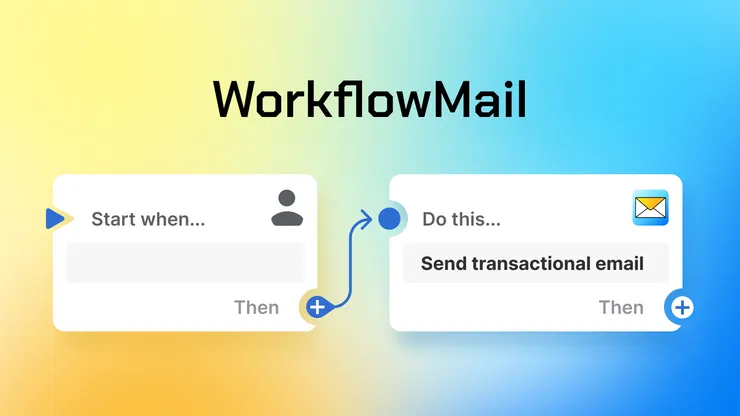
Order confirmations, follow-ups, download links, account validations and more – with your own domain, HTML templates and attachments.
[Learn more about WorkflowMail Emails](/apps/flowmail/)[See on App Store](https://apps.shopify.com/flowmail)
[](/apps/commentify/)

### [Commentify](/apps/commentify/)
[Built for Shopify](https://apps.shopify.com/stories/guide-built-for-shopify "Built for Shopify: meets Shopify's highest standards for safety, performance, ease of use and usefulness")4.7 (16 reviews)
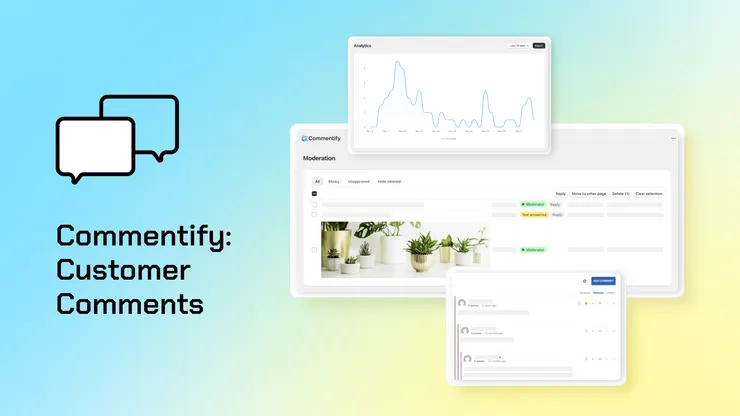
Threaded replies, upvotes, image uploads, spam filtering and moderation, styled automatically to match your theme.
[Learn more about Commentify](/apps/commentify/)[See on App Store](https://apps.shopify.com/commentify)
[](/apps/customer-account-editor/)

### [Smart Customer Account Editor](/apps/customer-account-editor/)
4.5 (2 reviews)
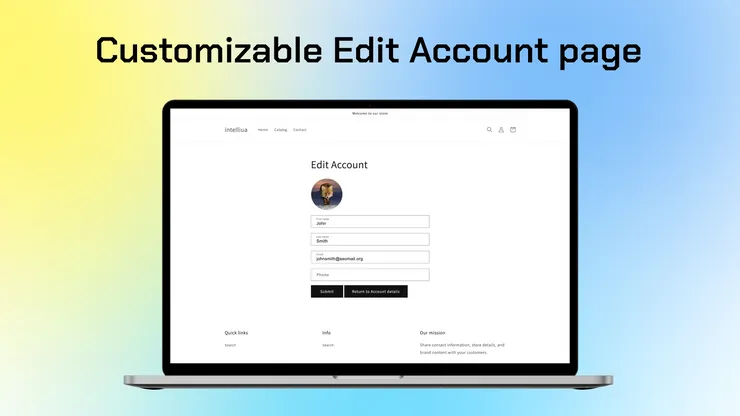
First and last name, email, phone, profile picture and custom fields – customers keep their own data current, no manual admin work.
[Learn more about Smart Customer Account Editor](/apps/customer-account-editor/)[See on App Store](https://apps.shopify.com/customer-account-editor)
[](/apps/discoursify/)

### [Discoursify](/apps/discoursify/)
5.0 (1 review)
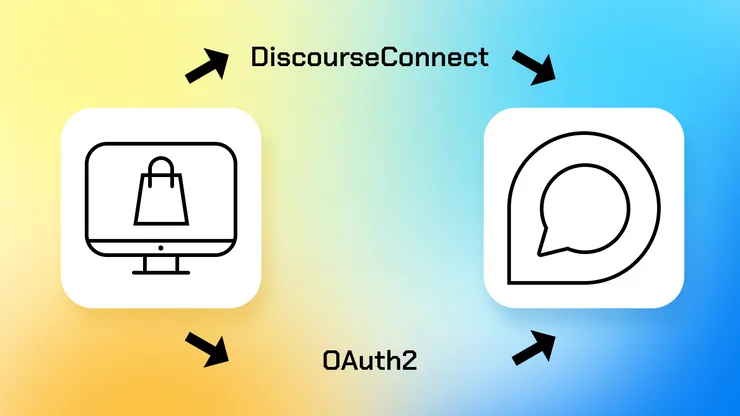
Customers log in / register on your Discourse community with their store account via OAuth2 or DiscourseConnect SSO – no second account needed.
[Learn more about Discoursify](/apps/discoursify/)[See on App Store](https://apps.shopify.com/discoursify)
## Services
### [Flow automation setup service](/shopify-flow-automation-setup-service/)
Your on-demand Shopify automation team – from simple triggers to complex workflows using Flow, code, and APIs.
[Learn more about Flow automation →](/shopify-flow-automation-setup-service/)
### [Shopify custom app creation](/shopify-custom-app-creation/)
Private apps built exclusively for your store – no app-store listing, no unnecessary features.
[Learn more about custom app development →](/shopify-custom-app-creation/)
## Latest from the blog
[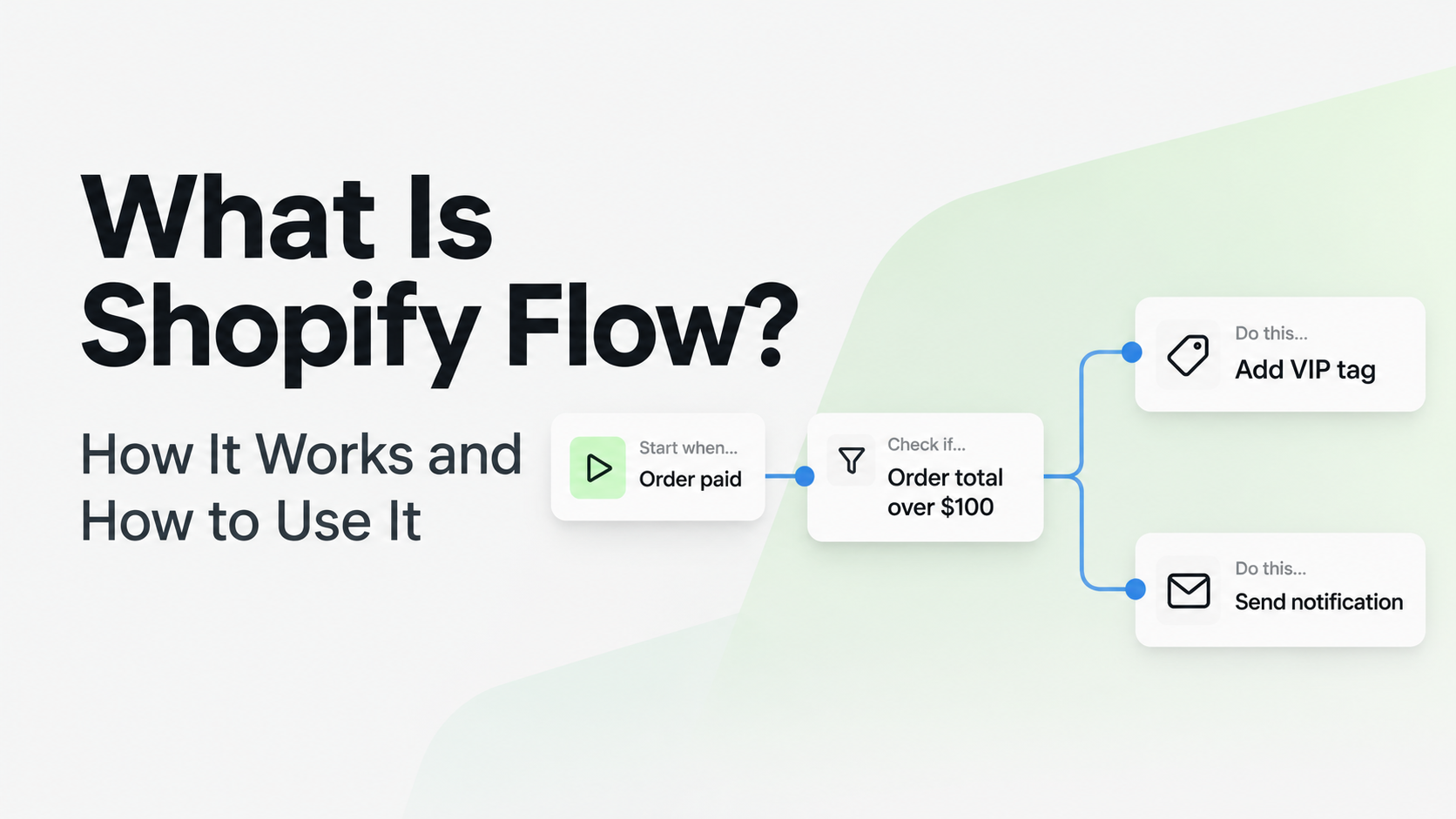](/blog/what-is-shopify-flow-practical-guide/)
2026-11-14
### [What Is Shopify Flow? A Practical Guide to Store Automation](/blog/what-is-shopify-flow-practical-guide/)
What is Shopify Flow? Learn how Shopify's free automation app works, what it can automate, which plans include it, and how to build and test
FlowShopify Flowautomation
[](/blog/commentify-spam-and-bot-protection-for-shopify-comments/)
2026-11-05
### [Commentify adds always-on spam and bot protection for Shopify comments](/blog/commentify-spam-and-bot-protection-for-shopify-comments/)
Commentify is now even safer: every store gets always-on bot and spam protection on all comments, plus an optional reputation database looku
Commentifycommentsspam protection
[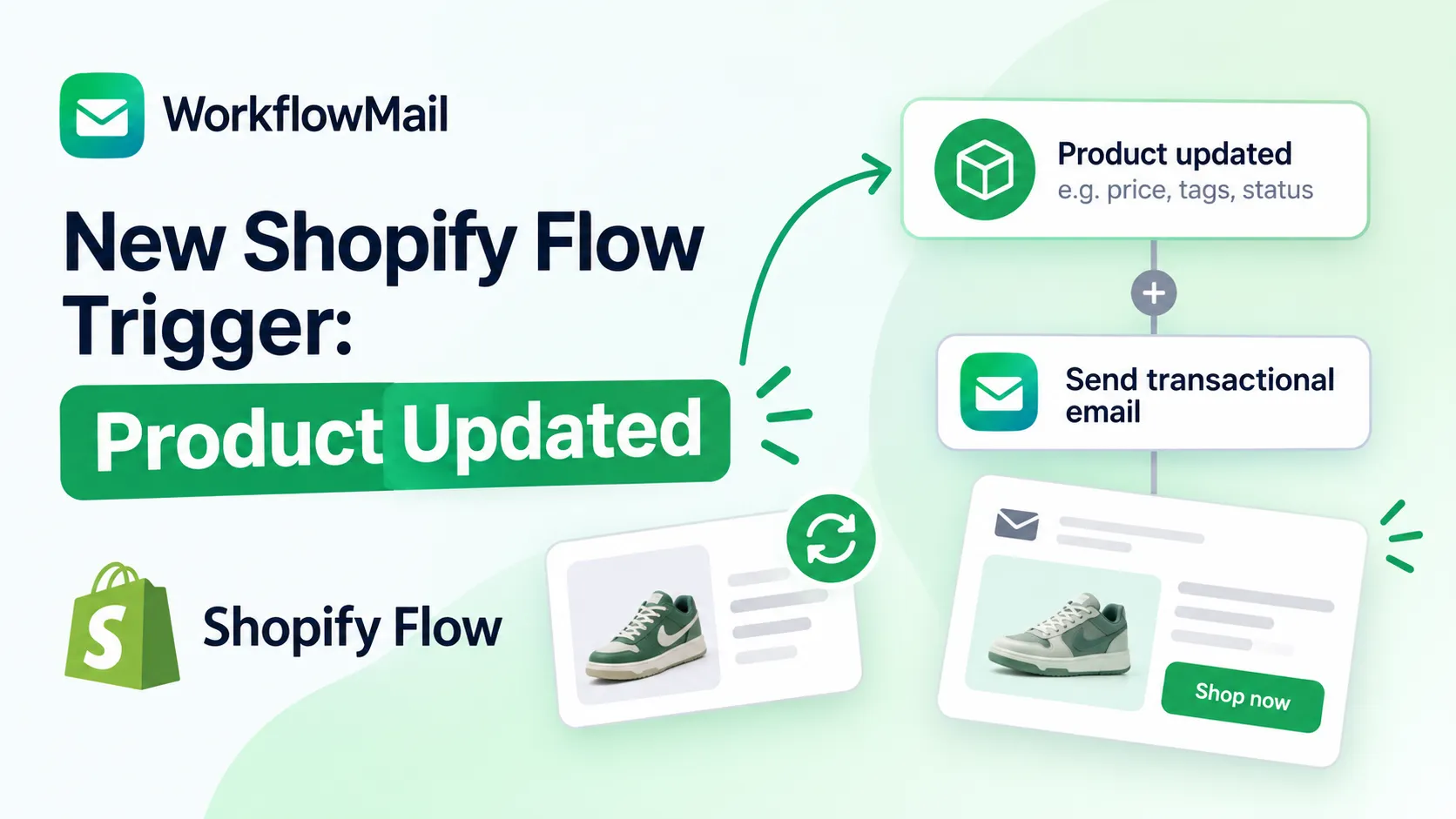](/blog/shopify-flow-product-updated-trigger/)
2026-11-02
### [New Shopify Flow Trigger: Product Updated](/blog/shopify-flow-product-updated-trigger/)
Shopify Flow now ships a Product updated trigger – build workflows that react when a product or variant changes, monitoring up to 5 fields l
FlowShopifytriggers
[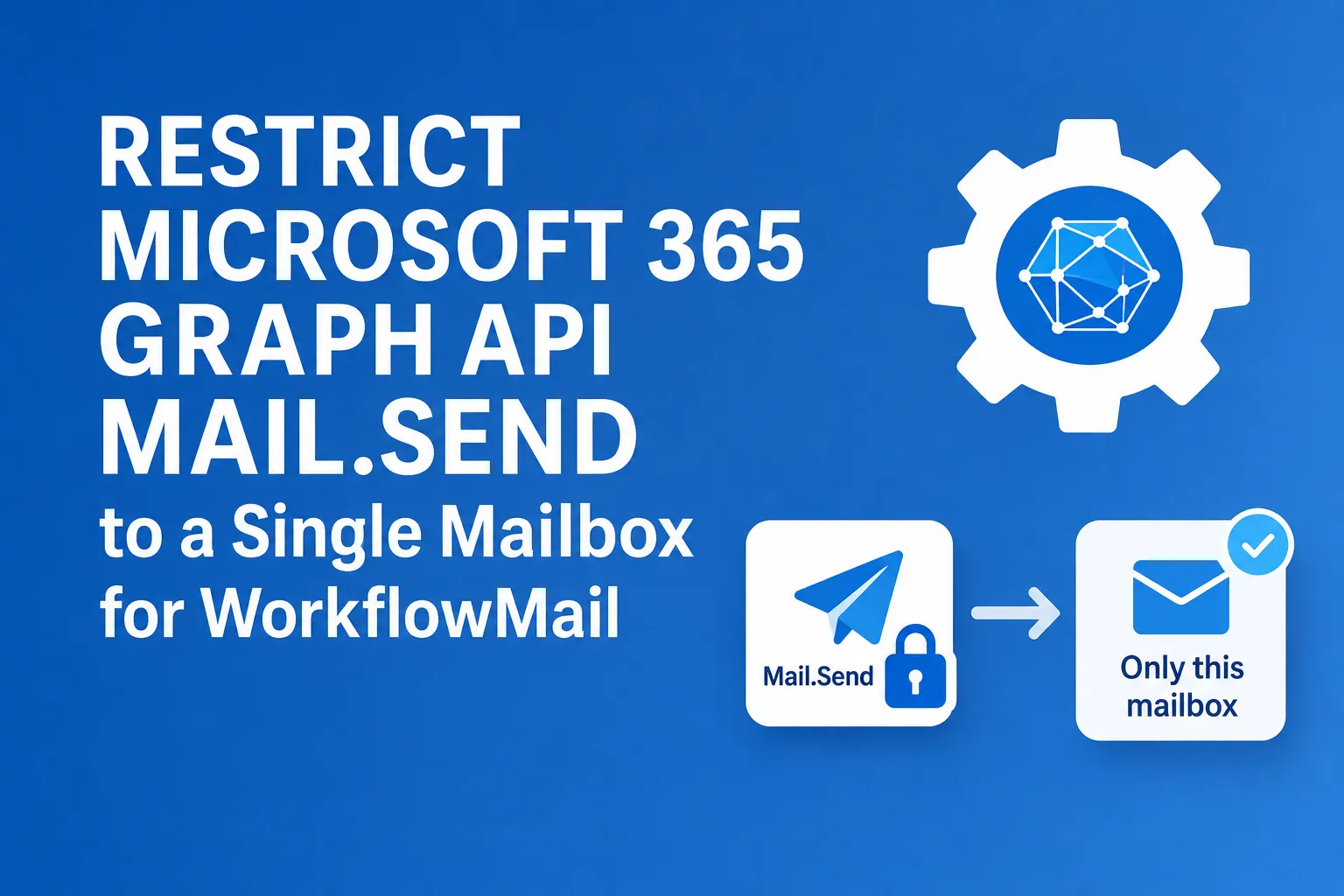](/blog/restrict-microsoft-365-graph-api-mail-send-to-single-mailbox/)
2026-10-31
### [Restrict M365 Graph API Mail.Send to a Mailbox](/blog/restrict-microsoft-365-graph-api-mail-send-to-single-mailbox/)
How to scope the Microsoft 365 Graph API Mail.Send permission so WorkflowMail can send from only one mailbox instead of every mailbox in you
365FlowFlowMail
[](/blog/shopify-flow-templates-available-in-workflowmail/)
2026-10-29
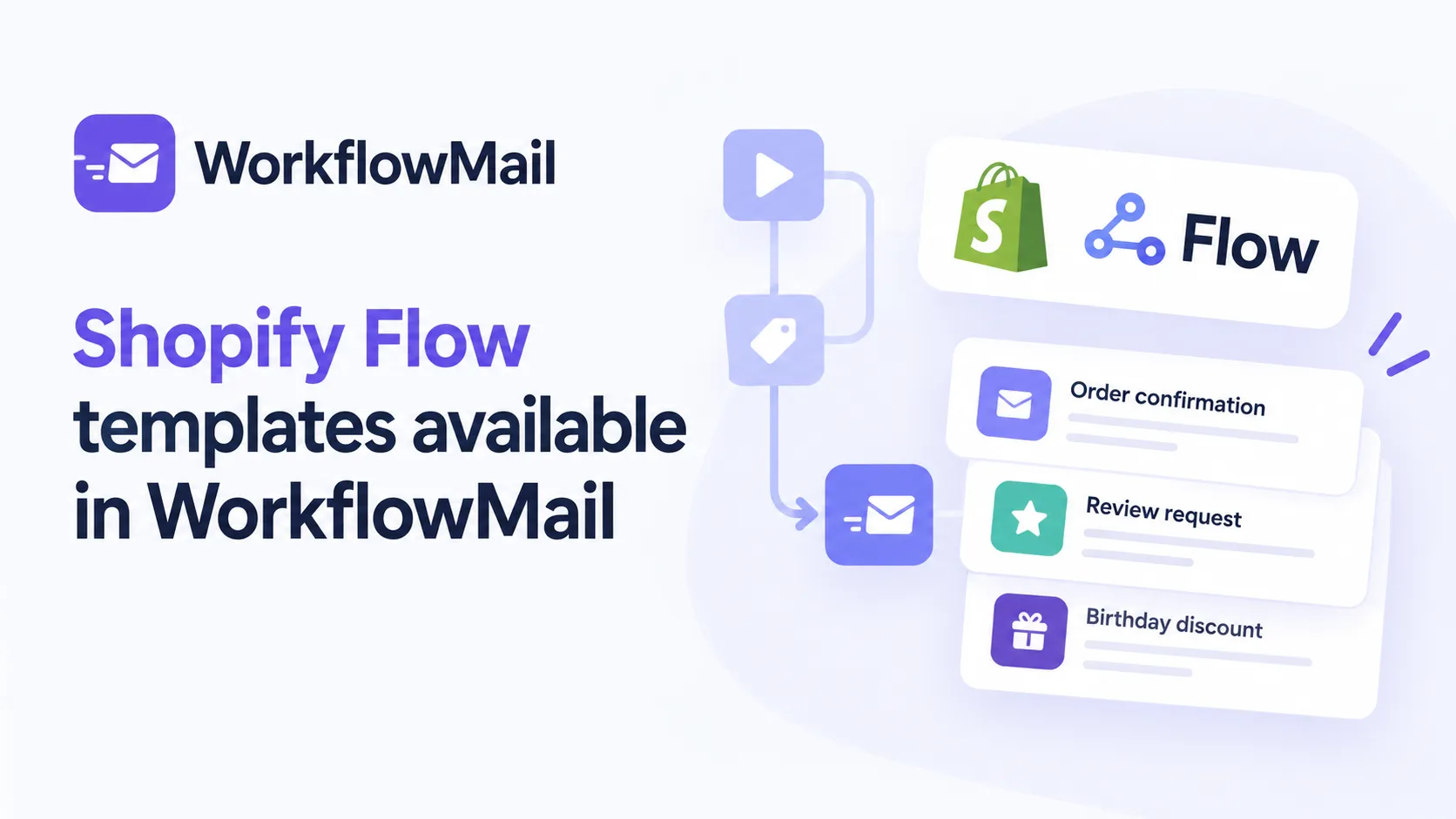
### [Shopify Flow templates available in WorkflowMail](/blog/shopify-flow-templates-available-in-workflowmail/)
38 ready-to-use Shopify Flow templates powered by WorkflowMail for orders, wishlists, courses, preorders and more. Install any template in o
FlowFlowMailWorkflowMail
[](/blog/shopify-flow-ai-prompt-examples-for-email-chains/)
2026-10-23
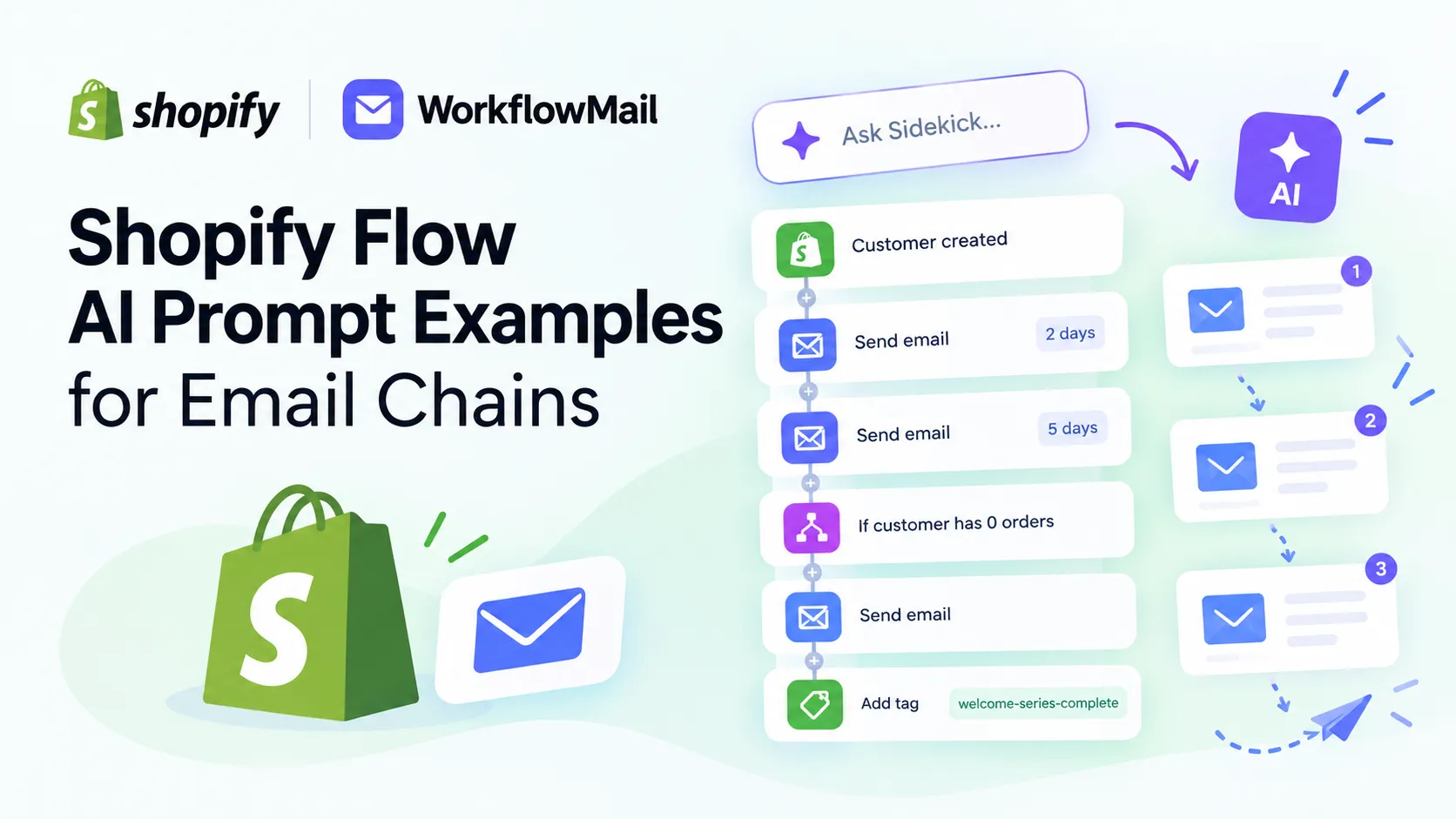
### [Shopify Flow AI Prompt Examples for Email Chains](/blog/shopify-flow-ai-prompt-examples-for-email-chains/)
Ready-to-use Sidekick prompts to build multi-step email chains in Shopify Flow, delivered with WorkflowMail.
AIFlowFlowMail
[View all 20 posts →](/blog/)
---
## Affiliate program
URL: https://shopify.intelli-ua.com/affiliate
Earn commission promoting WorkflowMail, the Shopify Flow email app by Intelli-UA. 30% recurring commission, 30-day cookie window, $50 minimum payout.
# Affiliate program
Recommend WorkflowMail to merchants who need transactional emails from Shopify Flow – and earn a commission on every referral that converts.
[Apply](https://getpartnerdock.com/p/flowmail)[View WorkflowMail on the App Store](https://apps.shopify.com/flowmail)
30%
Recurring commission
$50
Minimum payout
Monthly
Payout processing
Partners and agencies may qualify for exclusive commission rates.
## How it works
1. **Apply.** Submit your application. Tell us who you are, where you promote apps, and how you work with merchants.
2. **Get approved.** Applications are reviewed manually, usually within a few business days.
3. **Share your link.** Once approved, you receive a referral link (and can request a custom discount code) to share with your audience or clients.
4. **Earn commission.** You earn commission on merchants who install and use WorkflowMail through your referral, within the 30-day attribution window.
5. **Get paid.** Request a payout once your balance reaches $50. Payouts are made by PayPal, bank transfer, or another agreed method.
## Who it's for
- **Agencies & freelancers** building or maintaining Shopify stores – add WorkflowMail to the stack you already recommend and earn on the merchants you refer.
- **Creators & educators** teaching Shopify Flow, automation, or email – show WorkflowMail in tutorials, teardowns, or course modules.
- **App & technology partners** serving the same merchants – explore integrations and co-marketing alongside the referral program.
- **Consultants & experts** advising merchants on operations, where transactional email from Flow is a natural fit.
## Why WorkflowMail
WorkflowMail adds a "send email" action to Shopify Flow, so merchants can send personalized transactional emails – order confirmations, follow-ups, download links, account validations – from their own domain, with HTML templates and attachments. It is a natural recommendation for any store that already uses Shopify Flow.
- Built for Shopify, rated 5.0 on the Shopify App Store.
- Free plan available – 500 free lifetime Flow actions to try.
- Paid plans from $9.99/month, so there is a clear upgrade path to earn on.
- Works with SMTP, Gmail, and Microsoft 365 Graph API.
[Learn more about WorkflowMail →](/apps/flowmail/)
## Frequently asked questions
Who can join the program?
Agencies, freelancers, creators, communities, consultants, and Shopify app teams. Every application is reviewed, and we reply within a few business days.
Is it free to join?
Yes. Joining the affiliate program is free.
How much can I earn?
The standard rate is 30% commission on referred merchants, tracked within the 30-day attribution window. Agencies and partners who refer consistently may be eligible for exclusive rates – get in touch to discuss.
Which app can I recommend?
This program covers WorkflowMail (WorkflowMail Emails) on the Shopify App Store. One sign-up covers the program.
Can I get a discount code to share?
Yes. Tell us the code you would like and we will create it for you once you are approved.
When and how do I get paid?
Once your balance reaches $50, request a payout in your partner dashboard. Payouts are made by PayPal, bank transfer, or another agreed method.
Do I need a company to get paid?
No, but every payout requires an invoice sent to the program manager, as agreed during approval.
How do I track my referrals?
Your partner dashboard shows referral activity and commission.
Where do I log in?
Log in to your partner dashboard at [getpartnerdock.com/partner/login](https://getpartnerdock.com/partner/login).
Are there rules for promoting WorkflowMail?
Yes. Share what the app does and your own experience with it. Full promotion rules are in the [affiliate program terms](https://getpartnerdock.com/terms).
Can my app integrate with WorkflowMail?
Yes. Technical integrations are welcome – for example, pairing your product with WorkflowMail's Flow action. Tell us what you have in mind through the application form.
## Ready to apply?
Have an audience, a client base, or an idea? We would love to hear from you.
[Apply](https://getpartnerdock.com/p/flowmail)
---
## Our Shopify apps
URL: https://shopify.intelli-ua.com/apps
Public Shopify apps built and supported by Intelli-UA: WorkflowMail, Commentify, Smart Customer Account Editor, Discoursify.
# Our Shopify apps
Public apps built and supported by our team – install in one click from the Shopify App Store.
[](/apps/flowmail/)

### [WorkflowMail Emails](/apps/flowmail/)
Order confirmations, follow-ups, download links, account validations and more – with your own domain, HTML templates and attachments.
5.0 (52 reviews) · Free plan available
[Learn more about WorkflowMail Emails](/apps/flowmail/)[See on App Store](https://apps.shopify.com/flowmail)
[](/apps/commentify/)

### [Commentify](/apps/commentify/)
Threaded replies, upvotes, image uploads, spam filtering and moderation, styled automatically to match your theme.
4.7 (16 reviews) · Free plan available
[Learn more about Commentify](/apps/commentify/)[See on App Store](https://apps.shopify.com/commentify)
[](/apps/customer-account-editor/)

### [Smart Customer Account Editor](/apps/customer-account-editor/)
First and last name, email, phone, profile picture and custom fields – customers keep their own data current, no manual admin work.
4.5 (2 reviews) · $9.99/month
[Learn more about Smart Customer Account Editor](/apps/customer-account-editor/)[See on App Store](https://apps.shopify.com/customer-account-editor)
[](/apps/discoursify/)

### [Discoursify](/apps/discoursify/)
Customers log in / register on your Discourse community with their store account via OAuth2 or DiscourseConnect SSO – no second account needed.
5.0 (1 review) · From $9.99/month
[Learn more about Discoursify](/apps/discoursify/)[See on App Store](https://apps.shopify.com/discoursify)
---
## Blog comments, product reviews, Q&A and community discussions for Shopify
URL: https://shopify.intelli-ua.com/apps/commentify
Commentify: Blog comments, product reviews, Q&A and community discussions for Shopify. Threaded replies, upvotes, image uploads, spam filtering and…

# Blog comments, product reviews, Q&A and community discussions for Shopify
Threaded replies, upvotes, image uploads, spam filtering and moderation, styled automatically to match your theme.
[Built for Shopify](https://apps.shopify.com/stories/guide-built-for-shopify "Built for Shopify: meets Shopify's highest standards for safety, performance, ease of use and usefulness")4.7 (16 reviews)Free plan availableBlogs & social trust
[Install now](https://apps.shopify.com/commentify)[View demo store](https://commentify-demo.myshopify.com/blogs/plants/houseplant-blog)Store password: `1`
Standard $9.99/mo up to 10k comments. Advanced $29.99/mo unlimited. 3-day free trial.

## Where Commentify helps
### Blog & article discussions
Let customers discuss your articles and build an audience that comes back.
### Product reviews & Q&A
Collect testimonials, answer pre-purchase questions, and add fresh content to PDPs.
### Community & feedback pages
Run lightweight forums, course discussions, or checkout-adjacent feedback on any page.
## What you get
### Comments anywhere
Drop a comments block on blogs, articles, products, or any page – reposition it with the Shopify 2.0 theme drag-n-drop editor.
### Threaded replies & votes
Nested multi-level replies, collapsible threads, markdown formatting, upvotes/downvotes, and image uploads keep discussions useful.
### Moderation that scales
Manual approval, thread locking, comment removal, anonymous mode toggle, and automatic spam filtering – with unlimited moderator accounts.
### Reviews that help SEO
Collect product testimonials and feedback as indexable content under products and articles instead of locked-away widgets.
### Reply notifications via Flow
Pair with WorkflowMail and Shopify Flow to auto-email commenters when someone replies – a merchant-favorite combo.
### Analytics & import/export
See comments, votes, and most-commented pages at a glance. Import/export available when migrating discussions.
## Set up in minutes
1. **Install Commentify**
Install from the App Store and open the app in Shopify admin.
2. **Place the comments block**
Use the theme editor to add and position the block on blogs, products, or custom pages. Styling follows your theme automatically.
3. **Set moderation rules**
Choose anonymous vs. logged-in commenting, approval flow, spam filtering, and moderators.
4. **Grow the conversation**
Optionally wire reply notifications via Flow + WorkflowMail and monitor analytics.
[Install Commentify](https://apps.shopify.com/commentify)
## Take a look inside
Click any screenshot to enlarge.
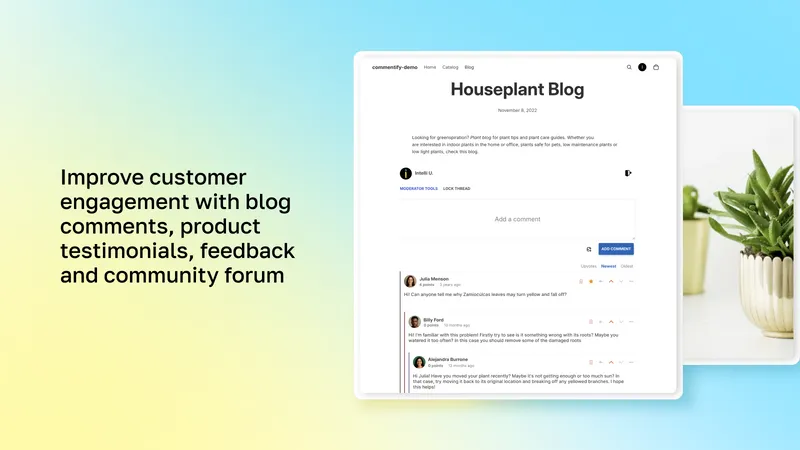
Commentify comments for Shopify – blog and product comments
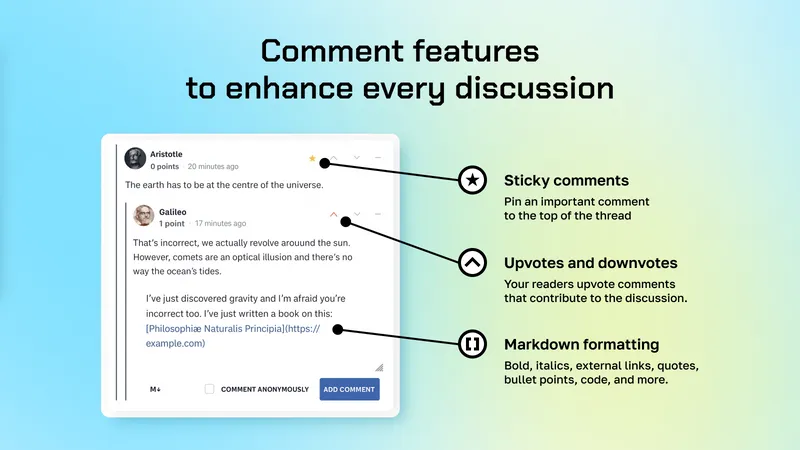
Commentify comments for Shopify – sticky, upvotes, formatting
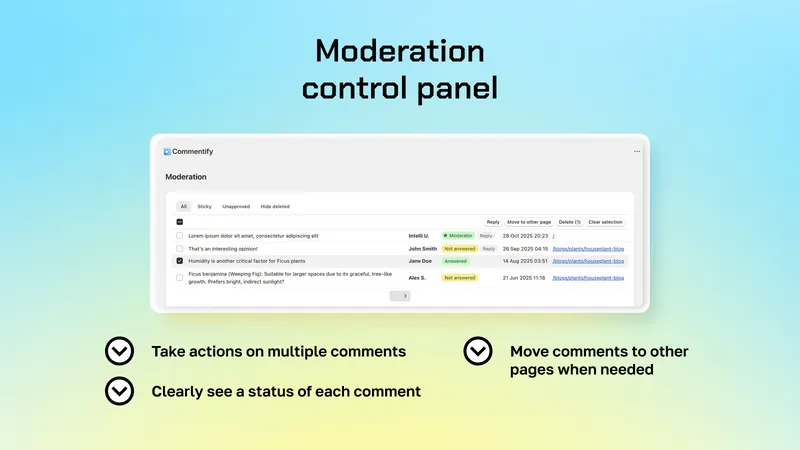
Commentify comments for Shopify – admin moderation interface
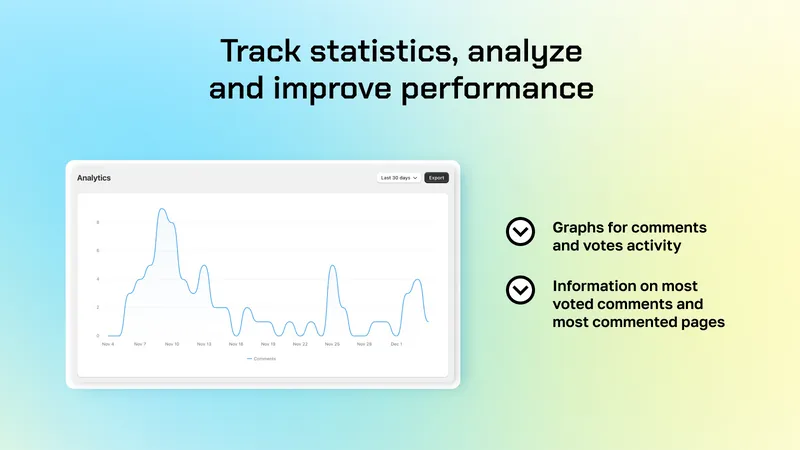
Commentify – comments, votes and most commented pages analytics
## What merchants say
“Commentify tech support came through for the win! I couldn’t be more pleased! Thank you, thank you!”
**Center for White Rose Studies** · United States · Blog comments
“Supports collapsable threads, markdown formatting, image upload, upvote/downvote – plus auto-email on replies with FlowMail and Flow.”
**Ling Labs** · United States · Community use
“The Commentify team quickly stepped in, redirected the links for us, and even added a new tab so we can manage redirects ourselves. Highly recommend!”
**Stupidbubble.com** · United States · SEO migration
“This app needed one function added and the support team was able to add it and meet our business needs within a day of asking if it was possible. Great customer support.”
**Seeking Health** · United States · 7 months using the app
Quotes from Shopify App Store reviews for Commentify.
## Frequently asked questions
Do commenters need to log in?
By default commenting uses store login (Shop account or email), which reduces spam. You can enable anonymous commenting, but anonymous commenters will not get reply alert emails without login/registration.
Can I use it for product reviews?
Yes. Many merchants use Commentify for product testimonials, Q&A, and feedback in addition to blog comments – all with threaded replies and votes.
Will it match my theme?
Yes. The design automatically adjusts to your theme styles, and placement is controlled via the Shopify 2.0 drag-n-drop editor.
How do reply notifications work?
Combine Commentify with Shopify Flow and WorkflowMail (same developer) to auto-email commenters when someone replies to them.
What are the plan limits?
Standard ($9.99/mo) covers up to 10k comments with unlimited moderators, anonymous commenting, approval, votes, threads, and image uploads. Advanced ($29.99/mo) is unlimited comments plus custom requests and live Zoom support. Both have a 3-day free trial; dev stores are free.
## Start with Commentify
Standard $9.99/mo up to 10k comments. Advanced $29.99/mo unlimited. 3-day free trial.
[See on App Store](https://apps.shopify.com/commentify)[All apps](/apps/)
## Explore other apps

### [WorkflowMail Emails](/apps/flowmail/)
Send personalized transactional emails straight from Shopify Flow
[Learn more about WorkflowMail Emails →](/apps/flowmail/)

### [Smart Customer Account Editor](/apps/customer-account-editor/)
Let customers edit their own profile – stop updating records manually
[Learn more about Smart Customer Account Editor →](/apps/customer-account-editor/)

### [Discoursify](/apps/discoursify/)
Connect Discourse to Shopify – one account for store and community
[Learn more about Discoursify →](/apps/discoursify/)
---
## Let customers edit their own profile – stop updating records manually
URL: https://shopify.intelli-ua.com/apps/customer-account-editor
Smart Customer Account Editor: Let customers edit their own profile – stop updating records manually. First and last name, email, phone, profile picture and…

# Let customers edit their own profile – stop updating records manually
First and last name, email, phone, profile picture and custom fields – customers keep their own data current, no manual admin work.
4.5 (2 reviews)$9.99/monthAccounts & login
[Install now](https://apps.shopify.com/customer-account-editor)[View demo store](https://intelliua.myshopify.com/customer_authentication/login)Store password: `1`
Single Standard plan. 7-day free trial included.

## Where Smart Customer Account Editor helps
### Classic customer accounts
Adds an edit-profile page and button block inside native Shopify accounts.
### Membership & fan clubs
Keep member profiles, photos, and custom attributes current without admin work.
### B2B & wholesale records
Let buyers maintain contact details and custom identifiers themselves.
## What you get
### Self-serve profile edits
Customers update first name, last name, email, and phone themselves from a dedicated page in their Shopify account.
### Profile pictures
Customers upload avatars you can render via Liquid/metafields – great for community features and comment threads.
### Custom fields via notes
Collect and edit custom fields stored in customer notes without touching records manually.
### You control the fields
Enable or disable each field to avoid unfortunate edits and keep customer data clean.
### Shopify 2.0 compatible
Easy install with an Edit Profile button block that drops into classic customer accounts.
### Built for support load
Removes the back-and-forth of “please update my email/phone” tickets for stores with loyal accounts.
## Set up in minutes
1. **Install the app**
Install from the App Store (7-day free trial on the $9.99/mo Standard plan).
2. **Choose editable fields**
Toggle first/last name, email, phone, profile picture, and custom note fields.
3. **Add the edit button**
Place the Edit Profile block in customer account templates via the theme editor.
4. **Let customers self-serve**
Customers edit and save – you stop doing manual record updates.
[Install Smart Customer Account Editor](https://apps.shopify.com/customer-account-editor)
## Take a look inside
Click any screenshot to enlarge.
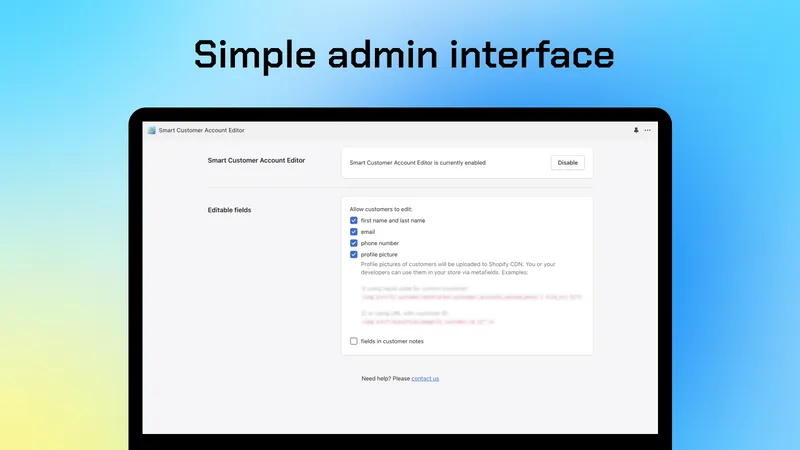
Customer Account Editor for Shopify – admin settings
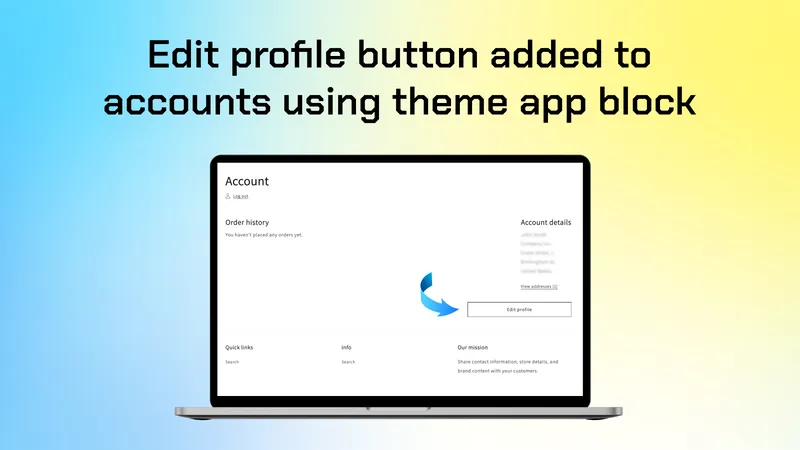
Customer Account Editor for Shopify – Edit Profile button block
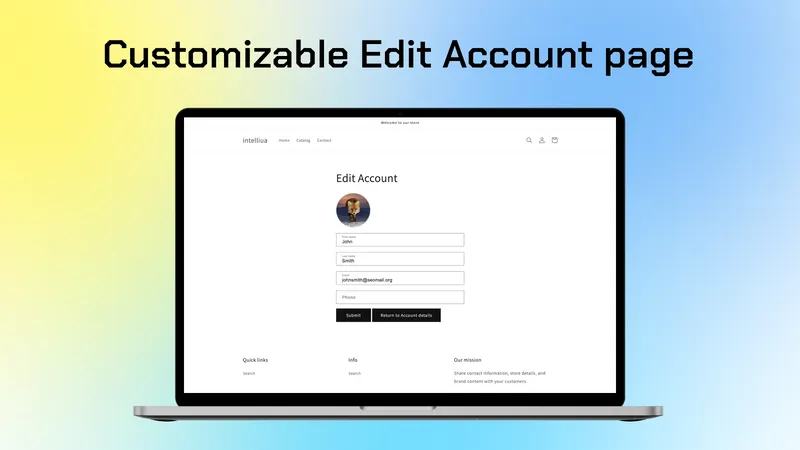
Customer Account Editor for Shopify – profile edit form
## What merchants say
“This app allows members to upload their profile pictures, enhancing the sense of community. Attentive support provides a sense of reassurance.”
**HANEUM JAPAN OFFICIAL FANCLUB** · Japan · Membership community
“Extraordinary support. I wanted to change my existing customer fields app to this one. Works and looks great.”
**Un Lieu de Lumière** · France · Migration from another app
Quotes from Shopify App Store reviews for Smart Customer Account Editor.
## Frequently asked questions
Which account type does it support?
Classic customer accounts. The app adds a profile-edit page and button block you place via the theme editor on Shopify 2.0 themes.
What can customers edit?
First and last name, email, phone, profile picture, and custom fields stored in customer notes – each toggleable in admin settings.
Can I use profile pictures in my theme?
Yes. Uploaded avatars are accessible via Liquid/metafields, so you can display them in community features, comments, or account pages.
How much does it cost?
One simple plan: Standard at $9.99/month with a 7-day free trial. No usage tiers.
## Start with Smart Customer Account Editor
Single Standard plan. 7-day free trial included.
[See on App Store](https://apps.shopify.com/customer-account-editor)[All apps](/apps/)
## Explore other apps

### [WorkflowMail Emails](/apps/flowmail/)
Send personalized transactional emails straight from Shopify Flow
[Learn more about WorkflowMail Emails →](/apps/flowmail/)

### [Commentify](/apps/commentify/)
Blog comments, product reviews, Q&A and community discussions for Shopify
[Learn more about Commentify →](/apps/commentify/)

### [Discoursify](/apps/discoursify/)
Connect Discourse to Shopify – one account for store and community
[Learn more about Discoursify →](/apps/discoursify/)
---
## Connect Discourse to Shopify – one account for store and community
URL: https://shopify.intelli-ua.com/apps/discoursify
Discoursify: Connect Discourse to Shopify – one account for store and community. Customers log in / register on your Discourse community with their store…

# Connect Discourse to Shopify – one account for store and community
Customers log in / register on your Discourse community with their store account via OAuth2 or DiscourseConnect SSO – no second account needed.
5.0 (1 review)From $9.99/monthAccounts & login
[Install now](https://apps.shopify.com/discoursify)[View demo store](https://discourse-test.myshopify.com/account/login)Store password: `1`
Basic $9.99/mo OAuth2 login. DiscourseConnect $19.99/mo full SSO. 3-day free trial.

[](https://www.discourse.org)
## What is Discourse?
[Discourse](https://www.discourse.org) is the leading open-source community platform – modern forums, support boards, membership discussions, and product feedback in one place.
By default it knows nothing about your Shopify customers: separate accounts, separate passwords, and signup friction that kills engagement. Discoursify connects the two, so store customers log in to your community with their shop account – via OAuth2 or DiscourseConnect SSO.
## Where Discoursify helps
### Brand communities
Power product forums, fan clubs, and owner groups with Discourse depth + Shopify identity.
### Support forums
Let verified buyers ask, answer, and search – logged in automatically from the store.
### Courses & memberships
Gate community access to customers and keep one roster across shop and forum.
## What you get
### Login with Shopify (OAuth2)
Add “Login with Shopify” to Discourse so community users sign in with their existing store customer account.
### Full DiscourseConnect SSO
Replace Discourse login/signup entirely with Shopify on the DiscourseConnect plan – logged into the store means logged into the forum.
### No second account
Remove signup friction and lost engagement from password sprawl: one identity for commerce and community.
### Guided setup
In-app instructions walk through Discourse OAuth2 / DiscourseConnect configuration step by step.
### Engagement lift
Lower the barrier to posting, support, and UGC by meeting members where they already are.
### Support that ships
Real-world SSO edge cases get fixed fast – including small custom tweaks when needed.
## Set up in minutes
1. **[Install Discoursify](https://apps.shopify.com/discoursify)**
[Install](https://apps.shopify.com/discoursify) from the App Store (3-day free trial on both plans).
2. **Connect Discourse**
Follow the in-app guide to configure OAuth2 – or DiscourseConnect SSO on the higher plan.
3. **Map login & signup**
Choose “Login with Shopify” vs. full replacement of Discourse auth.
4. **Test the loop**
Log into the store, jump to Discourse, and confirm auto-login works end to end.
[Install Discoursify](https://apps.shopify.com/discoursify)
## Take a look inside
Click any screenshot to enlarge.
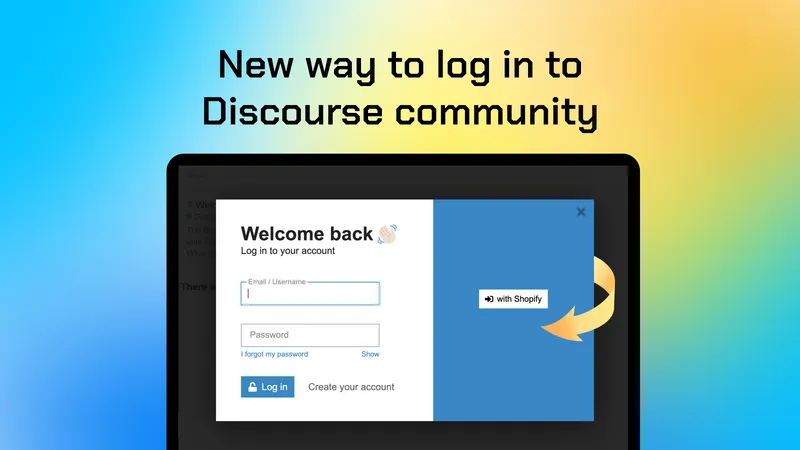
Discoursify – Discourse login / signup integration for Shopify
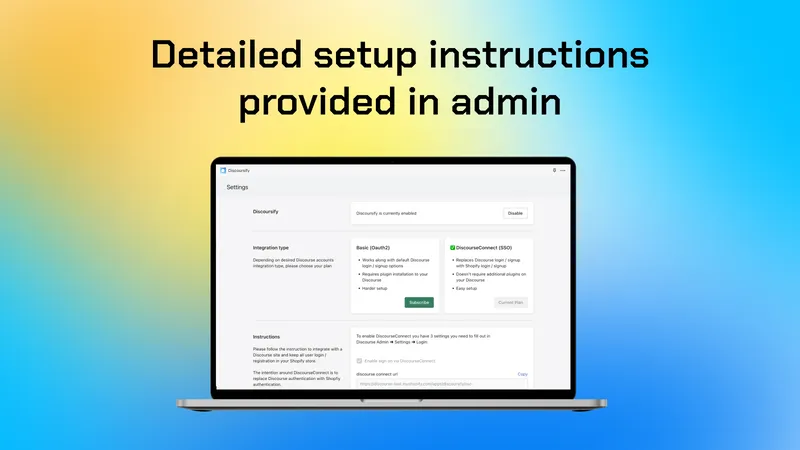
Discoursify – get instructions on setting up Discourse OAuth2
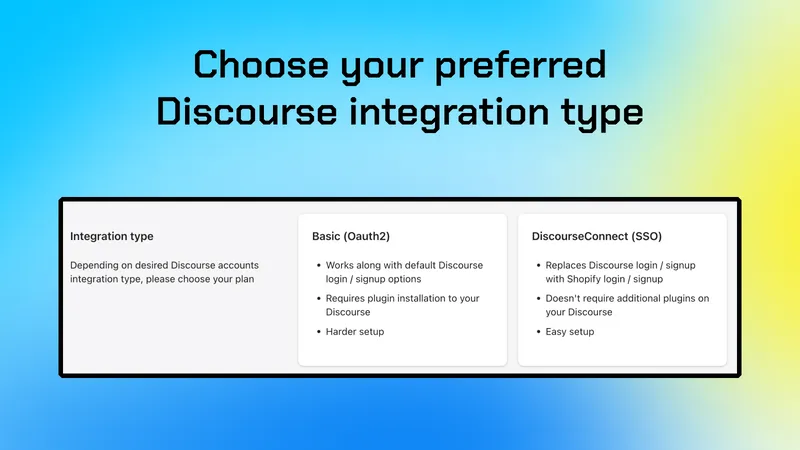
Discoursify – integrate your Discourse registration with Shopify
## What merchants say
“As soon as users are logged into the store, they are also automatically logged into the forum. It works perfectly. The support team even implemented a little extra programming at no extra cost. Simply fantastic!”
**World Of Dice** · Germany · DiscourseConnect SSO
Quotes from Shopify App Store reviews for Discoursify.
## Frequently asked questions
OAuth2 or DiscourseConnect – which do I need?
Basic ($9.99/mo) adds “Login with Shopify” via OAuth2 alongside existing Discourse auth. DiscourseConnect ($19.99/mo) replaces Discourse login/signup with Shopify SSO, so store login = forum login.
Do users still need a Discourse account?
No separate signup. Users authenticate with their Shopify customer account, which removes password sprawl and dropped registrations.
Is setup complicated?
The app provides step-by-step instructions for the Discourse side (OAuth2 / DiscourseConnect). Most stores complete it in one session, and support helps with edge cases.
How much does it cost?
Basic is $9.99/mo, DiscourseConnect is $19.99/mo. Both include a 3-day free trial.
## Start with Discoursify
Basic $9.99/mo OAuth2 login. DiscourseConnect $19.99/mo full SSO. 3-day free trial.
[See on App Store](https://apps.shopify.com/discoursify)[All apps](/apps/)
## Explore other apps

### [WorkflowMail Emails](/apps/flowmail/)
Send personalized transactional emails straight from Shopify Flow
[Learn more about WorkflowMail Emails →](/apps/flowmail/)

### [Commentify](/apps/commentify/)
Blog comments, product reviews, Q&A and community discussions for Shopify
[Learn more about Commentify →](/apps/commentify/)

### [Smart Customer Account Editor](/apps/customer-account-editor/)
Let customers edit their own profile – stop updating records manually
[Learn more about Smart Customer Account Editor →](/apps/customer-account-editor/)
---
## Send personalized transactional emails straight from Shopify Flow
URL: https://shopify.intelli-ua.com/apps/flowmail
WorkflowMail Emails: Send personalized transactional emails straight from Shopify Flow. Order confirmations, follow-ups, download links, account validations…

# Send personalized transactional emails straight from Shopify Flow
Order confirmations, follow-ups, download links, account validations and more – with your own domain, HTML templates and attachments.
[Built for Shopify](https://apps.shopify.com/stories/guide-built-for-shopify "Built for Shopify: meets Shopify's highest standards for safety, performance, ease of use and usefulness")5.0 (52 reviews)Free plan availableWorkflow automation
[Install now](https://apps.shopify.com/flowmail)
500 free lifetime Flow actions to try. Paid plans from $9.99/mo.

## Where WorkflowMail Emails helps
### Order confirmations & follow-ups
Confirm orders, chase missing information, or follow up after fulfillment – triggered automatically by Flow.
### Download links & digital goods
Deliver files, licenses, and links right when Flow fires, without a separate email tool.
### Account validations & B2B notices
Send account approvals, wholesale updates, and other critical business notifications customers actually open.
## What you get
### Flow action that sends email
Add WorkflowMail – often searched as Flow Mail or Flow Email – as an action in any Shopify Flow workflow and trigger targeted transactional emails from orders, customers, and other events.
### Your own domain & sender
Send from your own email domain with customizable sender and reply-to parameters, so messages look like they come from your store.
### HTML templates you control
Start from an optimized transactional template, then customize fonts, colors, logo – or code your own HTML for full control.
### Attachments that fit the job
Attach static files, or pull attachments from a URL – e.g. per-order PDFs, download links, invoices, and account documents.
### Works with your mail provider
Supports SMTP, Gmail, and Microsoft 365 Graph API. No SMTP required to start – connect a provider when you are ready to scale.
### Logs, retention & priority queue
Inspect what was sent from 90–180 days of logs (plan-dependent) and get standard, high, or top queue priority on paid plans.
## Set up in minutes
1. **[Install WorkflowMail](https://apps.shopify.com/flowmail)**
[Install](https://apps.shopify.com/flowmail) from the Shopify App Store. Works with dev and production stores.
2. **Connect your sender**
Keep the default sender to test, then add your own domain via SMTP, [Gmail](/blog/setting-up-google-smtp-with-flowmail/), or [Microsoft 365](/blog/configure-microsoft-365-graph-api-for-flowmail/) when ready.
3. **Add it to a Flow workflow**
Pick a trigger (e.g. order created), add the WorkflowMail action, and map subject, body, and recipients – or use one of the [templates](https://admin.shopify.com/apps/flow/editor/templates?apps=75769937921).
4. **Customize & go live**
Adjust the template design, add attachments, check the logs – then enable the workflow.
[Install WorkflowMail Emails](https://apps.shopify.com/flowmail)
## Take a look inside
Click any screenshot to enlarge.
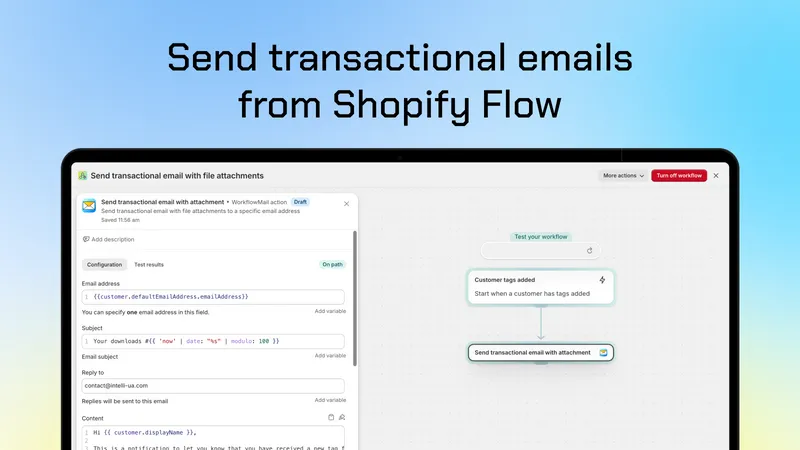
WorkflowMail – send transactional emails from Shopify Flow
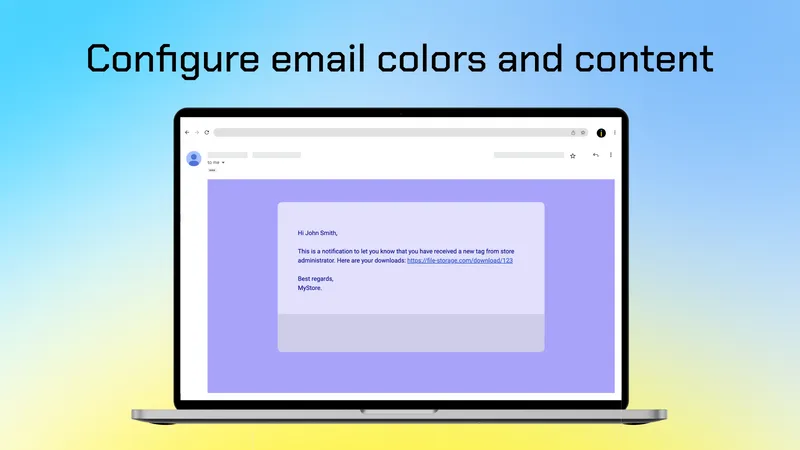
WorkflowMail – email preview
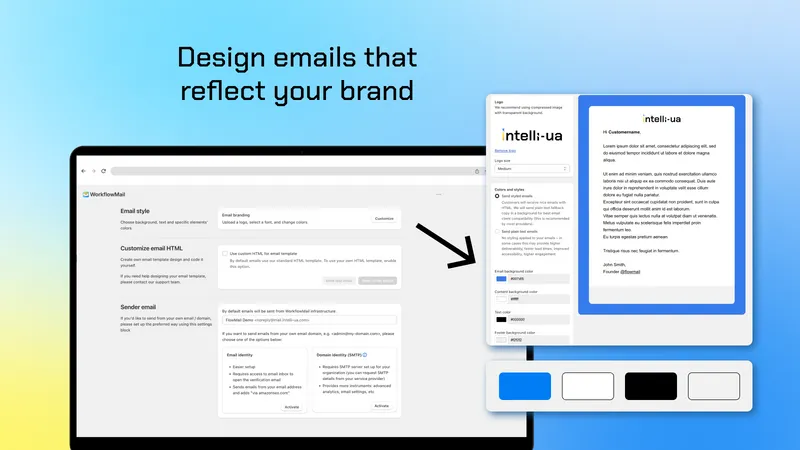
WorkflowMail – settings and email editor: font, colors, logo
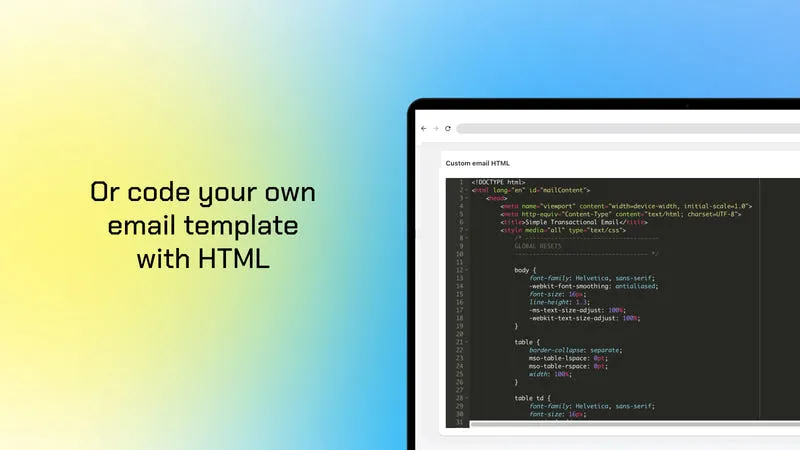
WorkflowMail – code your own email template with HTML
## What merchants say
“Being able to send transactional emails to customers really helped me to communicate while I had a supply issue. Thanks FlowMail!”
**koor** · Australia · 18 days using the app
“Unbelievable support, these guys are great! Once set up, all works perfectly and saves a lot of time and effort.”
**Eventcarpetsonline Ltd** · United Kingdom · 27 days using the app
“Great support, went above and beyond for a custom feature request – genuinely responsive and willing to extend the app for a real merchant use case.”
**Teamsportausstatter** · Germany · Per-order PDF attachments
“Does exactly what it needs to do and the support team was extremely helpful. Needed help with some styling of the templates and they were fast and helpful in finding a suitable solution. Thanks again!”
**Ra Optics** · United States · Over 1 year using the app
Quotes from Shopify App Store reviews for WorkflowMail Emails.
## Frequently asked questions
Is this the Flow Mail / Flow Email app for Shopify Flow?
Yes – if you searched for Flow Mail or Flow Email, WorkflowMail is it. It adds a “send email” action to Shopify Flow so you can send personalized transactional emails from any workflow.
Do I need my own SMTP server to start?
No. SMTP is not required to try WorkflowMail – the free plan works without it. Add SMTP, Gmail, or Microsoft 365 later to send from your own domain at scale.
How is usage counted?
Usage is counted per Flow action that sends an email. The free plan includes up to 500 free lifetime Flow actions to try. Professional ($9.99/mo) includes 500 monthly actions + $1 per 100 after that; Advanced ($29.99/mo) includes 2,500 monthly actions; Enterprise ($49.99/mo) is unlimited.
Can I fully customize the email design?
Yes. Adjust fonts, colors, and logo in the editor, or code your own HTML template on paid plans. Enterprise can also have templates coded by our team.
Can I send attachments?
Yes. Add static attachments on Professional and up, plus attachments from a URL (e.g. dynamically generated per-order PDFs) on Advanced and up.
Does it work with Shopify Flow?
Yes – that is the point. WorkflowMail is a Flow action plus integrations with Shopify Admin, Gmail, Microsoft 365 Graph API, SMTP, and Sidekick.
## Start with WorkflowMail Emails
500 free lifetime Flow actions to try. Paid plans from $9.99/mo.
[See on App Store](https://apps.shopify.com/flowmail)[All apps](/apps/)
## Explore other apps

### [Commentify](/apps/commentify/)
Blog comments, product reviews, Q&A and community discussions for Shopify
[Learn more about Commentify →](/apps/commentify/)

### [Smart Customer Account Editor](/apps/customer-account-editor/)
Let customers edit their own profile – stop updating records manually
[Learn more about Smart Customer Account Editor →](/apps/customer-account-editor/)

### [Discoursify](/apps/discoursify/)
Connect Discourse to Shopify – one account for store and community
[Learn more about Discoursify →](/apps/discoursify/)
---
## Blog
URL: https://shopify.intelli-ua.com/blog
Tutorials and updates on Shopify Flow, WorkflowMail, and Shopify apps by Intelli-UA.
# Blog
20 posts on Shopify Flow, apps, and automation.
[](/blog/what-is-shopify-flow-practical-guide/)
2026-11-14
### [What Is Shopify Flow? A Practical Guide to Store Automation](/blog/what-is-shopify-flow-practical-guide/)
What is Shopify Flow? Learn how Shopify's free automation app works, what it can automate, which plans include it, and how to build and test your first workflow
ShopifyTutorialsFlowShopify Flowautomation
[](/blog/commentify-spam-and-bot-protection-for-shopify-comments/)
2026-11-05
### [Commentify adds always-on spam and bot protection for Shopify comments](/blog/commentify-spam-and-bot-protection-for-shopify-comments/)
Commentify is now even safer: every store gets always-on bot and spam protection on all comments, plus an optional reputation database lookup that blocks high-c
AppsShopifyCommentifycommentsspam protection
[](/blog/shopify-flow-product-updated-trigger/)
2026-11-02
### [New Shopify Flow Trigger: Product Updated](/blog/shopify-flow-product-updated-trigger/)
Shopify Flow now ships a Product updated trigger – build workflows that react when a product or variant changes, monitoring up to 5 fields like tags, metafields
ShopifyFlowShopifytriggers
[](/blog/restrict-microsoft-365-graph-api-mail-send-to-single-mailbox/)
2026-10-31
### [Restrict M365 Graph API Mail.Send to a Mailbox](/blog/restrict-microsoft-365-graph-api-mail-send-to-single-mailbox/)
How to scope the Microsoft 365 Graph API Mail.Send permission so WorkflowMail can send from only one mailbox instead of every mailbox in your organization.
ShopifyTutorials365FlowFlowMail
[](/blog/shopify-flow-templates-available-in-workflowmail/)
2026-10-29
### [Shopify Flow templates available in WorkflowMail](/blog/shopify-flow-templates-available-in-workflowmail/)
38 ready-to-use Shopify Flow templates powered by WorkflowMail for orders, wishlists, courses, preorders and more. Install any template in one click.
AppsShopifyFlowFlowMailWorkflowMail
[](/blog/shopify-flow-ai-prompt-examples-for-email-chains/)
2026-10-23
### [Shopify Flow AI Prompt Examples for Email Chains](/blog/shopify-flow-ai-prompt-examples-for-email-chains/)
Ready-to-use Sidekick prompts to build multi-step email chains in Shopify Flow, delivered with WorkflowMail.
ShopifyTutorialsAIFlowFlowMail
[](/blog/workflowmail-vs-flow-send-email-apps-comparison/)
2026-10-20
### [WorkflowMail vs FlowSend, MailAction, Sendjo & Workflow Transactional Email: Which Shopify Flow Email App Should You Pick?](/blog/workflowmail-vs-flow-send-email-apps-comparison/)
Compare five Shopify Flow email apps — WorkflowMail, FlowSend, MailAction, Sendjo and Workflow Transactional Email — on features, pricing and maturity.
Appsemailtransactional emailemail automation
[](/blog/customer-account-editor-app-for-shopify-allow-customers-to-manage-their-profiles/)
2026-09-09
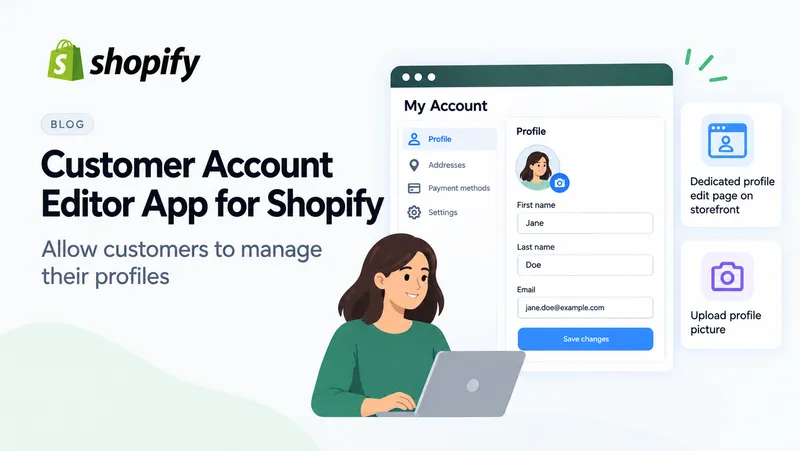
### [Customer Account Editor app for Shopify: allow customers to manage their Profiles](/blog/customer-account-editor-app-for-shopify-allow-customers-to-manage-their-profiles/)
The Customer Account Editor is a Shopify app (starting at $9.99/month with free trial) that empowers customers to manage and profile information directly from…
Appscustomer accountcustomer accountsprofile fields
[](/blog/shopify-to-discourse-sso-how-discoursify-connects-your-store-to-your-community/)
2026-08-18
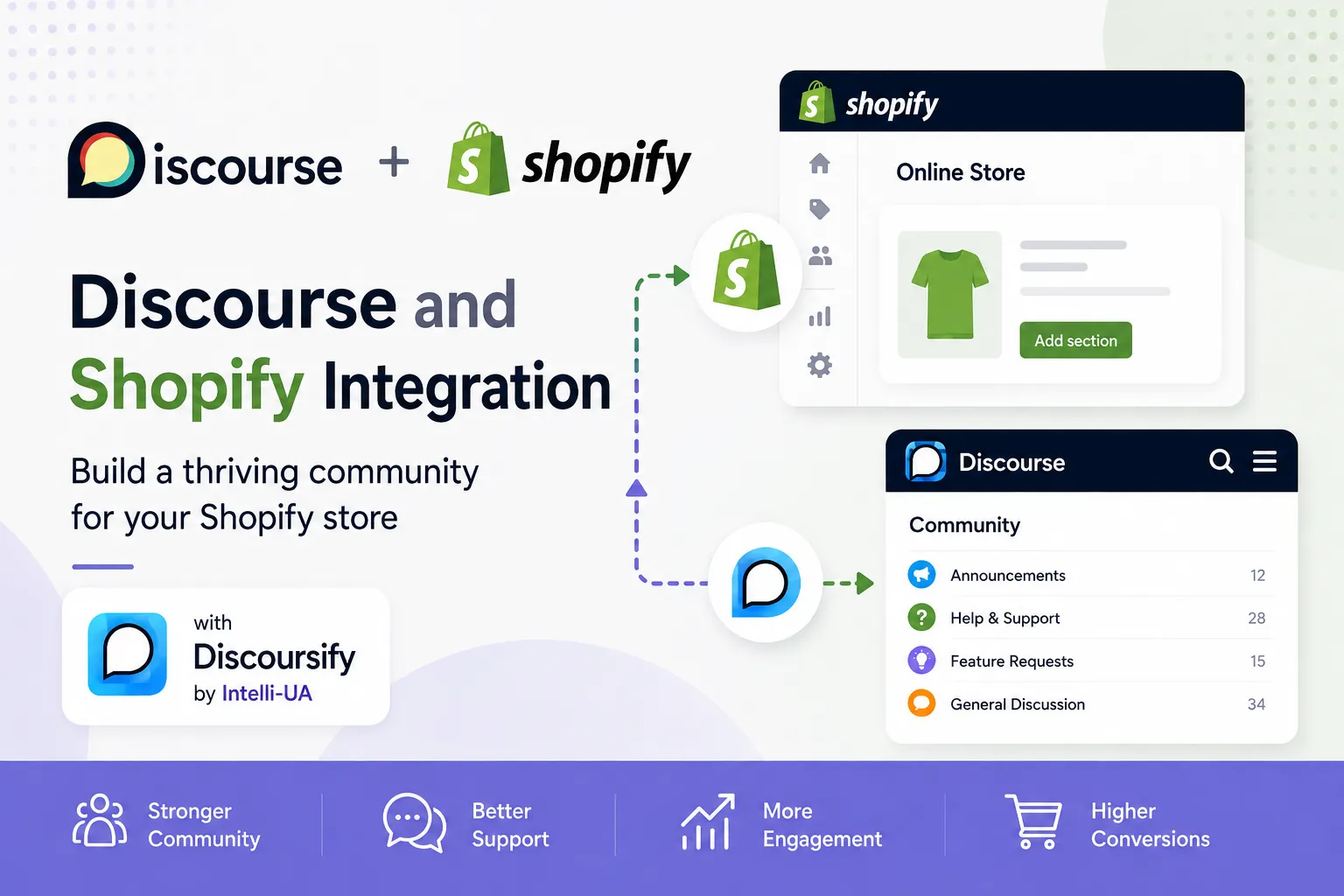
### [Shopify-to-Discourse SSO: How Discoursify Connects Your Store to Your Community](/blog/shopify-to-discourse-sso-how-discoursify-connects-your-store-to-your-community/)
The Problem: Separate Accounts Create Friction Imagine this scenario: A customer purchases a $500 product from your Shopify store, then tries to join your comm…
AppsShopifyappdiscoursediscourseconnect
[](/blog/creating-shopify-flow-workflows-with-sidekick-and-sending-emails-with-flowmail/)
2026-06-25
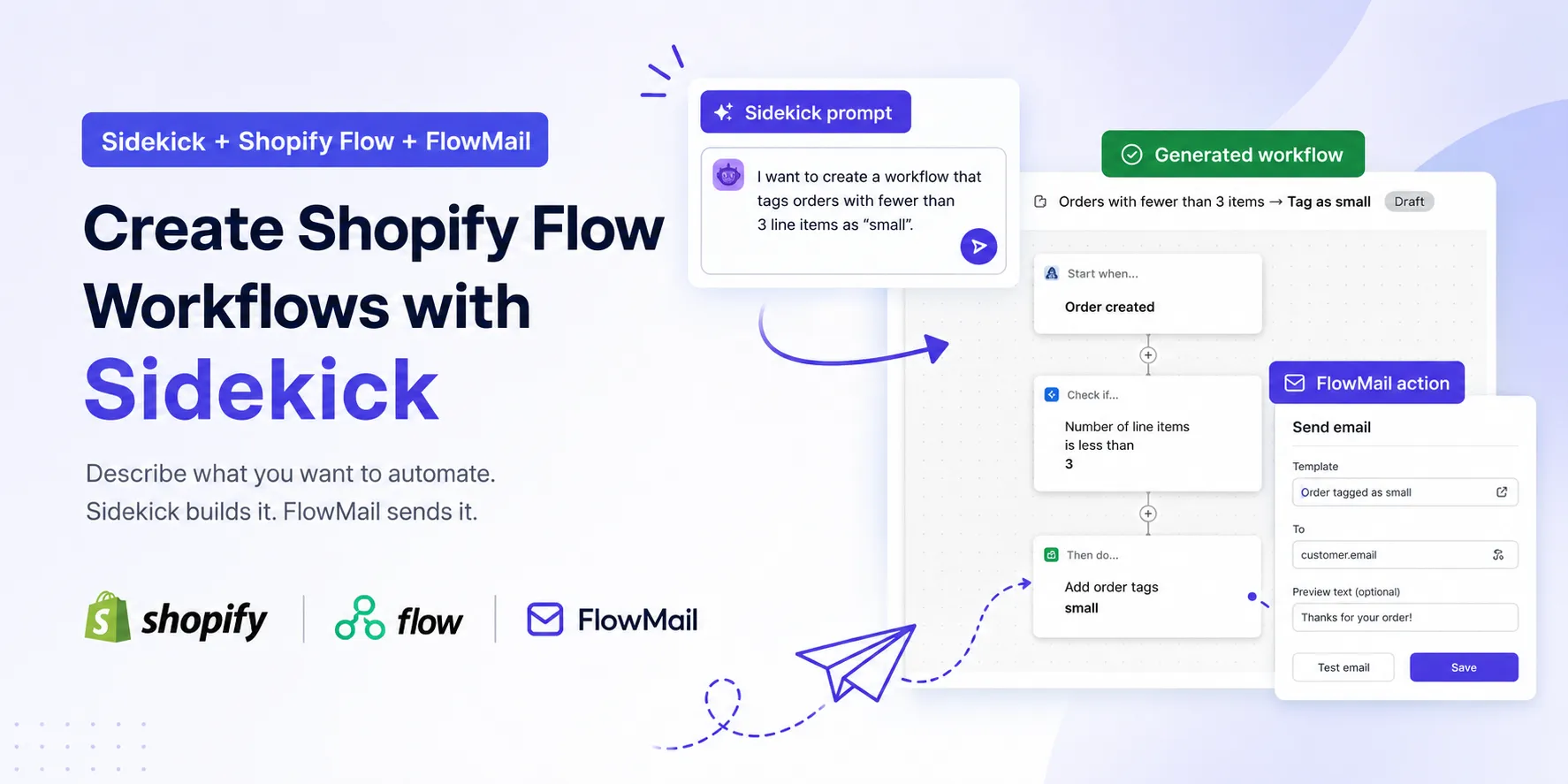
### [Creating Shopify Flow Workflows with Sidekick (and Sending Emails with WorkflowMail)](/blog/creating-shopify-flow-workflows-with-sidekick-and-sending-emails-with-flowmail/)
Shopify automation has traditionally required merchants to learn triggers, conditions, actions, and the overall structure of Shopify Flow workflows. While Flow…
ShopifyTutorialsAIFlowFlowMail
[](/blog/new-shopify-flow-triggers-for-inventory-transfers-april-2026/)
2026-05-04
### [New Shopify Flow Triggers for Inventory Transfers (April 2026)](/blog/new-shopify-flow-triggers-for-inventory-transfers-april-2026/)
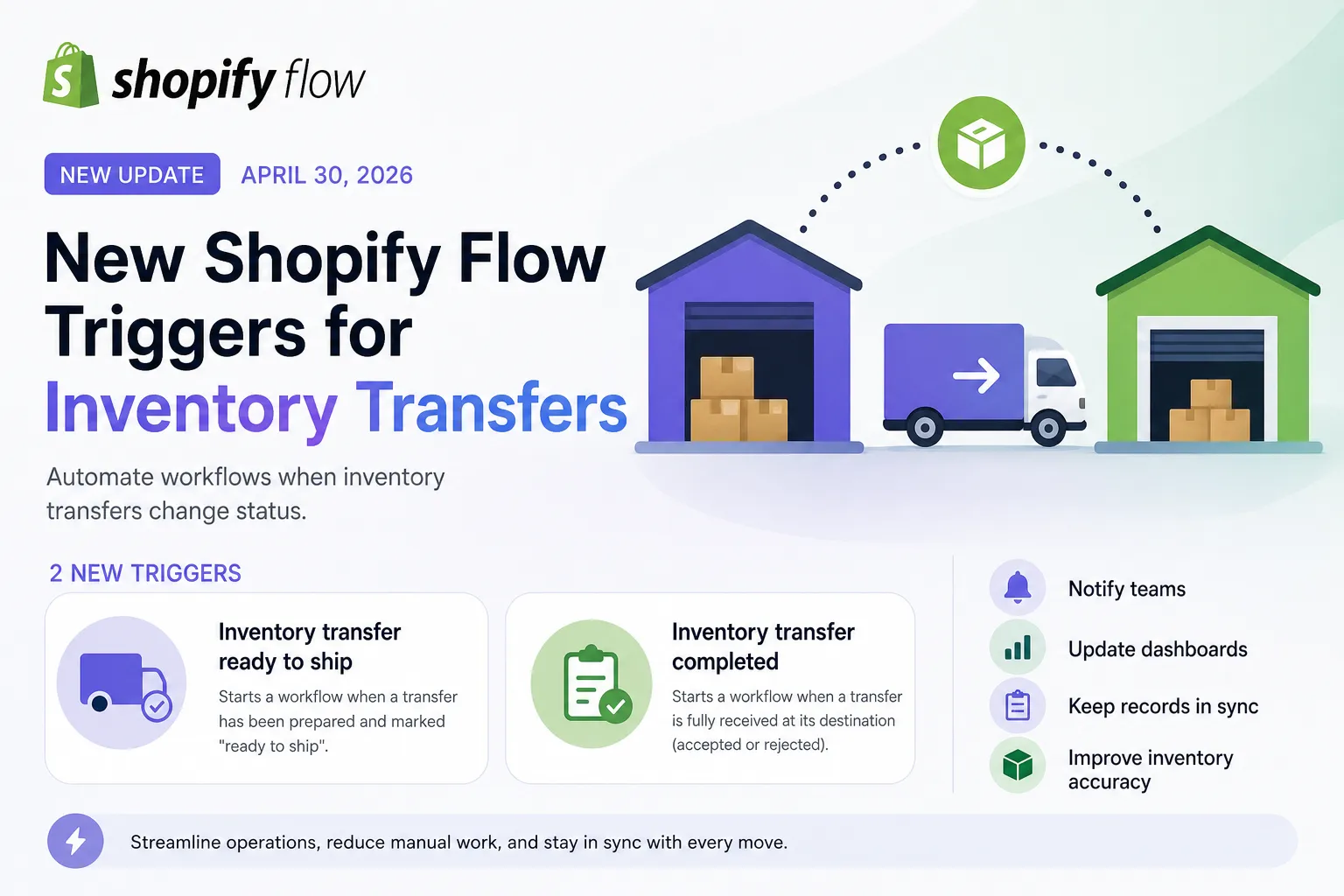
On April 30, 2026, Shopify introduced two highly practical triggers in Shopify Flow that make inventory automation significantly more powerful. If you manage m…
ShopifyFlowShopifytriggers
[](/blog/setting-up-google-smtp-with-flowmail/)
2026-04-09
### [Setting up Google SMTP with WorkflowMail (formerly FlowMail)](/blog/setting-up-google-smtp-with-flowmail/)
With WorkflowMail app for Shopify you can set up SMTP that will use your existing Google organization's infrastructure to send emails. Here is how to set this…
ShopifyTutorialsFlowFlowMailWorkflowMail
[](/blog/shopify-flow-upgrades-to-graphql-admin-api-v2026-01-what-it-means-for-automations/)
2026-01-17
### [Shopify Flow upgrades to GraphQL Admin API v2026-01 – what it means for automations](/blog/shopify-flow-upgrades-to-graphql-admin-api-v2026-01-what-it-means-for-automations/)
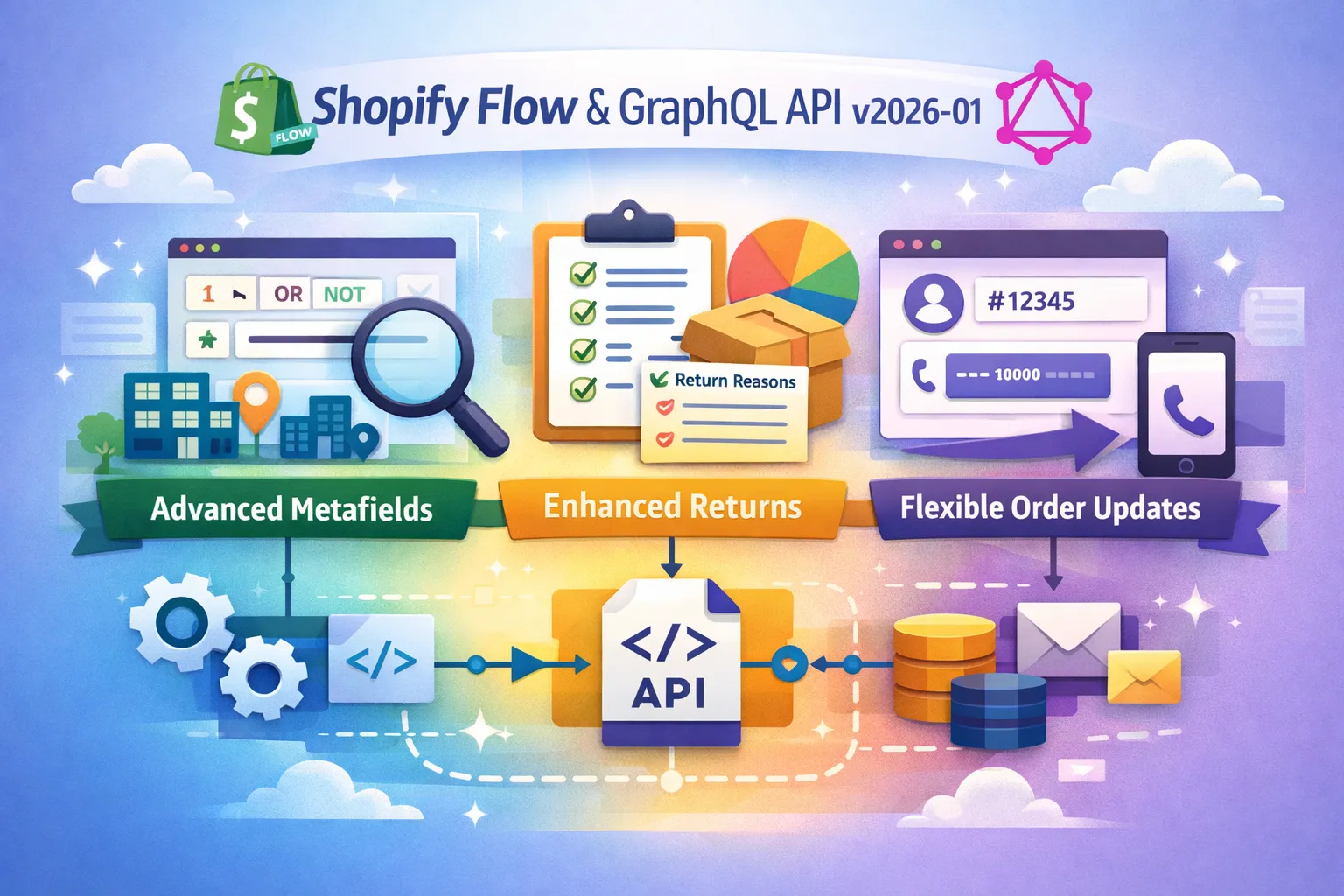
Shopify Flow now uses version 2026-01 of the GraphQL Admin API , bringing enhanced capabilities that help developers and merchants build smarter, more flexible…
AppsShopifyapiFlowFlowMail
[](/blog/power-up-your-shopify-app-with-flowmail-build-flow-templates/)
2025-12-15
### [Power up your Shopify app with FlowMail: build Flow templates](/blog/power-up-your-shopify-app-with-flowmail-build-flow-templates/)
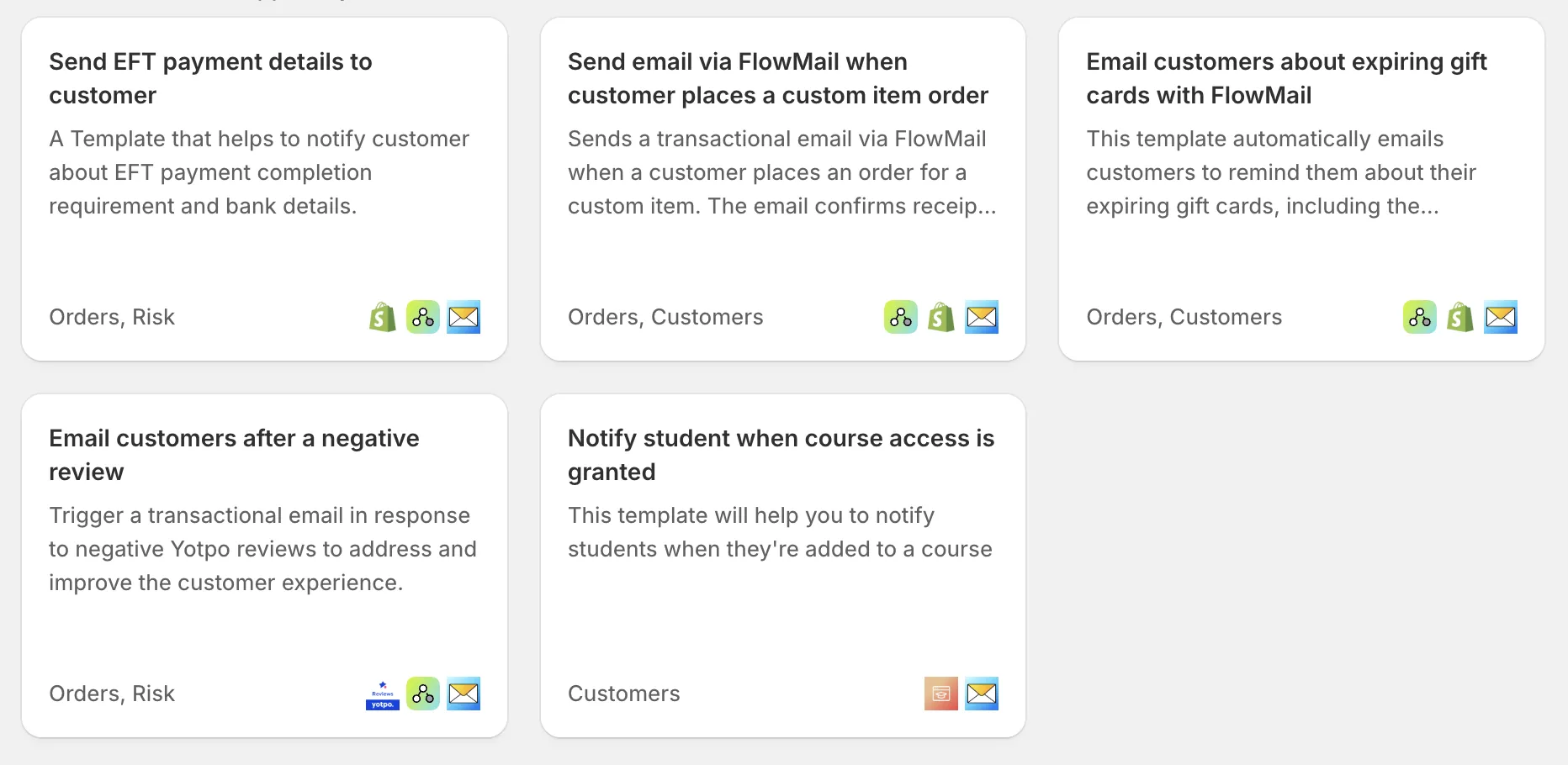
Shopify Flow has transformed automation for merchants, giving them the power to connect apps and trigger actions without writing code. For app developers build…
ShopifyFlowFlowMailWorkflowMail
[](/blog/configure-microsoft-365-graph-api-for-flowmail/)
2025-11-04
### [Configure Microsoft 365 Graph API for WorkflowMail (formerly FlowMail)](/blog/configure-microsoft-365-graph-api-for-flowmail/)
If you're using Microsoft email services within your organization and want to use your Microsoft infrastructure to send transactional emails from Shopify with…
ShopifyTutorials365FlowFlowMail
[](/blog/shopify-flow-is-now-using-2025-10-of-the-graphql-admin-api/)
2025-10-13
### [Shopify Flow is now using 2025-10 of the GraphQL Admin API](/blog/shopify-flow-is-now-using-2025-10-of-the-graphql-admin-api/)
Shopify Flow has been upgraded to use version 2025-10 of Shopify’s GraphQL Admin API , unlocking powerful new capabilities for building and customizing automat…
ShopifyapiFlowShopify
[](/blog/shopify-flow-adopts-api-v2025-04/)
2025-08-09
### [Unlocking new Shopify automation power: Shopify Flow Adopts API v2025-07](/blog/shopify-flow-adopts-api-v2025-04/)
Shopify Flow has officially upgraded to GraphQL Admin API version 2025-04 and 2025-07 , introducing a range of powerful enhancements that streamline automation…
ShopifyapiFlowShopify
[](/blog/shopify-flow-upgrades-graphql-admin-api-version-to-2025-01/)
2025-07-26
### [Shopify Flow upgrades GraphQL Admin API version to 2025-01](/blog/shopify-flow-upgrades-graphql-admin-api-version-to-2025-01/)
Shopify has officially upgraded Flow to use version 2025‑01 of the GraphQL Admin API , bringing powerful new capabilities and improved API support to automatio…
ShopifyFlowShopify
[](/blog/flowmail-is-built-for-shopify/)
2025-06-28
### [WorkflowMail is Built for Shopify!](/blog/flowmail-is-built-for-shopify/)
We're thrilled to announce that our WorkflowMail app (formerly FlowMail) is now Built for Shopify ! Designed to the highest quality standard to help your busin…
AppsFlowFlowMailWorkflowMail
[](/blog/better-blog-comments-on-shopify-blogs/)
2025-06-23
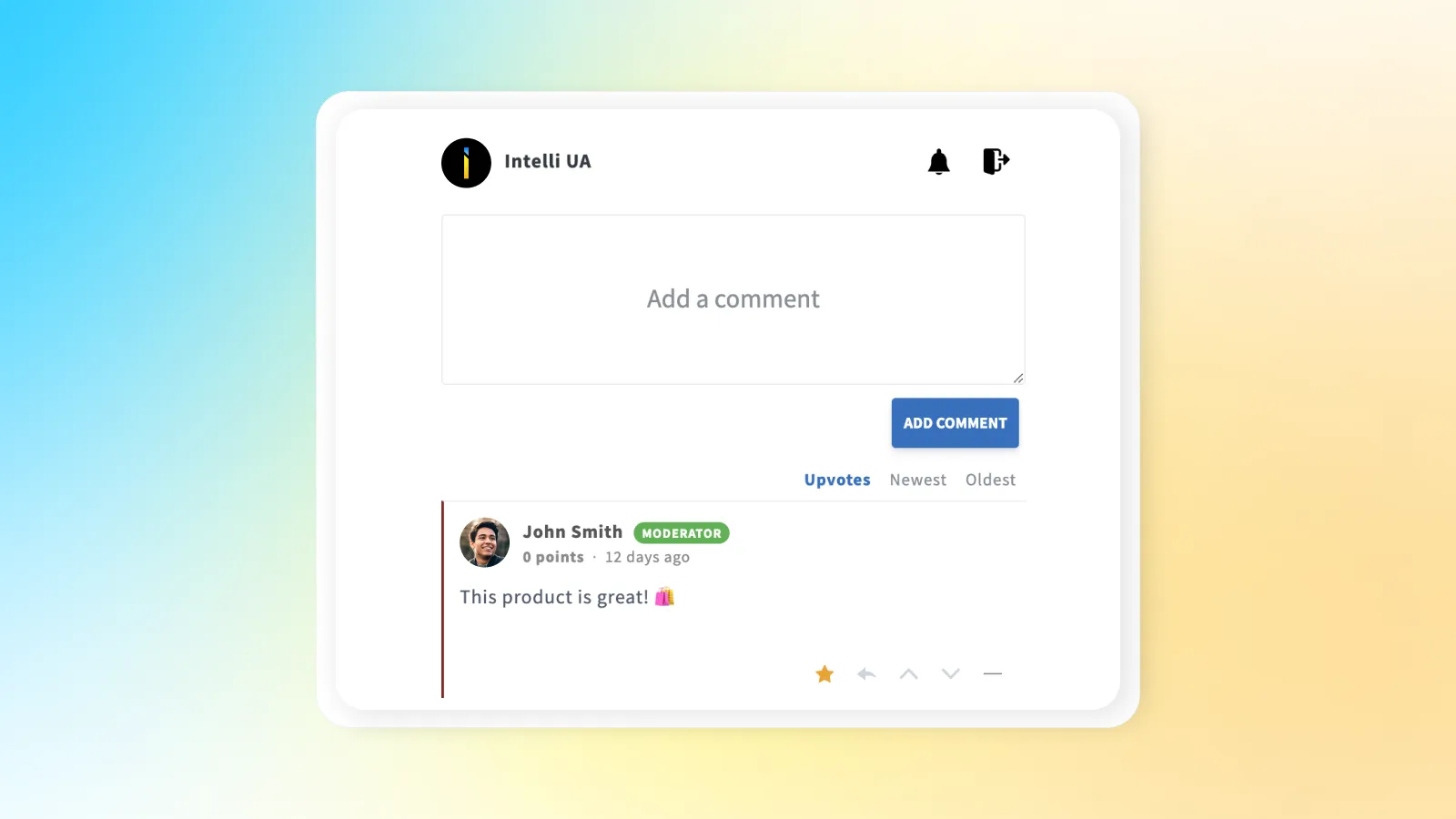
### [Better blog comments on Shopify blogs](/blog/better-blog-comments-on-shopify-blogs/)
As far as you may know, Shopify offers comments for the built-in blogging feature : Default Shopify blog comments have some advantages: No performance impact f…
AppsShopifyblogcommentsShopify
---
## Better blog comments on Shopify blogs
URL: https://shopify.intelli-ua.com/blog/better-blog-comments-on-shopify-blogs
As far as you may know, Shopify offers comments for the built-in blogging feature : Default Shopify blog comments have some advantages: No performance impact f…
[← Blog](/blog/)
# Better blog comments on Shopify blogs
2025-06-23 · updated 2025-06-23 · Apps, Shopify

As far as you may know, Shopify offers comments for the [built-in blogging feature](https://help.shopify.com/en/manual/online-store/blogs):
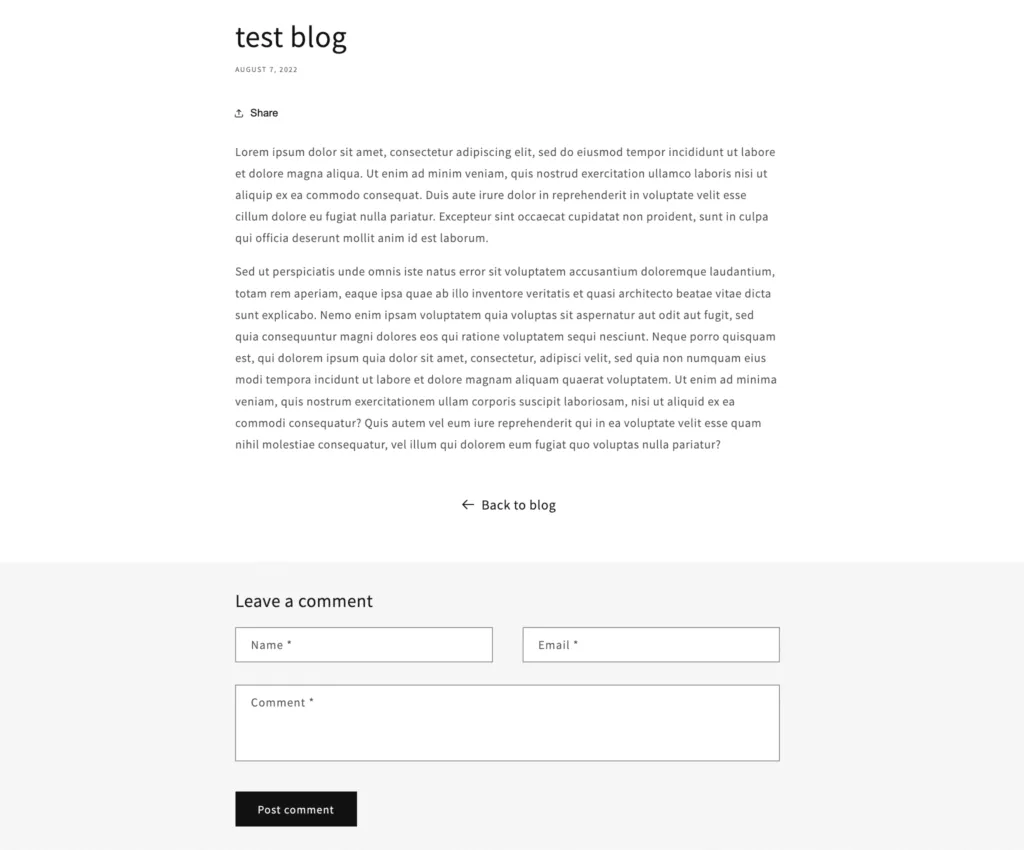
Default Shopify blog comments have some advantages:
- No performance impact from third-party scripts or integrations;
- Integrated directly into Shopify’s blog system (no need to install / configure);
- ability to set comments to be published automatically or after approval;
- Include basic spam filtering
- Customizable via Liquid for simple design adjustments.
Still, there are some disadvantages:
- no option to like or upvote / downvote comments;
- no notifications or alerts;
- no reply option (no nested / threaded comments);
- no user profiles or avatars – only commenter name is displayed;
- no option to use markdown for advanced formatting when needed;
- no sticky comments (useful for announcements or pinning important text);
- no option to add images to comments.
Listed disadvantages can be fixed by installing [Commentify app](https://apps.shopify.com/commentify):
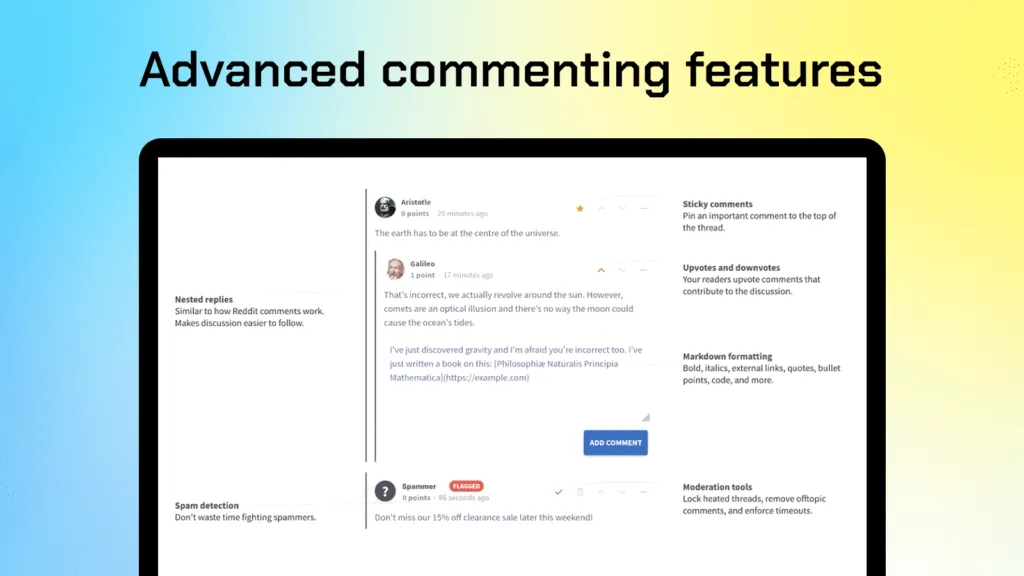
It provides more advanced UI and can be easily added into blog post template using Shopify theme editor:
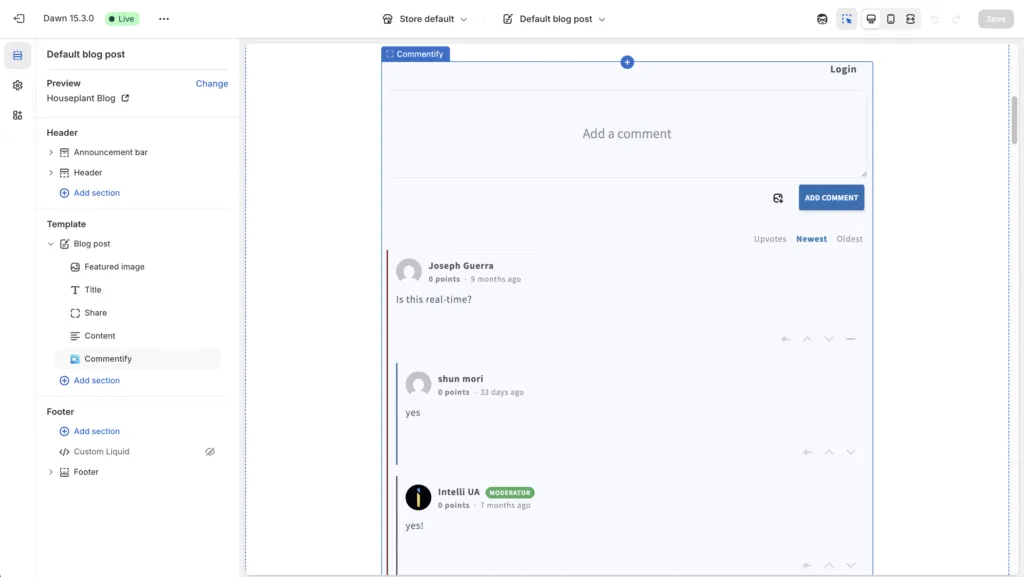
Of course, you can configure colors and display / hide important parts of functionality using the block settings and app settings. Settings available:
- Default comment sorting (most upvoted / newest / oldest);
- Commenter name format (first name only or first name + last name);
- Email notification settings for admins / moderators;
- Enable / disable comment approval by moderators / admins;
- Allow / disallow anonymous comments (there will be an option to enter a name or to appear as Anonymous user. Users will still be able to log in. By default, this setting is disabled).
Take advantage of Commentify free trial by adding it from the Shopify App Store.
[](https://apps.shopify.com/commentify)
blogcommentsShopify
Share:[X](https://twitter.com/intent/tweet?text=Better%20blog%20comments%20on%20Shopify%20blogs&url=https%3A%2F%2Fshopify.intelli-ua.com%2Fblog%2Fbetter-blog-comments-on-shopify-blogs%2F)[LinkedIn](https://www.linkedin.com/sharing/share-offsite/?url=https%3A%2F%2Fshopify.intelli-ua.com%2Fblog%2Fbetter-blog-comments-on-shopify-blogs%2F)[Facebook](https://www.facebook.com/sharer/sharer.php?u=https%3A%2F%2Fshopify.intelli-ua.com%2Fblog%2Fbetter-blog-comments-on-shopify-blogs%2F)Copy link
* * *
### Keep reading
- [Commentify adds always-on spam and bot protection for Shopify comments](/blog/commentify-spam-and-bot-protection-for-shopify-comments/)
- [Shopify Flow templates available in WorkflowMail](/blog/shopify-flow-templates-available-in-workflowmail/)
- [Shopify-to-Discourse SSO: How Discoursify Connects Your Store to Your Community](/blog/shopify-to-discourse-sso-how-discoursify-connects-your-store-to-your-community/)
---
## Commentify adds always-on spam and bot protection for Shopify comments
URL: https://shopify.intelli-ua.com/blog/commentify-spam-and-bot-protection-for-shopify-comments
Commentify is now even safer: every store gets always-on bot and spam protection on all comments, plus an optional reputation database lookup that blocks…
[← Blog](/blog/)
# Commentify adds always-on spam and bot protection for Shopify comments
2026-11-05 · updated 2026-11-05 · Apps, Shopify

[**Commentify**](https://apps.shopify.com/commentify) is a [Built for Shopify](https://shopify.dev/docs/apps/launch/built-for-shopify#built-for-shopify-status) app for blog comments, product reviews, Q&A and community discussions. It adds threaded replies, upvotes/downvotes, image uploads, markdown formatting, moderation and analytics to your store – styled automatically to match your theme.
We've just shipped a major upgrade to how Commentify keeps your discussions clean: **always-on bot and spam protection for every comment on every store**, plus an **optional reputation database lookup** you can turn on with a single setting. Both are included at **no additional cost** – no plan change, no upgrade required.
[View Commentify in Shopify App Store](https://apps.shopify.com/commentify)
* * *
## What changed
Comment sections are a magnet for automated abuse: drive-by link drops, fake reviews, bot registrations and mass-posted spam. Until now, keeping them clean relied mostly on moderation and manual approval. With this update, protection runs **automatically on every new comment**, before it ever reaches your moderation queue – or your storefront.
There are two layers, and they work together:
1. **Always-on bot / spam protection** – runs for all stores, on all comments, with no setup. These automatic checks are always on and cannot be turned off.
2. **Optional reputation database lookup** – an extra, stricter layer you can enable per store. Disabled by default.
Both layers block bad comments **before they are saved**, so spam never lands in your database and never shows up on your pages – even for a moment.
* * *
## Layer 1: always-on bot and spam protection
Every comment submitted through Commentify is now screened automatically. The checks run for **all app users, on all stores**, and require no configuration – they are part of the app itself.
These automatic checks look at the signals a real commenter leaves behind and at the content of the comment itself, and reject submissions that behave like bots or spam. Because they run on the server before the comment is stored, abusive traffic is stopped at the door instead of being caught after the fact.
In practice this means:
- fewer spam comments reaching your moderation queue;
- less manual cleanup for you and your moderators;
- cleaner, more trustworthy discussions for your customers;
- no performance or setup cost – protection is on by default.
As the in-app setting puts it: _"Additional automatic checks always run for all stores."_
* * *
## Layer 2: optional reputation database lookup
On top of the always-on protection, you can enable a stricter check that validates each new comment against a shared **reputation database** of known abusers.
The setting is called **"Enable reputation database lookup"** and lives in the Commentify app settings. Its description in the app UI reads:
> When enabled, new comments are checked against a reputation database using IP address, email, and display name. High-confidence matches are blocked before they are saved. Additional automatic checks always run for all stores. By default, this setting is disabled.
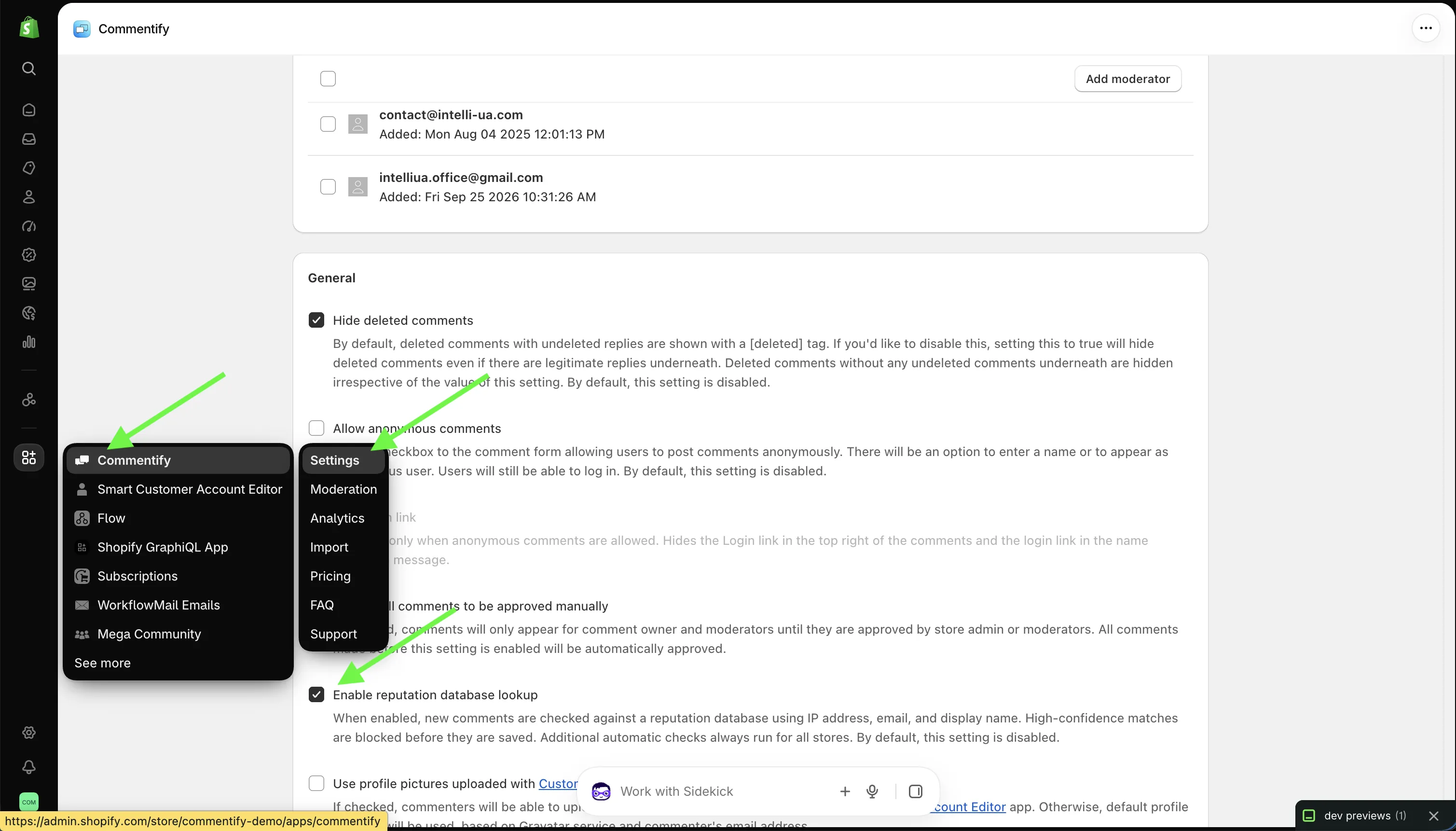
How the validation logic works:
- When a comment is submitted, Commentify looks up the commenter's **IP address**, **email address** and **display name** in the reputation database.
- The database aggregates reports of spammers collected across forums and blogs worldwide, so a commenter who has been reported elsewhere can be recognised even on a brand-new store.
- For each field the lookup returns whether it appears in the database, how many times it has been reported, when it was last seen, and a **confidence score** – a statistical estimate of how likely the field is to be associated with unwanted activity.
- It also accounts for known hostile infrastructure: spam-friendly IP ranges, disposable or abused email domains, and anonymising networks such as Tor exit nodes.
- When the result is a **high-confidence match**, the comment is blocked **before it is saved** – it never enters your store's data.
- When there is no match, or the match is low confidence, the comment proceeds normally (and still passes the always-on checks from Layer 1).
Because this is an external lookup, it is **opt-in**: it is disabled by default, and you choose whether to turn it on. Stores with heavier spam pressure – high-traffic blogs, product pages with reviews, or community forums – typically benefit most.
### How to enable it
1. Open the Commentify app in your Shopify admin.
2. Go to the app **Settings**.
3. Toggle **Enable reputation database lookup** on.
4. Save. New comments will now be checked against the reputation database before being saved.
You can turn it off again at any time – the always-on protection from Layer 1 keeps running either way.
* * *
## Why this matters for your store
- **Cleaner discussions** – spam and bot posts are stopped before they appear, so real customers see real conversations.
- **Less moderation work** – fewer items to review, reject or delete; moderators spend time on genuine feedback instead of cleanup.
- **Better SEO and trust** – comment sections stay indexable, useful and free of low-quality link spam.
- **No extra cost** – both the always-on protection and the optional reputation lookup are included in your existing Commentify plan.
* * *
## Built for Shopify, now safer by default
Commentify is a Built for Shopify app: easy to install, performant, and designed to the highest Shopify quality standard. With this update it is also safer by default – every store gets automatic bot and spam protection out of the box, and those who need it can add the reputation database lookup with one click.
Try it on your store today:
[Install Commentify free on the Shopify App Store](https://apps.shopify.com/commentify)
Free plan available · Standard $9.99/mo up to 10k comments · Advanced $29.99/mo unlimited · 3-day free trial · Built for Shopify
If you already use Commentify, open the app settings to review the new **Enable reputation database lookup** option – and enjoy the always-on protection that is already working for you.
Commentifycommentsspam protectionbot protectionShopifyblog commentsmoderation
Share:[X](https://twitter.com/intent/tweet?text=Commentify%20adds%20always-on%20spam%20and%20bot%20protection%20for%20Shopify%20comments&url=https%3A%2F%2Fshopify.intelli-ua.com%2Fblog%2Fcommentify-spam-and-bot-protection-for-shopify-comments%2F)[LinkedIn](https://www.linkedin.com/sharing/share-offsite/?url=https%3A%2F%2Fshopify.intelli-ua.com%2Fblog%2Fcommentify-spam-and-bot-protection-for-shopify-comments%2F)[Facebook](https://www.facebook.com/sharer/sharer.php?u=https%3A%2F%2Fshopify.intelli-ua.com%2Fblog%2Fcommentify-spam-and-bot-protection-for-shopify-comments%2F)Copy link
* * *
### Keep reading
- [Better blog comments on Shopify blogs](/blog/better-blog-comments-on-shopify-blogs/)
- [Shopify Flow templates available in WorkflowMail](/blog/shopify-flow-templates-available-in-workflowmail/)
- [Shopify-to-Discourse SSO: How Discoursify Connects Your Store to Your Community](/blog/shopify-to-discourse-sso-how-discoursify-connects-your-store-to-your-community/)
---
## Configure Microsoft 365 Graph API for WorkflowMail (formerly FlowMail)
URL: https://shopify.intelli-ua.com/blog/configure-microsoft-365-graph-api-for-flowmail
If you're using Microsoft email services within your organization and want to use your Microsoft infrastructure to send transactional emails from Shopify with…
[← Blog](/blog/)
# Configure Microsoft 365 Graph API for WorkflowMail (formerly FlowMail)
2025-11-04 · updated 2026-07-10 · Shopify, Tutorials

If you're using Microsoft email services within your organization and want to use your Microsoft infrastructure to send transactional emails from Shopify with [WorkflowMail](https://apps.shopify.com/flowmail), please follow this guide.
> Using the Microsoft Graph API is the recommended approach for connecting M365 services, rather than relying on SMTP credentials or app passwords.
## 1\. Register a new application
To obtain your **Tenant ID**, **Client ID**, and **Client Secret**, create a new application in the Microsoft Azure Portal
[Microsoft Azure > Azure services > App registrations > New registration](https://portal.azure.com/#view/Microsoft_AAD_RegisteredApps/CreateApplicationBlade/quickStartType~/null/isMSAApp~/false)
Fill out the form and click the "Register" button
- Name: FlowMail app
- Supported account types: Accounts in this organizational directory only (______ only - Single tenant)
- Redirect URI (optional): leave blank
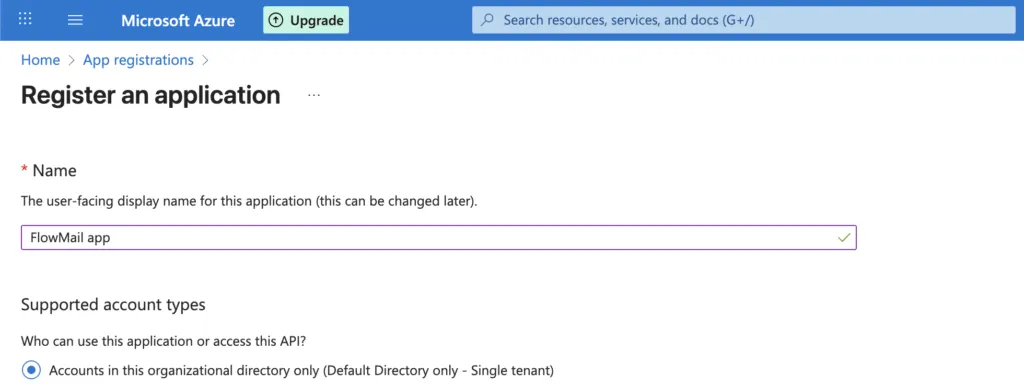
Click **Register**.
Find your app in **App registrations** **→** **All applications** **→** **FlowMail app**
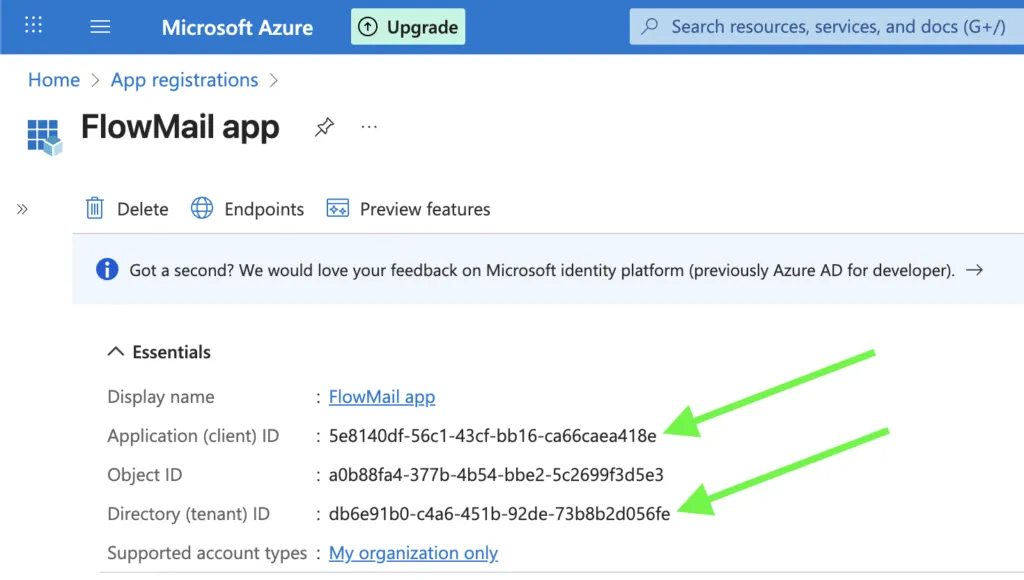
#### 2\. Copy your Tenant ID and Client ID
Once registered, you’ll be redirected to the application’s overview page.
Copy the following values:
- **Application (client) ID**
- **Directory (tenant) ID
**
#### 3\. Create a client secret
Next, generate a client secret:
**Path:**
Manage → Certificates & secrets → **\+ New client secret**
Fill in:
- **Description:** FlowMail app
- **Expires:** 730 days (24 months)
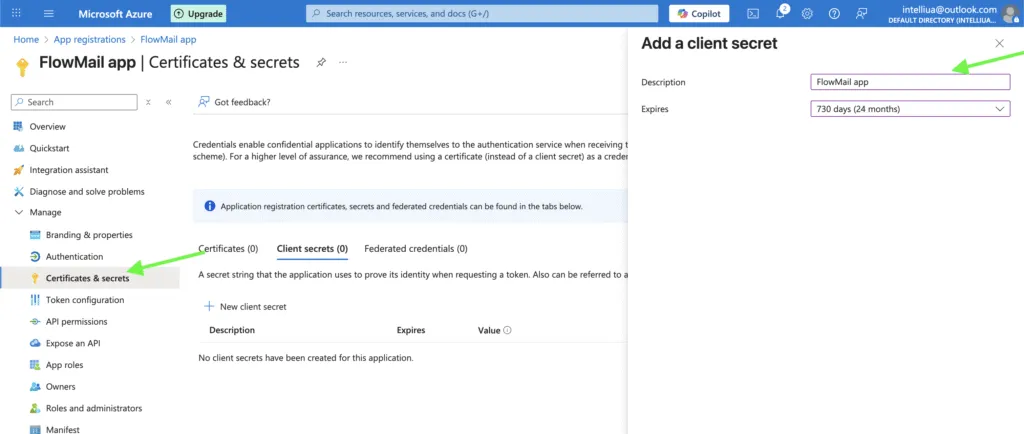
Click **Add**.
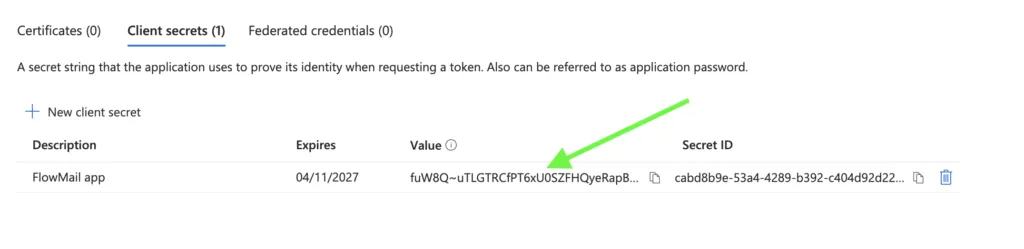
A new **Secret Value** will be displayed – copy it immediately and store it securely (it is only available once generated – after that you cannot view it again).
#### 4\. Add API permissions
Finally, grant the necessary permissions for sending emails:
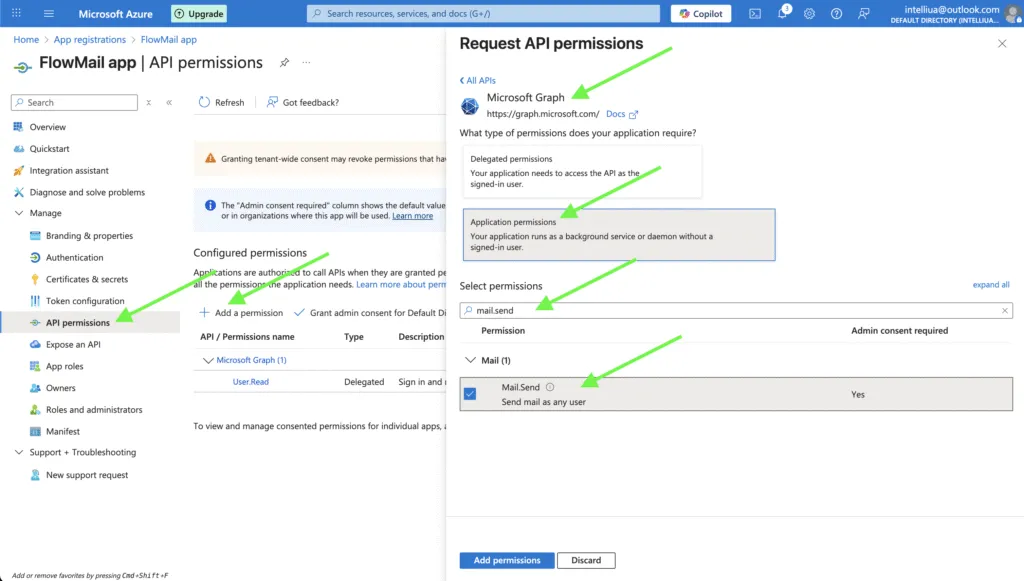
1. Go to **Manage → API permissions → + Add a permission**
2. Choose **Microsoft Graph → Application permissions**
3. Search for and select **Mail.Send**
4. Click **Add permissions**
Then click **Grant admin consent for \[Your Company Name\]**
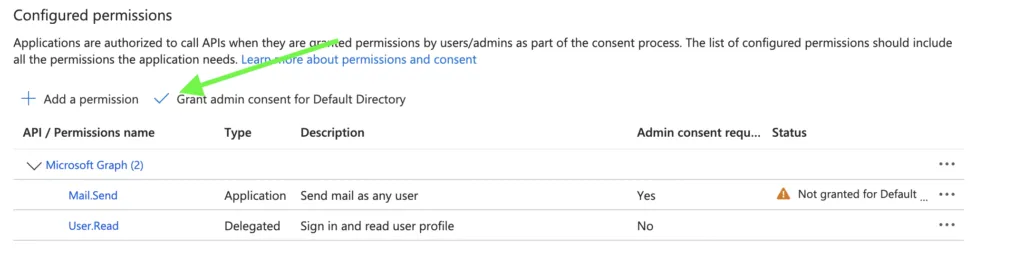
> **Note:** Microsoft 365 changes can take time to propagate. After making any changes in your Microsoft account (app registration, API permissions, admin consent, etc.), please wait about 60–120 minutes before using the Microsoft app and its credentials in WorkflowMail.
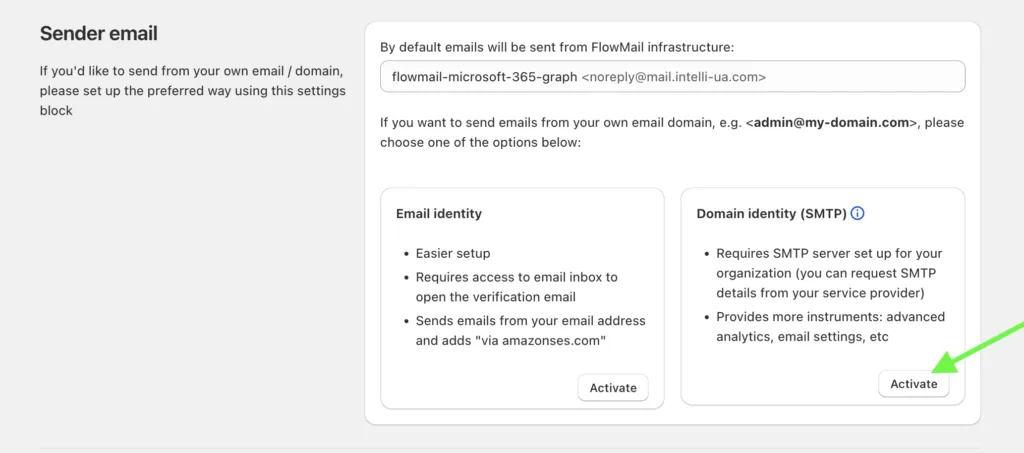
Then use these settings in your Shopify Admin **→** WorkflowMail **→** Settings **→** Sender email **→** Domain identity (SMTP) **→** Mail server preset **→** Microsoft 365 Graph API
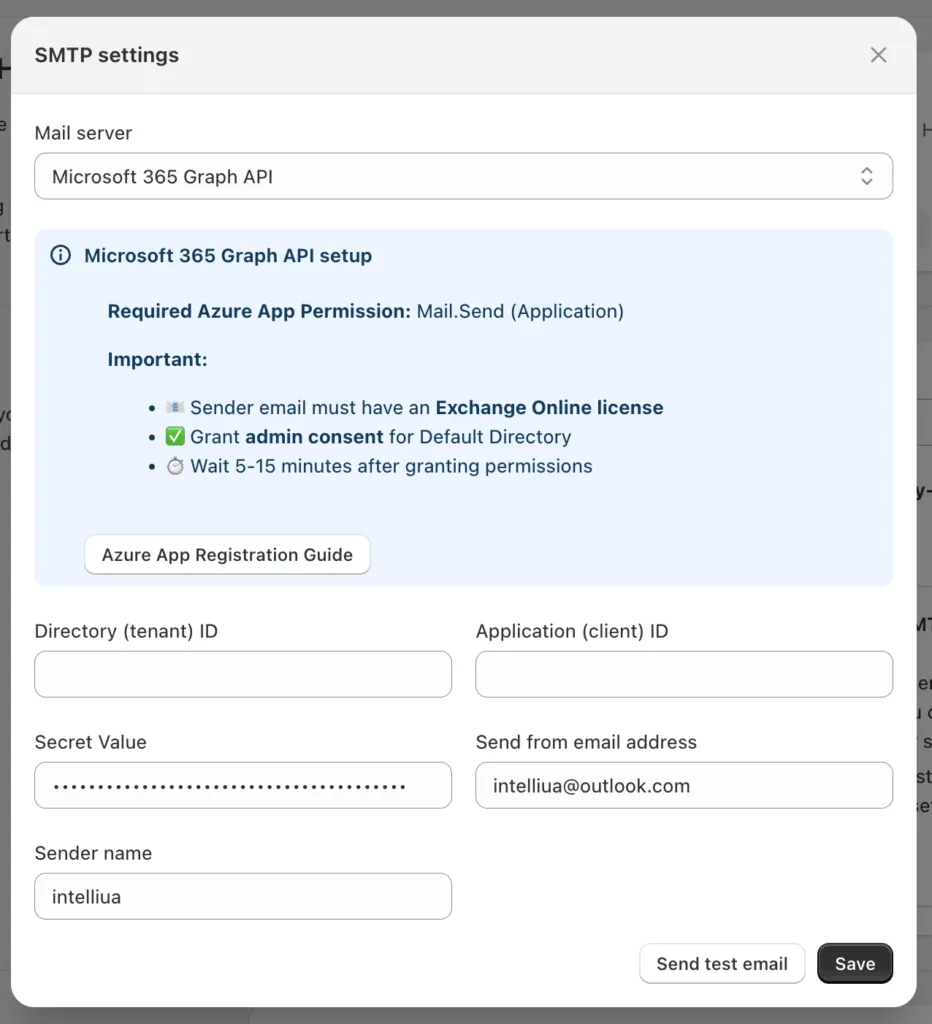
By default this setup allows the app to send from any mailbox in your organization. If you want to restrict sending to a single mailbox instead, see [Restrict Microsoft 365 Graph API Mail.Send to a Single Mailbox](/blog/restrict-microsoft-365-graph-api-mail-send-to-single-mailbox/).
365FlowFlowMailWorkflowMailGraph APIMicrosoftShopifyworkflowmailFlow email appFlow email
Share:[X](https://twitter.com/intent/tweet?text=Configure%20Microsoft%20365%20Graph%20API%20for%20WorkflowMail%20\(formerly%20FlowMail\)&url=https%3A%2F%2Fshopify.intelli-ua.com%2Fblog%2Fconfigure-microsoft-365-graph-api-for-flowmail%2F)[LinkedIn](https://www.linkedin.com/sharing/share-offsite/?url=https%3A%2F%2Fshopify.intelli-ua.com%2Fblog%2Fconfigure-microsoft-365-graph-api-for-flowmail%2F)[Facebook](https://www.facebook.com/sharer/sharer.php?u=https%3A%2F%2Fshopify.intelli-ua.com%2Fblog%2Fconfigure-microsoft-365-graph-api-for-flowmail%2F)Copy link
* * *
### Keep reading
- [Restrict M365 Graph API Mail.Send to a Mailbox](/blog/restrict-microsoft-365-graph-api-mail-send-to-single-mailbox/)
- [Shopify Flow AI Prompt Examples for Email Chains](/blog/shopify-flow-ai-prompt-examples-for-email-chains/)
- [Creating Shopify Flow Workflows with Sidekick (and Sending Emails with WorkflowMail)](/blog/creating-shopify-flow-workflows-with-sidekick-and-sending-emails-with-flowmail/)
---
## Creating Shopify Flow Workflows with Sidekick (and Sending Emails with WorkflowMail)
URL: https://shopify.intelli-ua.com/blog/creating-shopify-flow-workflows-with-sidekick-and-sending-emails-with-flowmail
Shopify automation has traditionally required merchants to learn triggers, conditions, actions, and the overall structure of Shopify Flow workflows. While Flow…
[← Blog](/blog/)
# Creating Shopify Flow Workflows with Sidekick (and Sending Emails with WorkflowMail)
2026-06-25 · updated 2026-07-10 · Shopify, Tutorials

Shopify automation has traditionally required merchants to learn triggers, conditions, actions, and the overall structure of [Shopify Flow](https://apps.shopify.com/flow) workflows. While Flow is incredibly powerful, building automations manually can be intimidating for store owners who just want to automate a business process quickly.
That's changing thanks to Shopify [Sidekick](https://help.shopify.com/en/manual/shopify-admin/productivity-tools/sidekick).
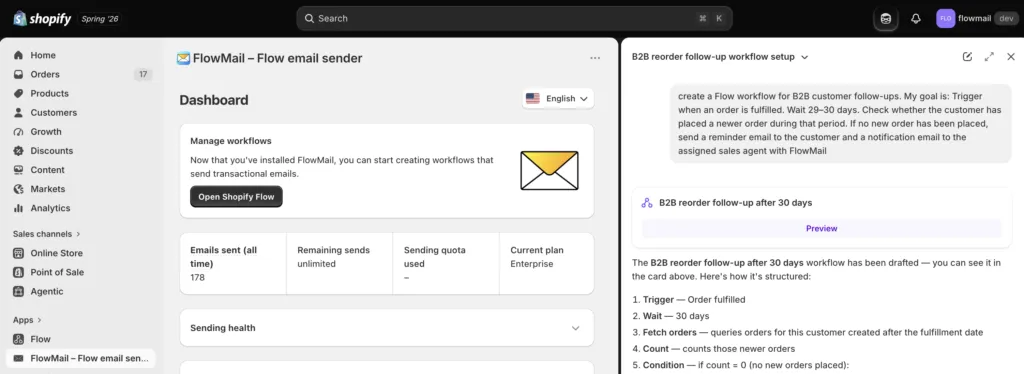
Today, merchants can describe an automation and have Sidekick [generate a Shopify Flow workflow automatically](https://help.shopify.com/en/manual/shopify-flow/create/create-workflow#sidekick). Instead of spending time navigating through triggers and conditions, you can simply explain what you want to happen and let Sidekick build the first version for you. Shopify recently added support for generating Shopify Flow workflows directly from Sidekick, making automation more accessible than ever.
## What is Sidekick-powered workflow generation?
When Shopify Flow is open in your Shopify admin, Sidekick can create or modify workflows based on natural language instructions.
For example, you can ask:
> Create a workflow that tags orders with fewer than 3 line items as "small".
Sidekick will generate the workflow, including the trigger, conditions, and actions, allowing you to review and adjust it before activation.
According to Shopify, this works particularly well for:
- Customer tagging
- Order tagging
- Email notifications
- Inventory alerts
- Scheduled automations
More advanced workflows may still require manual refinement after generation.
## How to Create a Workflow with Sidekick

Getting started is straightforward:
1. Install and open Shopify Flow.
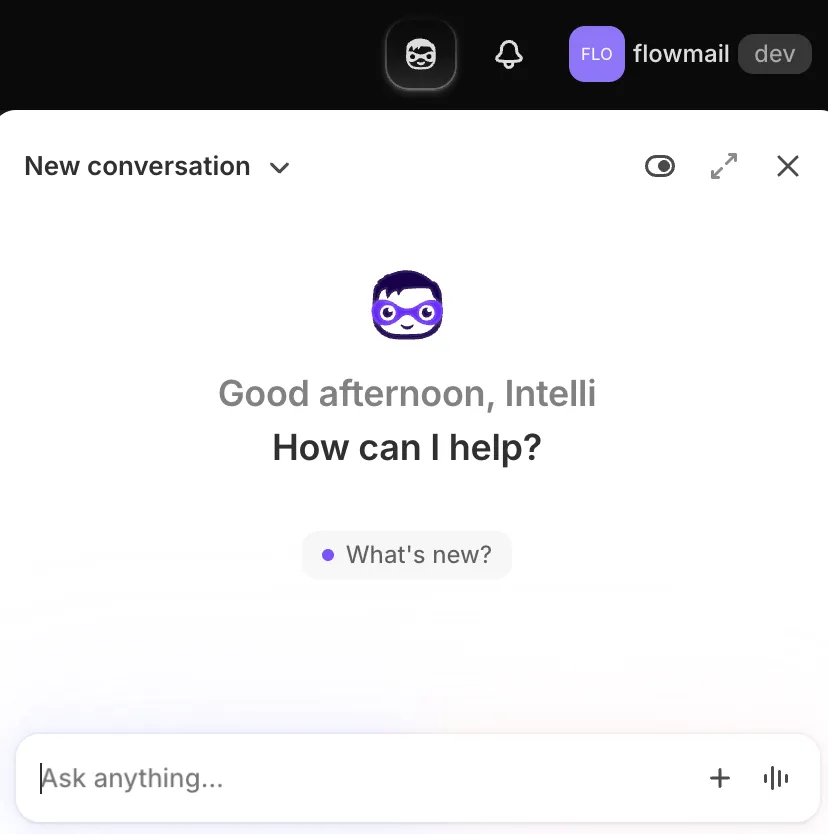
2. Open Sidekick using "mask" icon on the top right of your screen
3. Describe the automation you want in plain language.
4. Review the generated workflow.
5. Test the workflow.
6. Activate it when you're satisfied with the results.
A few important details:
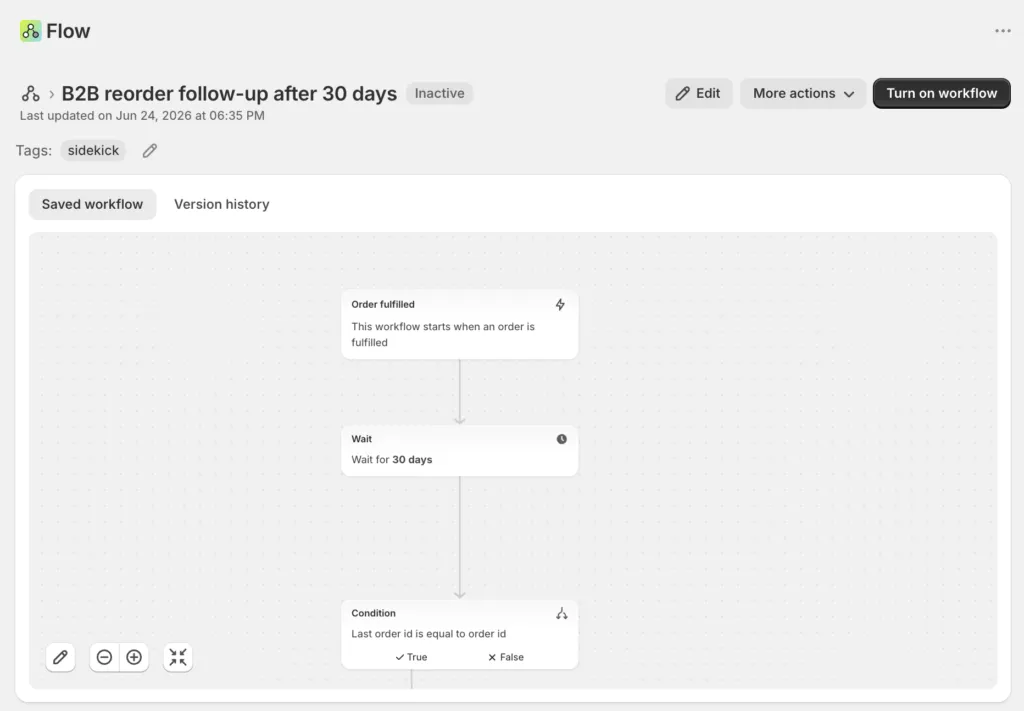
- Generated workflows are inactive by default and must be manually enabled.
- Shopify automatically tags generated workflows with the `sidekick` tag.
## The secret to better results: be specific
Like any AI tool, Sidekick performs better when you provide clear instructions.
Instead of: "Send VIP emails" try "When a customer's lifetime spend exceeds $1,000, send them a VIP welcome email with WorkflowMail and add the VIP tag"
- The trigger
- The conditions
- The desired actions
Shopify recommends clearly describing the business event, the conditions, and the outcome you want to achieve.
## Where email automation fits in
Many Shopify Flow workflows ultimately need to communicate with customers.
Examples include:
- Welcome emails
- VIP notifications
- Loyalty rewards
- Back-in-stock alerts
- Low inventory notifications
- Internal team alerts
- Follow-up campaigns
This is where Shopify Flow becomes even more powerful when combined with an email automation app.
## Using WorkflowMail (formerly FlowMail) with Shopify Flow
[WorkflowMail](https://apps.shopify.com/flowmail) is designed specifically for merchants who want to send emails directly from Shopify Flow workflows.
Instead of relying on complicated external automation platforms, you can add a WorkflowMail action to your workflow and send emails whenever specific business events occur.
Some examples include:
- VIP Customer Rewards – prompt Sidekick:
> Create a workflow that identifies customers whose lifetime spend exceeds $1,000 and sends them a VIP welcome email with WorkflowMail
- Low Inventory Alerts – prompt Sidekick:
> Notify our operations team when any product variant inventory falls below 5 units.
Use WorkflowMail to send a detailed inventory alert directly to your team.
High-Value Order Notifications – prompt Sidekick:
> Send an internal notification whenever an order exceeds $500.
WorkflowMail can send a customized email containing order details, customer information, and links back to Shopify Admin.
- Customer Milestone Emails: prompt Sidekick:
> Send a thank you email with WorkflowMail after a customer places their tenth order.
WorkflowMail can personalize the message using Shopify customer and order data available in the workflow.
## Workflow Ideas You Can Build Today
If you're looking for inspiration, try asking Sidekick to create:
- Send a welcome email to first-time customers;
- Notify staff when a product sells out;
- Alert the warehouse when a high-priority order is placed;
- Tag customers who haven't ordered in 180 days;
- Reward repeat customers after their fifth purchase;
- Notify suppliers when inventory reaches a reorder threshold;
- Send anniversary emails to customers one year after their first order;
- Alert support staff when a high-risk order is detected.
Most of these can be generated in seconds and then enhanced with WorkflowMail email actions.
## Always Review Before Activating
AI-generated workflows can save a significant amount of time, but they shouldn't be treated as production-ready without testing.
Shopify recommends reviewing generated conditions, verifying comparison operators, testing with sample data, and ensuring business-specific logic hasn't been omitted before activating a workflow.
A quick review can prevent unexpected automations later.
## Final Thoughts
Shopify Sidekick has dramatically lowered the barrier to entry for Shopify Flow automation. Merchants no longer need to understand every trigger and action before getting started–they can simply describe what they want to automate.
For workflows that involve sending emails, [WorkflowMail](https://apps.shopify.com/flowmail) extends those automations by allowing [Shopify Flow](https://apps.shopify.com/flow) to deliver personalized messages to customers, staff, suppliers, or partners.
The combination of [Sidekick](https://www.shopify.com/sidekick) for workflow creation and [WorkflowMail](https://apps.shopify.com/flowmail) for email delivery makes it possible to build sophisticated Shopify automations in minutes rather than hours.
Ready to try it? Install [WorkflowMail](https://apps.shopify.com/flowmail) and start turning your Sidekick-generated workflows into real customer communications.
AIFlowFlowMailWorkflowMailShopifyworkflowmailFlow email appFlow email
Share:[X](https://twitter.com/intent/tweet?text=Creating%20Shopify%20Flow%20Workflows%20with%20Sidekick%20\(and%20Sending%20Emails%20with%20WorkflowMail\)&url=https%3A%2F%2Fshopify.intelli-ua.com%2Fblog%2Fcreating-shopify-flow-workflows-with-sidekick-and-sending-emails-with-flowmail%2F)[LinkedIn](https://www.linkedin.com/sharing/share-offsite/?url=https%3A%2F%2Fshopify.intelli-ua.com%2Fblog%2Fcreating-shopify-flow-workflows-with-sidekick-and-sending-emails-with-flowmail%2F)[Facebook](https://www.facebook.com/sharer/sharer.php?u=https%3A%2F%2Fshopify.intelli-ua.com%2Fblog%2Fcreating-shopify-flow-workflows-with-sidekick-and-sending-emails-with-flowmail%2F)Copy link
* * *
### Keep reading
- [Shopify Flow AI Prompt Examples for Email Chains](/blog/shopify-flow-ai-prompt-examples-for-email-chains/)
- [Restrict M365 Graph API Mail.Send to a Mailbox](/blog/restrict-microsoft-365-graph-api-mail-send-to-single-mailbox/)
- [Setting up Google SMTP with WorkflowMail (formerly FlowMail)](/blog/setting-up-google-smtp-with-flowmail/)
---
## Customer Account Editor app for Shopify: allow customers to manage their Profiles
URL: https://shopify.intelli-ua.com/blog/customer-account-editor-app-for-shopify-allow-customers-to-manage-their-profiles
The Customer Account Editor is a Shopify app (starting at $9.99/month with free trial) that empowers customers to manage and profile information directly from…
[← Blog](/blog/)
# Customer Account Editor app for Shopify: allow customers to manage their Profiles
2026-09-09 · Apps

The [Customer Account Editor](http://apps.shopify.com/customer-account-editor) is a Shopify app (starting at $9.99/month with free trial) that empowers customers to manage and profile information directly from their profile edit page. It bridges the gap between automated customer data management and personalized customer experiences by allowing customers to edit customer details on their own and upload/change profile pictures.
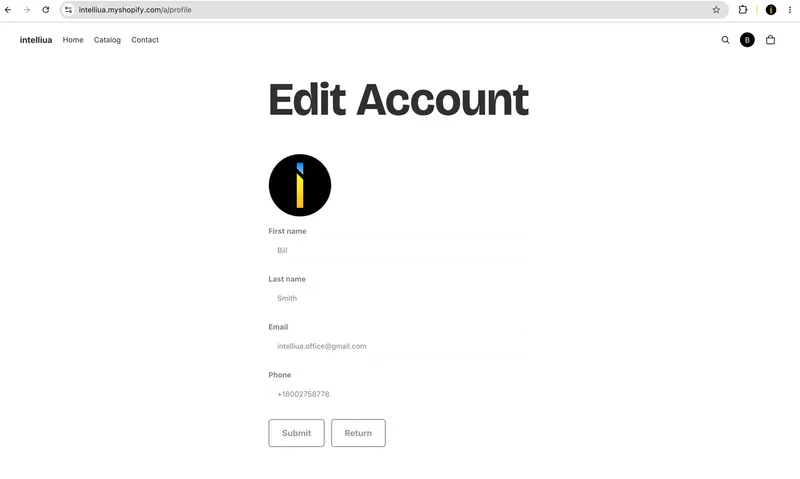
The app provides granular control over customer account information, enabling customers to edit their **first name**, **last name**, **email**, **phone number**, and **profile pictures** (in many cases, when customers create their account in a Shopify store, it's created only with email, so there is even no customer name). Through the app's configurable Settings, admins can enable or disable specific fields based on their store's needs and privacy requirements.
## Key Features
### Edit Customer Profile Fields
The Customer Account Editor app lets you update essential customer information directly from your Shopify admin:
- First name – Correct typos or update names as customers request
- Last name – Ensure accurate contact information for all customers
- Email address – Update contact emails for better communication
- Phone number – Keep phone records current for order updates and support
- Profile picture – Allow customers to upload and display personalized avatars
### Customizable Field Settings
One of the app's most valuable features is its granular field control. Store admins can decide which information customers can edit and which fields remain locked:
1. Navigate to the app's Settings page
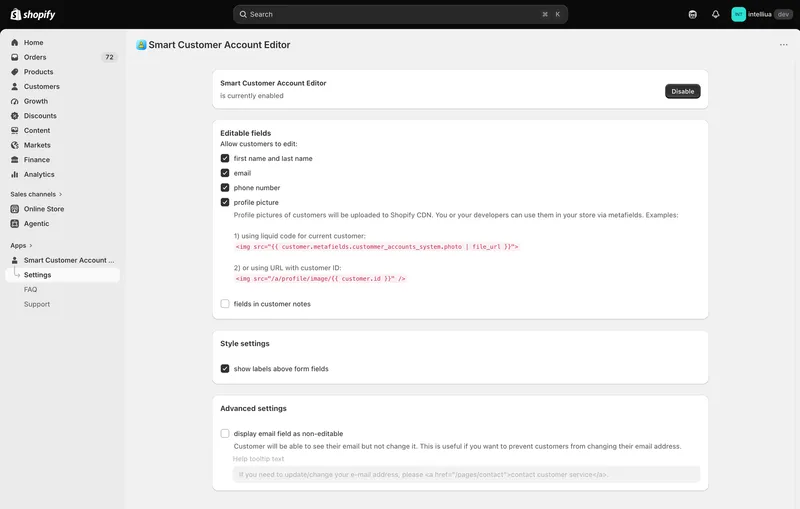
2\. Toggle each field on or off based on your store requirements
3\. Changes apply globally to all customer accounts
This flexibility ensures your customer data remains accurate while maintaining your store's privacy and security standards.
### Profile Picture Uploads
The app supports customer-uploaded profile pictures, enhancing the customer experience with personalized accounts:
- Customers can upload their own profile pictures directly through the app
- Images are automatically uploaded to Shopify's CDN for optimal performance
- Photos are optimized for fast loading across all devices
- Uploads are stored securely within Shopify's infrastructure
Profile pictures can be accessed and displayed throughout your store using Shopify metafields. This integration makes it easy to showcase personalized customer photos in various contexts:
Option 1: Using Liquid for Current Customer
```
 ```
Option 2: Direct URL with Customer ID
```
 ```
These metafield integrations allow you to:
- Display personalized avatars in customer-facing areas in your custom pages / apps / mobile applications
- Display customer photos in user-generated content sections
- Display customer photos in [Commentify](https://apps.shopify.com/commentify) app's comment blocks.
## Pricing and Value
The Customer Account Editor is priced at $9.99/month (with free trial available). Despite the cost, it offers excellent value through:
- Professional-grade features – Complete customer profile customization
- Native integration – Works seamlessly with Shopify infrastructure
- CDN-optimized – Fast profile picture delivery
- Metafield support – Extensive customization options
- Simple interface – Easy to use without technical knowledge
* * *
## Conclusion
The Customer Account Editor app is an essential tool for Shopify merchants seeking to maintain accurate customer data while providing a personalized shopping experience. Its ability to edit critical customer information, combined with flexible field permissions and metafield integration, makes it a versatile solution for stores of all sizes.
Whether you need to quickly update customer details during support interactions, encourage customer profile personalization with profile pictures, or integrate customer avatars throughout your theme, the Customer Account Editor provides the tools to make it all possible.
The app's simplicity, combined with powerful features like metafield support and CDN-optimized image hosting, ensures it remains one of the most practical customer management solutions available in the Shopify ecosystem.
[View Customer Account Editor app in Shopify App Store](https://apps.shopify.com/customer-account-editor)
customer accountcustomer accountsprofile fieldsprofile pictureShopify
Share:[X](https://twitter.com/intent/tweet?text=Customer%20Account%20Editor%20app%20for%20Shopify%3A%20allow%20customers%20to%20manage%20their%20Profiles&url=https%3A%2F%2Fshopify.intelli-ua.com%2Fblog%2Fcustomer-account-editor-app-for-shopify-allow-customers-to-manage-their-profiles%2F)[LinkedIn](https://www.linkedin.com/sharing/share-offsite/?url=https%3A%2F%2Fshopify.intelli-ua.com%2Fblog%2Fcustomer-account-editor-app-for-shopify-allow-customers-to-manage-their-profiles%2F)[Facebook](https://www.facebook.com/sharer/sharer.php?u=https%3A%2F%2Fshopify.intelli-ua.com%2Fblog%2Fcustomer-account-editor-app-for-shopify-allow-customers-to-manage-their-profiles%2F)Copy link
* * *
### Keep reading
- [Commentify adds always-on spam and bot protection for Shopify comments](/blog/commentify-spam-and-bot-protection-for-shopify-comments/)
- [Shopify Flow templates available in WorkflowMail](/blog/shopify-flow-templates-available-in-workflowmail/)
- [WorkflowMail vs FlowSend, MailAction, Sendjo & Workflow Transactional Email: Which Shopify Flow Email App Should You Pick?](/blog/workflowmail-vs-flow-send-email-apps-comparison/)
---
## WorkflowMail is Built for Shopify!
URL: https://shopify.intelli-ua.com/blog/flowmail-is-built-for-shopify
We're thrilled to announce that our WorkflowMail app (formerly FlowMail) is now Built for Shopify ! Designed to the highest quality standard to help your busin…
[← Blog](/blog/)
# WorkflowMail is Built for Shopify!
2025-06-28 · updated 2026-07-10 · Apps

We're thrilled to announce that our [**WorkflowMail** app](https://apps.shopify.com/flowmail) (formerly FlowMail) is now [Built for Shopify](https://shopify.dev/docs/apps/launch/built-for-shopify#built-for-shopify-status)! Designed to the highest quality standard to help your business grow.
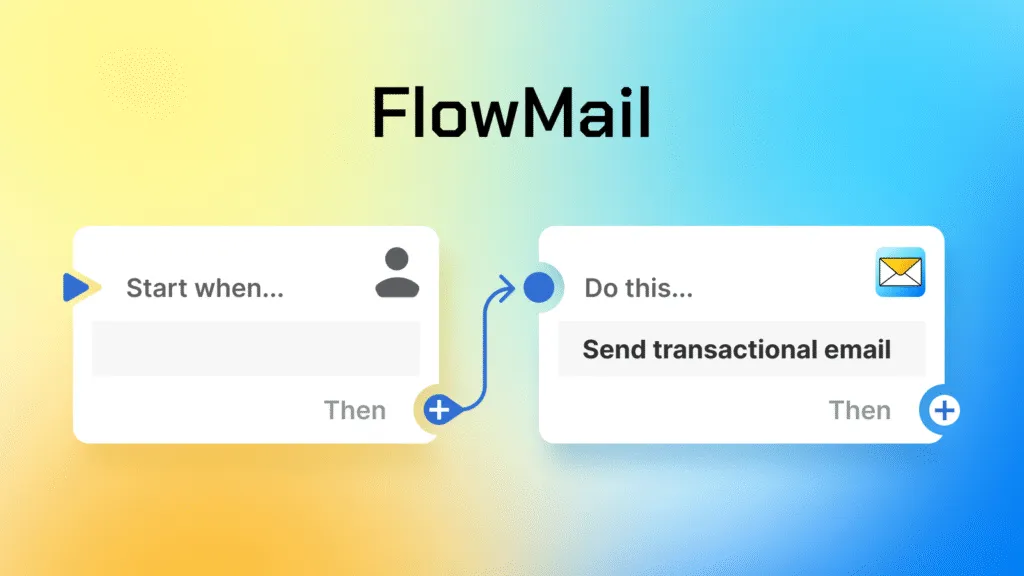
With **WorkflowMail** you can automate email sending on your store using **automations**, such as when new order is created, order / customer tags changed, custom events triggered, etc.
_If you need help in creating custom automations in **Shopify Flow**, you can take advantage of our [Flow automation setup service](/shopify-flow-automation-setup-service/)._
* * *
Built for Shopify status is the highest level of recognition and achievement that a Shopify app can reach – and WorkflowMail met all strict Shopify quality standards:
- it's easy to use;
- safe;
- performant;
- proven usefulness: helps sending custom emails with Shopify Flow.
[View WorkflowMail in Shopify App Store](https://apps.shopify.com/flowmail)
or take advantage of our [Shopify Flow configuration service](/shopify-flow-automation-setup-service/)
FlowFlowMailWorkflowMailShopifyworkflowmailFlow email appFlow email
Share:[X](https://twitter.com/intent/tweet?text=WorkflowMail%20is%20Built%20for%20Shopify!&url=https%3A%2F%2Fshopify.intelli-ua.com%2Fblog%2Fflowmail-is-built-for-shopify%2F)[LinkedIn](https://www.linkedin.com/sharing/share-offsite/?url=https%3A%2F%2Fshopify.intelli-ua.com%2Fblog%2Fflowmail-is-built-for-shopify%2F)[Facebook](https://www.facebook.com/sharer/sharer.php?u=https%3A%2F%2Fshopify.intelli-ua.com%2Fblog%2Fflowmail-is-built-for-shopify%2F)Copy link
* * *
### Keep reading
- [Shopify Flow templates available in WorkflowMail](/blog/shopify-flow-templates-available-in-workflowmail/)
- [WorkflowMail vs FlowSend, MailAction, Sendjo & Workflow Transactional Email: Which Shopify Flow Email App Should You Pick?](/blog/workflowmail-vs-flow-send-email-apps-comparison/)
- [Shopify Flow upgrades to GraphQL Admin API v2026-01 – what it means for automations](/blog/shopify-flow-upgrades-to-graphql-admin-api-v2026-01-what-it-means-for-automations/)
---
## New Shopify Flow Triggers for Inventory Transfers (April 2026)
URL: https://shopify.intelli-ua.com/blog/new-shopify-flow-triggers-for-inventory-transfers-april-2026
On April 30, 2026, Shopify introduced two highly practical triggers in Shopify Flow that make inventory automation significantly more powerful. If you manage m…
[← Blog](/blog/)
# New Shopify Flow Triggers for Inventory Transfers (April 2026)
2026-05-04 · updated 2026-05-04 · Shopify

On April 30, 2026, [Shopify introduced](https://changelog.shopify.com/posts/flow-new-triggers-for-inventory-transfers-completed-and-inventory-transfer-ready-to-ship) two highly practical triggers in [Shopify Flow](https://apps.shopify.com/flow) that make inventory automation significantly more powerful.
If you manage multiple locations – like warehouses, retail stores, or fulfillment centers – this update is worth your attention.
## What’s new?
Shopify Flow now supports two new triggers tied to inventory transfers:
- **[Inventory transfer ready to ship](https://help.shopify.com/en/manual/shopify-flow/reference/triggers/inventory-transfer-ready-to-ship)**
- **[Inventory transfer completed](https://help.shopify.com/en/manual/shopify-flow/reference/triggers/inventory-transfer-complete)**
These triggers allow workflows to start automatically when stock is moving between your business locations.
With these new triggers, you can now respond to transfer status changes in real time cleanly and reliably.
* * *
## 1\. Inventory Transfer “Ready to Ship”
This trigger fires when a transfer is fully prepared and marked as **ready to ship**.
### What you can automate
This is the moment when inventory is about to leave the source location. Typical use cases include:
- Notifying the receiving location
- Updating internal logistics dashboards
- Alerting staff to prepare for incoming stock
- Syncing data with external systems (e.g., WMS or ERP)
### Example workflow
> When transfer is ready to ship → Send email notification with [FlowMail](https://apps.shopify.com/flowmail) to destination store
This ensures the receiving team is prepared before the shipment even arrives.
* * *
## 2\. Inventory Transfer “Completed”
This trigger fires when a transfer has been fully received at its destination–whether items were accepted or rejected.
### What you can automate
This is the “arrival confirmed” moment. You can:
- Update internal records
- Notify teams that inventory is available
- Trigger shelf stocking workflows
- Run reconciliation or audit processes
### Example workflow
> When transfer is completed → Tag products or update inventory status → Notify operations team
* * *
## Practical Use Cases
Here are a few real-world scenarios where these triggers shine:
### 1\. Store Replenishment Alerts
Automatically notify store managers when incoming stock is on the way or has arrived.
### 2\. Warehouse Coordination
Keep warehouse and retail teams in sync without manual communication.
### 3\. Inventory Accuracy
Trigger reconciliation workflows immediately after transfers are completed.
### 4\. Operations Visibility
Push updates to dashboards or external systems for real-time tracking.
* * *
## Why this is a meaningful update
Before this update:
- Transfer-related automation was limited
- Teams relied on manual coordination
- Systems could fall out of sync
Now:
- Transfer lifecycle events are fully automatable
- You get real-time operational awareness
- Workflows can reflect actual physical inventory movement
* * *
For merchants managing multiple locations, this update is a quiet but powerful improvement.
By automating around inventory movement–not just orders–you can reduce manual work, improve coordination, and keep your systems aligned with what’s happening in the real world.
If you're building operational automations in [Shopify Flow](https://apps.shopify.com/flow), these triggers are definitely worth integrating into your workflows. You can combine that with [FlowMail](https://apps.shopify.com/flowmail) to send transactional emails with Shopify Flow according to your business logic.
FlowShopifytriggersupdate
Share:[X](https://twitter.com/intent/tweet?text=New%20Shopify%20Flow%20Triggers%20for%20Inventory%20Transfers%20\(April%202026\)&url=https%3A%2F%2Fshopify.intelli-ua.com%2Fblog%2Fnew-shopify-flow-triggers-for-inventory-transfers-april-2026%2F)[LinkedIn](https://www.linkedin.com/sharing/share-offsite/?url=https%3A%2F%2Fshopify.intelli-ua.com%2Fblog%2Fnew-shopify-flow-triggers-for-inventory-transfers-april-2026%2F)[Facebook](https://www.facebook.com/sharer/sharer.php?u=https%3A%2F%2Fshopify.intelli-ua.com%2Fblog%2Fnew-shopify-flow-triggers-for-inventory-transfers-april-2026%2F)Copy link
* * *
### Keep reading
- [What Is Shopify Flow? A Practical Guide to Store Automation](/blog/what-is-shopify-flow-practical-guide/)
- [New Shopify Flow Trigger: Product Updated](/blog/shopify-flow-product-updated-trigger/)
- [Shopify Flow upgrades to GraphQL Admin API v2026-01 – what it means for automations](/blog/shopify-flow-upgrades-to-graphql-admin-api-v2026-01-what-it-means-for-automations/)
---
## Power up your Shopify app with FlowMail: build Flow templates
URL: https://shopify.intelli-ua.com/blog/power-up-your-shopify-app-with-flowmail-build-flow-templates
Shopify Flow has transformed automation for merchants, giving them the power to connect apps and trigger actions without writing code. For app developers build…
[← Blog](/blog/)
# Power up your Shopify app with FlowMail: build Flow templates
2025-12-15 · updated 2026-07-10 · Shopify

[Shopify Flow](http://apps.shopify.com/flow) has transformed automation for merchants, giving them the power to connect apps and trigger actions without writing code. For app developers building on Shopify, creating **[prebuilt Flow templates](https://admin.shopify.com/apps/flow/web/editor/templates?sort=best_match)** is a powerful way to increase app engagement, shorten time-to-value, and unlock real automation for merchants.
Today we want to spotlight how [WorkflowMail](https://apps.shopify.com/flowmail)’s **Send transactional email** action can help you build Flow templates that _really matter_ – automated emails that increase conversions, deepen customer engagement, and showcase real ROI from your app.
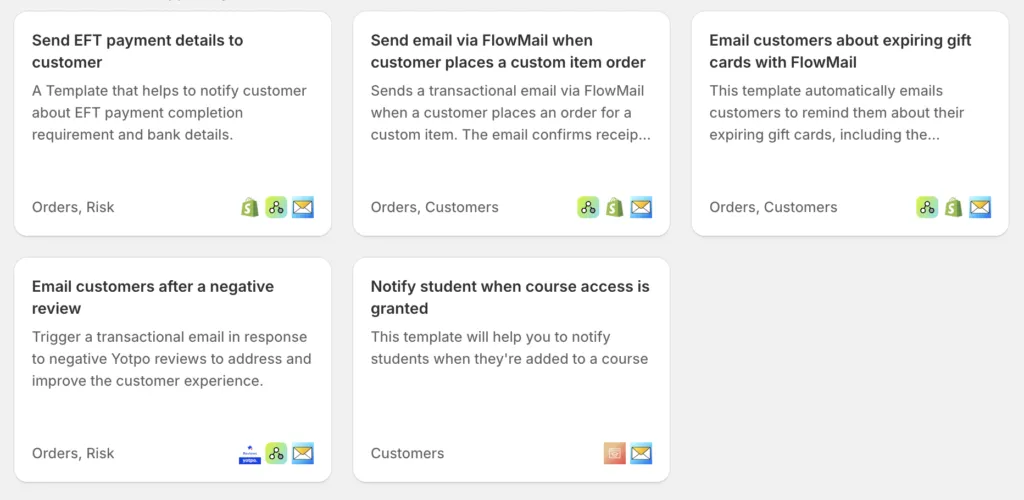
### **Why Build Flow Templates with WorkflowMail (formerly FlowMail)?**
Shopify merchants love automated workflows – especially when they help them stay connected with customers. But many workflows stop at in-app triggers or Shopify admin events. With WorkflowMail, you can extend automation to customers _where it matters most_: their inbox.
Using WorkflowMail’s transactional email action in your Flow templates lets merchants:
- **Send timely, tailored emails** right from automation
- Create automated customer journeys without extra coding
- Improve engagement, conversions, and retention
- Deliver personalized messages in response to key events
All with emails that _actually look good and perform well_.
* * *
## **What makes a great Flow template**
A great Flow Template does a few key things:
📌 **Solves a clear merchant problem**
Does your template automate email where sending one manually is tedious or inconsistent?
📌 **Creates merchant value quickly**
The first time merchants install the workflow they should see value – higher conversions, fewer manual steps, more sales.
📌 **Showcases your app’s unique data or value**
Flow templates built with WorkflowMail don’t just automate actions – they extend your app’s power into customer communication.
* * *
## **Apps already leading with WorkflowMail templates**
Here are great examples of existing Flow templates that use **WorkflowMail’s Send transactional email action** – and the kinds of automated experiences they unlock for merchants:
- **[Yotpo Product Reviews](https://apps.shopify.com/yotpo-social-reviews):**
Automatically send review invitations after purchase or fulfillment, increasing review volume and trust signals.
- **[Mst: Wishlist + Marketing Flow](https://apps.shopify.com/i-wishlist):**
Trigger personalized emails prompting wishlist items, help merchants recover interest and convert browsers into buyers.
- **[Mega Community](https://apps.shopify.com/community):**
Send custom updates when community actions take place, keeping customers engaged and informed automatically.
These templates demonstrate how powerful it can be to pair app-level events with **customer-facing email automation**.
* * *
## **Examples of WorkflowMail-powered workflows you can build**
Here are a few workflow ideas to inspire your next template:
### 📍 **Abandoned Wishlist Reminder**
**Trigger:** Customer adds items to wishlist
**Action:** WorkflowMail sends a reminder email with wishlist items + discount offer
> Result: More customers return and complete purchases
* * *
### 📍 **Upsell After First Purchase**
**Trigger:** First order placed via your app
**Action:** WorkflowMail sends personalized upsell recommendation email
**Optional:** Follow-up if no purchase after 48 hrs
> Result: Increased repeat purchases and LTV
* * *
### 📍 **Low-Stock Alerts with Customer Recommendations**
**Trigger:** Item low on stock
**Action:** WorkflowMail sends email to customers who viewed or added item to cart
> Result: Scarcity messaging boosts urgency
* * *
## **Getting Started with WorkflowMail in Flow Templates**
Integrating WorkflowMail into your Flow templates is straightforward:
1. **Use WorkflowMail’s transactional email action** as a step in your Flow.
2. **Populate** parameters from your app’s data or Shopify objects.
3. **Include clear subject lines, email content, and CTA** so merchants can see value right away.
4. **Provide defaults editable by the merchant** so they can customize the email.
You can view documentation and the Shopify Flow template examples here**:** [https://help.shopify.com/en/manual/shopify-flow/create/examples](https://help.shopify.com/en/manual/shopify-flow/create/examples)
* * *
## **Closing thoughts**
Shopify Flow is a major lever for merchants automating repetitive tasks – and email automation with WorkflowMail opens up _real, measurable value_ that merchants notice immediately.
By building Flow templates that include **WorkflowMail’s transactional email action**, you’re not just automating events – you’re helping merchants **communicate with customers in smart, personalized ways** that drive engagement and revenue.
If you’re ready to get started or have questions about using WorkflowMail in your Flow templates, let’s connect!
* * *
_Happy automating!_ 🚀
FlowFlowMailWorkflowMailShopifytemplateworkflowmailFlow email appFlow email
Share:[X](https://twitter.com/intent/tweet?text=Power%20up%20your%20Shopify%20app%20with%20FlowMail%3A%20build%20Flow%20templates&url=https%3A%2F%2Fshopify.intelli-ua.com%2Fblog%2Fpower-up-your-shopify-app-with-flowmail-build-flow-templates%2F)[LinkedIn](https://www.linkedin.com/sharing/share-offsite/?url=https%3A%2F%2Fshopify.intelli-ua.com%2Fblog%2Fpower-up-your-shopify-app-with-flowmail-build-flow-templates%2F)[Facebook](https://www.facebook.com/sharer/sharer.php?u=https%3A%2F%2Fshopify.intelli-ua.com%2Fblog%2Fpower-up-your-shopify-app-with-flowmail-build-flow-templates%2F)Copy link
* * *
### Keep reading
- [Shopify Flow templates available in WorkflowMail](/blog/shopify-flow-templates-available-in-workflowmail/)
- [Restrict M365 Graph API Mail.Send to a Mailbox](/blog/restrict-microsoft-365-graph-api-mail-send-to-single-mailbox/)
- [Shopify Flow AI Prompt Examples for Email Chains](/blog/shopify-flow-ai-prompt-examples-for-email-chains/)
---
## Restrict M365 Graph API Mail.Send to a Mailbox
URL: https://shopify.intelli-ua.com/blog/restrict-microsoft-365-graph-api-mail-send-to-single-mailbox
How to scope the Microsoft 365 Graph API Mail.Send permission so WorkflowMail can send from only one mailbox instead of every mailbox in your organization.
[← Blog](/blog/)
# Restrict M365 Graph API Mail.Send to a Mailbox
2026-10-31 · updated 2026-10-31 · Shopify, Tutorials

This article builds on [Configure Microsoft 365 Graph API for WorkflowMail (formerly FlowMail)](/blog/configure-microsoft-365-graph-api-for-flowmail/), which sets up an organization-wide Mail.Send permission. Follow [the main guide](/blog/configure-microsoft-365-graph-api-for-flowmail/) first if you haven't created the app yet. The steps below restrict the app so it can send email from only one mailbox.
> **Caution:** Please treat this instruction with caution. It may not be tested with the latest Microsoft 365 Graph API updates and we are not responsible for any possible consequences of completing the steps. Always double check what you're going to change / execute and do not launch any commands you are unsure about. This guide is intended for system administrators; if you are not familiar with Microsoft 365, Exchange Online or PowerShell, please consult your IT administrator before proceeding.
## 1\. Create the app
Complete the part of [the main guide](/blog/configure-microsoft-365-graph-api-for-flowmail/) that applies to app creation (register the app, copy the Tenant ID and Client ID, create a client secret). If you follow the original guide, leave the Mail.Send consent described by that guide in place – it will be scoped to only one sender below. If you follow the preferred approach, do not grant tenant-wide consent. You can remove all the settings from [WorkflowMail](https://apps.shopify.com/flowmail) to be safe: nothing will use this app until you finish the setup.
**Preferred approach (what worked for a customer):** avoid granting tenant-wide Mail.Send consent in Entra and rely solely on Exchange Online Application RBAC (see below). In that case skip step 8.
## 2\. Collect the enterprise application identifiers
In Microsoft Entra admin center, open **Enterprise applications** (not App registrations), open the app and copy:
- **Application ID** – same value as the app's Client ID
- **Object ID** – the enterprise application's object ID
## 3\. Connect to Exchange Online PowerShell
An Exchange Administrator, or a member of Organization Management, runs:
```
Install-Module ExchangeOnlineManagement
Connect-ExchangeOnline
```
If your tenant has not been customized for organization-level settings yet, you may also need to run:
```
Enable-OrganizationCustomization
```
This is required before scoped role assignments can be created. Changes may take time to propagate (up to 2 hours).
## 4\. Create the Exchange service principal
```
New-ServicePrincipal -AppId "" -ObjectId "" -DisplayName "WorkflowMail"
```
## 5\. Scope it to one mailbox
Use that mailbox's primary SMTP address. An alias will not match.
```
New-ManagementScope -Name "WorkflowMail sender" -RecipientRestrictionFilter "PrimarySmtpAddress -eq 'sender@example.com'"
```
## 6\. Assign Application Mail.Send to that scope
```
New-ManagementRoleAssignment -App "" -Role "Application Mail.Send" -CustomResourceScope "WorkflowMail sender"
```
**Delegation error:** you may see an error such as "You don't have access to create, change, or remove the ... Mail.Send management role assignment. You must be assigned by delegating role assignment to the management role or its parent in the hierarchy without a scope restriction." Make sure your signed-in administrator is an effective user of the enabled Application Mail.Send delegating assignment through Organization Management, with RecipientWriteScope set to Organization and no custom scopes. If the identifiers and mailbox scope are correct but it still fails, it may be a propagation delay after enabling organization customisation – retry later (up to 2 hours).
## 7\. Check the scope
```
Test-ServicePrincipalAuthorization -Identity "" -Resource "sender@example.com"
Test-ServicePrincipalAuthorization -Identity "" -Resource "someone-else@example.com"
```
Application Mail.Send should show InScope = True for the sender and False for the other mailbox. This test does not see Entra permissions, so it can look restricted while tenant-wide Mail.Send is still in effect.
## 8\. Remove the tenant-wide Graph Mail.Send permission
Remove the tenant-wide Graph Mail.Send permission, including its admin consent. Do this only after step 7. Until it's removed, Exchange RBAC and the Entra grant are combined, and the app can still send as every mailbox.
If you never granted tenant-wide consent (see the preferred approach in step 1), skip this step.
## 9\. Test in WorkflowMail
> **Note:** Microsoft 365 changes can take time to propagate. After making any changes in your Microsoft account, please wait about 60–120 minutes (in some cases up to 2 hours) before using the Microsoft app and its credentials in [WorkflowMail](https://apps.shopify.com/flowmail).
Then use the settings with [WorkflowMail](https://apps.shopify.com/flowmail) and send a test email using Flow. A send with a mailbox outside of the scope should fail with a 4xx error code.
365FlowFlowMailWorkflowMailGraph APIMicrosoftShopifyExchangeRBACworkflowmailFlow email appFlow email
Share:[X](https://twitter.com/intent/tweet?text=Restrict%20M365%20Graph%20API%20Mail.Send%20to%20a%20Mailbox&url=https%3A%2F%2Fshopify.intelli-ua.com%2Fblog%2Frestrict-microsoft-365-graph-api-mail-send-to-single-mailbox%2F)[LinkedIn](https://www.linkedin.com/sharing/share-offsite/?url=https%3A%2F%2Fshopify.intelli-ua.com%2Fblog%2Frestrict-microsoft-365-graph-api-mail-send-to-single-mailbox%2F)[Facebook](https://www.facebook.com/sharer/sharer.php?u=https%3A%2F%2Fshopify.intelli-ua.com%2Fblog%2Frestrict-microsoft-365-graph-api-mail-send-to-single-mailbox%2F)Copy link
* * *
### Keep reading
- [Configure Microsoft 365 Graph API for WorkflowMail (formerly FlowMail)](/blog/configure-microsoft-365-graph-api-for-flowmail/)
- [Shopify Flow AI Prompt Examples for Email Chains](/blog/shopify-flow-ai-prompt-examples-for-email-chains/)
- [Creating Shopify Flow Workflows with Sidekick (and Sending Emails with WorkflowMail)](/blog/creating-shopify-flow-workflows-with-sidekick-and-sending-emails-with-flowmail/)
---
## Setting up Google SMTP with WorkflowMail (formerly FlowMail)
URL: https://shopify.intelli-ua.com/blog/setting-up-google-smtp-with-flowmail
With WorkflowMail app for Shopify you can set up SMTP that will use your existing Google organization's infrastructure to send emails. Here is how to set this…
[← Blog](/blog/)
# Setting up Google SMTP with WorkflowMail (formerly FlowMail)
2026-04-09 · updated 2026-09-29 · Shopify, Tutorials

With [WorkflowMail app](https://apps.shopify.com/flowmail) for Shopify you can set up SMTP that will use your existing Google organization's infrastructure to send emails. Here is how to set this up:
1) Activate domain identity in WorkflowMail Settings:
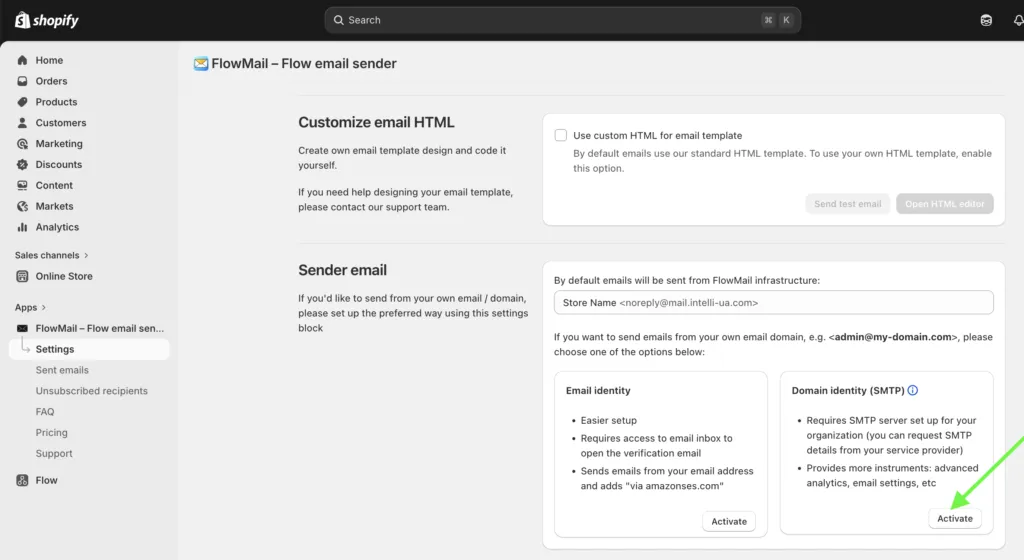
2) Use the following example to set this up with your sending domain / email:
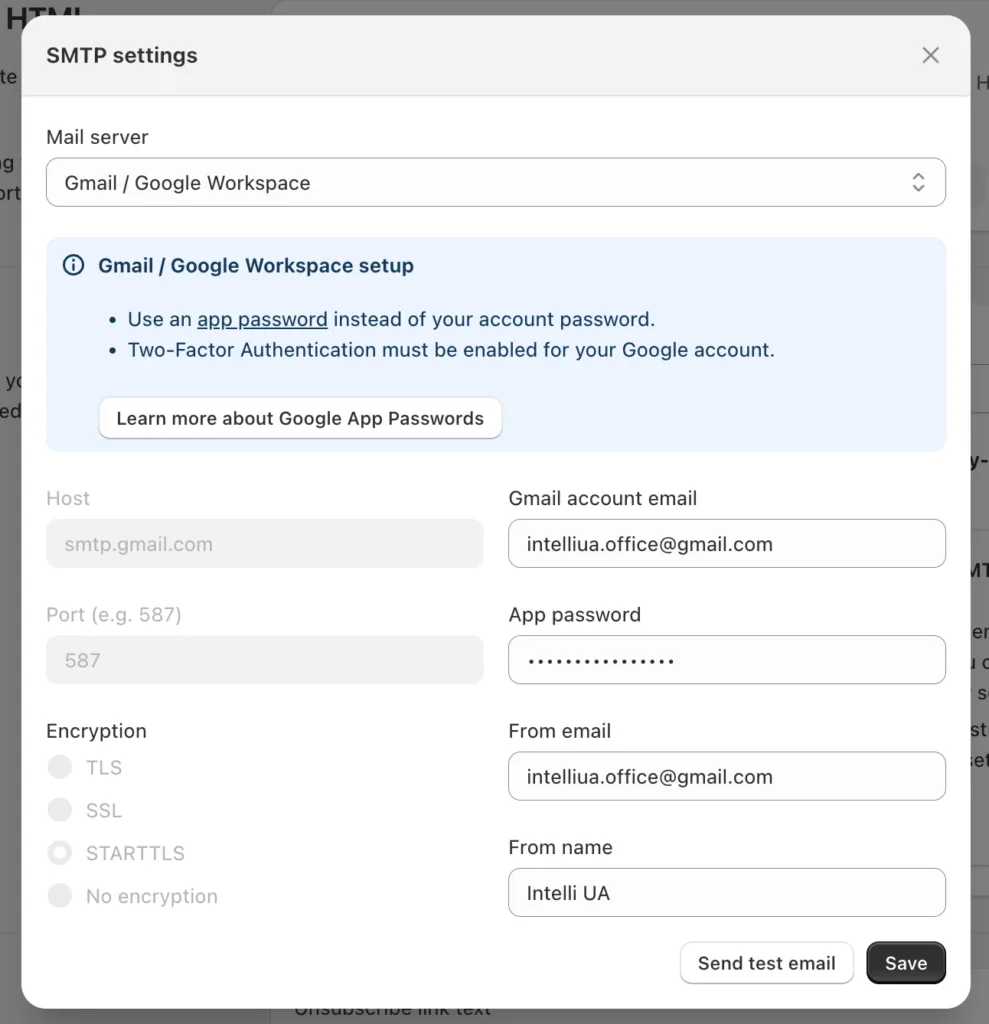
Note: please make sure to use the Google App Password (not Gmail account password) for this setup – the form contains links to an instruction on setting this up.
What about the sending limits? [Gmail has own limitations](https://support.google.com/mail/answer/22839?hl=en): up to 500 different emails per day, recovery after reaching this limit is 1-24 hours.
FlowFlowMailWorkflowMailGmailGooglemailShopifysmtpworkflowmailFlow email appFlow email
Share:[X](https://twitter.com/intent/tweet?text=Setting%20up%20Google%20SMTP%20with%20WorkflowMail%20\(formerly%20FlowMail\)&url=https%3A%2F%2Fshopify.intelli-ua.com%2Fblog%2Fsetting-up-google-smtp-with-flowmail%2F)[LinkedIn](https://www.linkedin.com/sharing/share-offsite/?url=https%3A%2F%2Fshopify.intelli-ua.com%2Fblog%2Fsetting-up-google-smtp-with-flowmail%2F)[Facebook](https://www.facebook.com/sharer/sharer.php?u=https%3A%2F%2Fshopify.intelli-ua.com%2Fblog%2Fsetting-up-google-smtp-with-flowmail%2F)Copy link
* * *
### Keep reading
- [Restrict M365 Graph API Mail.Send to a Mailbox](/blog/restrict-microsoft-365-graph-api-mail-send-to-single-mailbox/)
- [Shopify Flow AI Prompt Examples for Email Chains](/blog/shopify-flow-ai-prompt-examples-for-email-chains/)
- [Creating Shopify Flow Workflows with Sidekick (and Sending Emails with WorkflowMail)](/blog/creating-shopify-flow-workflows-with-sidekick-and-sending-emails-with-flowmail/)
---
## Unlocking new Shopify automation power: Shopify Flow Adopts API v2025-07
URL: https://shopify.intelli-ua.com/blog/shopify-flow-adopts-api-v2025-04
Shopify Flow has officially upgraded to GraphQL Admin API version 2025-04 and 2025-07 , introducing a range of powerful enhancements that streamline automation…
[← Blog](/blog/)
# Unlocking new Shopify automation power: Shopify Flow Adopts API v2025-07
2025-08-09 · updated 2025-08-16 · Shopify

Shopify Flow has officially upgraded to **GraphQL Admin API version 2025-04** and **2025-07**, introducing a range of powerful enhancements that streamline automation and expand your ability to query Shopify data with precision.
### What’s Coming with API v2025-04
2025-04 update brings several notable features and improvements:
- **Enhanced Filter Parameters for Discounts**
New `ends_at`, `created_at`, and `updated_at` filters make it easier to locate and segment discount campaigns.
- **Subscription Contracts – Now More Searchable**
Searching subscription contracts just got better with `created_at`, `updated_at`, and `status` filters.
- **Access to Customers’ Default Email**
A new `defaultEmailAddress` field for the `Customer` object enables higher-fidelity targeting and communication.
- **Expanded Enums for More Precision**
- **`CustomerPaymentMethodRevocationReason`** now includes additional revocation reasons
- **`FulfillmentOrderRejectionReason`** features new rejection codes
- **`OrderTransactions.paymentMethods`** supports more card brands
### What’s Coming with API v2025-07
2025-07 update brings several notable features and improvements:
- New quantity tracking and timestamp fields to manage and track returns ([changelog](https://shopify.dev/changelog/new-graphql-fields-for-return-management))
- New `device`, `location`, and `currency_exchange_adjustment` fields for order transactions ([changelog](https://shopify.dev/changelog/added-new-fields-to-transaction-related-objects-and-mutations))
- New mutations to add or remove a customer from an order([changelog](https://shopify.dev/changelog/orders-number-and-customer-graphql-update))
See more info at [changelog.shopify.com](https://changelog.shopify.com/posts/flow-adopts-version-2025-04-of-the-graphql-admin-api)
With this powerful update you can use new Flow capabilities to send transactional emails via [FlowMail](https://apps.shopify.com/flowmail)
apiFlowShopify
Share:[X](https://twitter.com/intent/tweet?text=Unlocking%20new%20Shopify%20automation%20power%3A%20Shopify%20Flow%20Adopts%20API%20v2025-07&url=https%3A%2F%2Fshopify.intelli-ua.com%2Fblog%2Fshopify-flow-adopts-api-v2025-04%2F)[LinkedIn](https://www.linkedin.com/sharing/share-offsite/?url=https%3A%2F%2Fshopify.intelli-ua.com%2Fblog%2Fshopify-flow-adopts-api-v2025-04%2F)[Facebook](https://www.facebook.com/sharer/sharer.php?u=https%3A%2F%2Fshopify.intelli-ua.com%2Fblog%2Fshopify-flow-adopts-api-v2025-04%2F)Copy link
* * *
### Keep reading
- [Shopify Flow upgrades to GraphQL Admin API v2026-01 – what it means for automations](/blog/shopify-flow-upgrades-to-graphql-admin-api-v2026-01-what-it-means-for-automations/)
- [Shopify Flow is now using 2025-10 of the GraphQL Admin API](/blog/shopify-flow-is-now-using-2025-10-of-the-graphql-admin-api/)
- [What Is Shopify Flow? A Practical Guide to Store Automation](/blog/what-is-shopify-flow-practical-guide/)
---
## Shopify Flow AI Prompt Examples for Email Chains
URL: https://shopify.intelli-ua.com/blog/shopify-flow-ai-prompt-examples-for-email-chains
Ready-to-use Sidekick prompts to build multi-step email chains in Shopify Flow, delivered with WorkflowMail.
[← Blog](/blog/)
# Shopify Flow AI Prompt Examples for Email Chains
2026-10-23 · updated 2026-10-23 · Shopify, Tutorials

One-off transactional emails are useful, but the real revenue lives in **email chains** – multi-step sequences that unfold over days or weeks: a welcome series, a post-purchase follow-up, a win-back campaign. Historically those required a marketing platform plus careful workflow design. Today you can describe the whole chain in plain language and let Shopify Sidekick generate the [Shopify Flow](https://apps.shopify.com/flow) workflow for you, then use [WorkflowMail](https://apps.shopify.com/flowmail) to deliver each message.
This post is a cookbook. It builds on our earlier guide, [Creating Shopify Flow Workflows with Sidekick (and Sending Emails with WorkflowMail)](https://shopify.intelli-ua.com/blog/creating-shopify-flow-workflows-with-sidekick-and-sending-emails-with-flowmail/), and focuses specifically on **multi-email chains**. For each recipe you'll find a copy-paste Sidekick prompt, the logic Sidekick should produce, and notes on where [WorkflowMail](https://apps.shopify.com/flowmail) fits in. Sidekick's workflow generation is documented in Shopify's guide on [generating content with Sidekick](https://help.shopify.com/en/manual/ai-powered-tools/sidekick/generate-content#flow-workflows).
## What counts as an "email chain" in Shopify Flow?
An email chain is a sequence of messages triggered by one business event, where each later message depends on time passing and/or on what the customer did (or didn't) do in between. In Shopify Flow that translates to:
- A **trigger** (customer created, order paid, checkout abandoned, no order in N days, etc.).
- **Wait** steps that pause the workflow for hours or days between emails.
- **Conditions** that branch the chain (e.g., "has the order been fulfilled yet?", "did the customer click the review link?").
- A **WorkflowMail "Send transactional email"** action at each step, personalized with Shopify data.
- **Tags** (e.g., `welcome-series-step-2`) so you can track progress and prevent duplicate sends.
Because Sidekick can add all of these elements from a single description, a chain that used to take an afternoon to wire up can now be drafted in minutes – then reviewed and activated.
## How to use these prompts
1. Make sure [WorkflowMail](https://apps.shopify.com/flowmail) is installed on your store (it provides the email action Sidekick will reference).
2. In your Shopify admin go to **Apps > Flow** and click **Create workflow**.
3. Open Sidekick (the icon on the top right) and paste one of the prompts below.
4. Sidekick generates the workflow and shows an overview – click to open it.
5. Review every trigger, condition, Wait duration, and email body. Test with sample data, then turn the workflow on.
Sidekick-generated workflows are **inactive by default** and tagged `sidekick`, so they won't send anything until you activate them. You can also browse prebuilt starting points in the [WorkflowMail templates in the Flow editor](https://admin.shopify.com/apps/flow/editor/templates?apps=75769937921).
[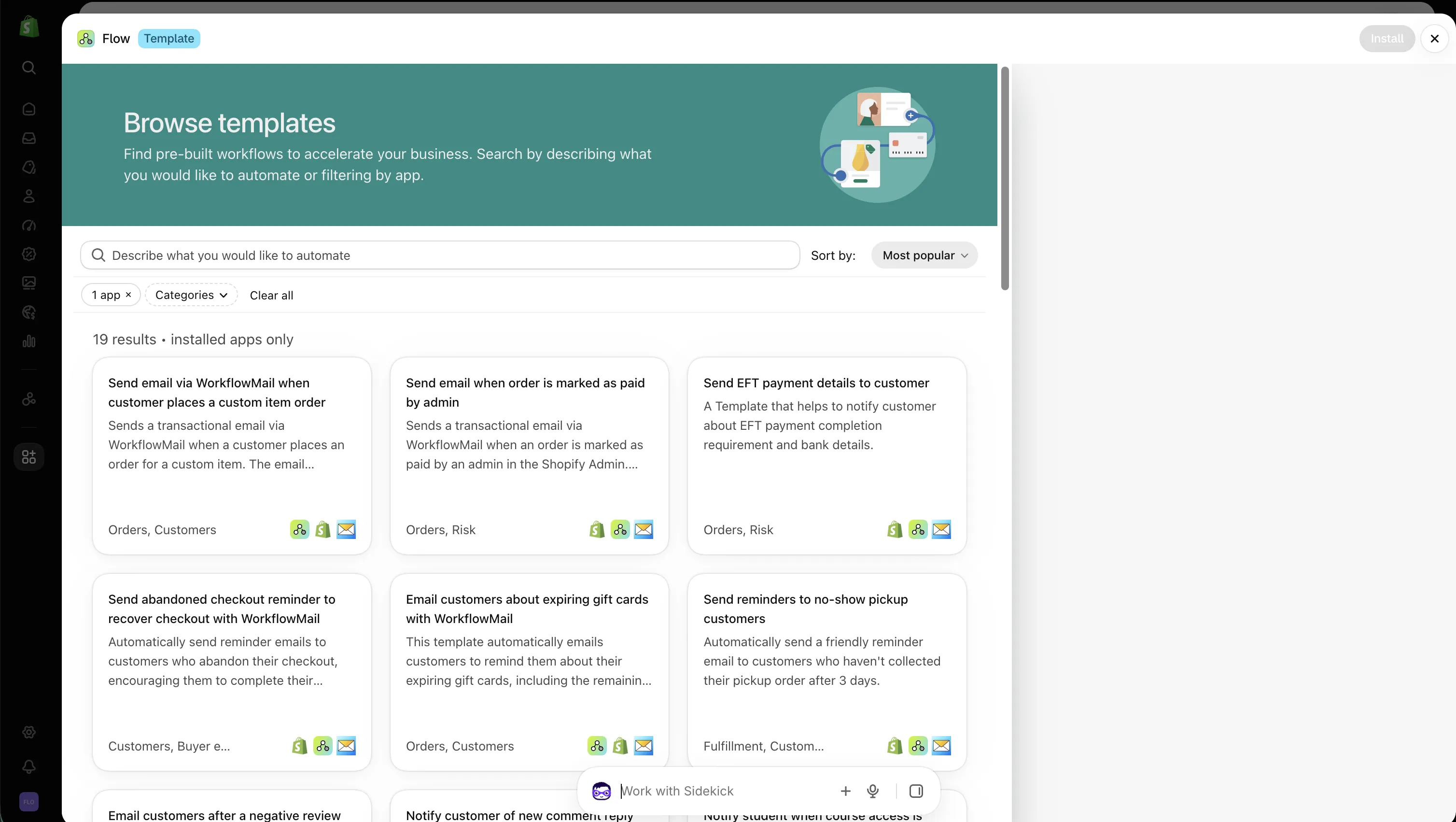](https://admin.shopify.com/apps/flow/editor/templates?apps=75769937921)
## Recipe 1 – Welcome series for new customers (3 emails)
A classic onboarding chain: greet the customer, teach them how to get value, then nudge them toward a first purchase.
> Create a workflow that triggers when a customer is created. Send a welcome email with WorkflowMail immediately. Wait 2 days, then send a "getting started" email with our top 3 products and a 10% discount code. Wait 5 more days; if the customer has not placed an order yet, send a final "we miss you" email with a free-shipping offer. Tag the customer "welcome-series-complete" at the end. Use WorkflowMail for every email.
**What Sidekick should build:** Customer created trigger → WorkflowMail action → Wait 2 days → WorkflowMail action → Wait 5 days → Condition "customer has 0 orders" → WorkflowMail action → Add customer tag. Each WorkflowMail step should pull the customer's first name and store name into the subject/body.
## Recipe 2 – Post-purchase follow-up and review request
Turn a single order into a conversation: thank them, ask for a review, then cross-sell.
> When an order is paid, send a thank-you email with WorkflowMail containing the order number and a link to track the shipment. Wait 7 days. If the order is fulfilled, send a review request email asking the customer to rate their purchase. Wait 14 more days; if the customer has not placed a second order, send a cross-sell email recommending products from the same collection. Use WorkflowMail for all three emails and include the customer's first name.
**Tip:** Add a condition checking order fulfillment status before the review request so you don't ask for a review of an order that hasn't shipped yet.
## Recipe 3 – Win-back chain for inactive customers
Re-engage customers who haven't bought in a while, escalating the incentive across three touches.
> Create a scheduled workflow that runs weekly and finds customers who have not placed an order in the last 180 days and are not tagged "winback-sent". Send a "we miss you" email with WorkflowMail offering 10% off. Wait 7 days; if no order was placed, send a second email offering 15% off plus free shipping. Wait 14 more days; if still no order, send a final "last chance" email. Tag the customer "winback-sent" after the first email and "winback-complete" at the end.
**Why tags matter here:** Without a guard tag, a weekly scheduled workflow can re-trigger the chain for the same customer. The tag acts as a deduplication flag.
## Recipe 4 – VIP milestone and upsell chain
Celebrate a spend milestone, then follow up with a tailored upsell.
> When a customer's lifetime spend exceeds $1,000, tag them "VIP" and send a VIP welcome email with WorkflowMail thanking them and listing their exclusive perks. Wait 3 days, then send a personalized upsell email recommending our premium collection. Wait 10 days; if the customer hasn't used their VIP discount code, send a reminder email. Use WorkflowMail for all emails and address the customer by first name.
## Recipe 5 – Abandoned checkout recovery chain
Recover carts that didn't convert, with escalating urgency.
> When a checkout is abandoned, wait 1 hour and send a reminder email with WorkflowMail showing the abandoned items and a "complete your order" button. Wait 24 hours; if the order still hasn't been placed, send a second email offering 5% off. Wait 3 days; if still no order, send a final reminder with a 10% discount and a 48-hour expiry. Stop the chain if an order is placed at any point. Use WorkflowMail for every email.
**Note:** Abandoned-checkout triggers depend on your store setup. If Sidekick can't find the trigger, rephrase using "when a cart is created but no order is placed within 1 hour" or build it from the [WorkflowMail templates](https://admin.shopify.com/apps/flow/editor/templates?apps=75769937921).
## Recipe 6 – Back-in-stock / waitlist notification chain
Notify interested customers when an item returns, then follow up if they don't buy.
> When a product variant's inventory goes from 0 to greater than 0, find customers tagged "waitlist-" and send a back-in-stock email with WorkflowMail including the product name, image, and a buy link. Wait 3 days; if the customer hasn't purchased, send a reminder email. Remove the waitlist tag after the first email so the customer isn't notified twice for the same restock.
## Recipe 7 – High-value order internal notification chain
Keep your team in the loop and follow up with the customer.
> When an order exceeds $500, send an internal notification email with WorkflowMail to ops@yourstore.com with order number, customer name, total, and a link to the order in Shopify Admin. Wait 1 day; if the order is not fulfilled, send a second reminder to the warehouse team. When the order is fulfilled, send the customer a thank-you email with WorkflowMail and a delivery-tracking link.
## Recipe 8 – Refund and return follow-up chain
Close the loop after a refund to protect the relationship.
> When an order is refunded, send the customer an email with WorkflowMail acknowledging the refund and explaining next steps. Wait 7 days, then send a feedback survey email asking why they returned the item. Wait 30 days; if the customer places a new order, send a thank-you email; otherwise send a win-back offer. Use WorkflowMail for all emails.
## Recipe 9 – Subscription renewal reminder chain
If you sell subscriptions, remind customers before renewal and after.
> When a subscription is scheduled to renew in 7 days, send a reminder email with WorkflowMail showing the renewal date, amount, and a link to manage the subscription. Wait until the renewal date; if payment succeeds, send a confirmation email; if it fails, send a payment-failed email with a link to update the card. Use WorkflowMail for all emails.
## Anatomy of a prompt that works
Sidekick performs best when each prompt states the full contract of the workflow. Include:
- **Trigger** – the exact business event that starts the chain.
- **Timing** – "immediately", "wait 2 days", "wait until renewal date".
- **Conditions** – "if no order placed", "if fulfilled", "if spend exceeds $X".
- **Actions** – name [WorkflowMail](https://apps.shopify.com/flowmail) explicitly so Sidekick uses its "Send transactional email" action.
- **Personalization** – customer first name, order number, product names, discount codes.
- **Guard tags** – to prevent duplicate sends on scheduled/recurring triggers.
- **Stop conditions** – "stop the chain if an order is placed".
Compare the weak prompt "Send VIP emails" with the strong prompt "When a customer's lifetime spend exceeds $1,000, send them a VIP welcome email with WorkflowMail and add the VIP tag". Specificity is the single biggest lever for quality.
## Use the WorkflowMail template library as a starting point
You don't have to start from a blank prompt. WorkflowMail ships ready-made Flow templates you can install and customize – open the [WorkflowMail templates in the Flow editor](https://admin.shopify.com/apps/flow/editor/templates?apps=75769937921), pick one that matches your use case, then ask Sidekick to adapt it (e.g., "Add a 3-day Wait and a second WorkflowMail follow-up email to this workflow"). Combining templates + Sidekick edits is usually faster than prompting from scratch.
## Before you activate: review checklist
- Verify every condition's comparison operator (greater-than vs. at-least, "has 0 orders" vs. "has no orders in 180 days").
- Confirm Wait durations are in the intended units (hours vs. days).
- Test with sample data and confirm each WorkflowMail email renders with real Shopify variables.
- Check that guard tags prevent re-triggering on scheduled workflows.
- Ensure the workflow is inactive until you're ready, then turn it on.
AI-generated workflows save hours, but they still need a human review before they touch real customers.
## Final thoughts
Email chains are where automation pays for itself, and Sidekick removes most of the friction of building them. Pair a precise prompt with [WorkflowMail](https://apps.shopify.com/flowmail) for delivery and you can ship a welcome series, a win-back campaign, or a VIP journey in an afternoon instead of a week.
Ready to try? [Install WorkflowMail](https://apps.shopify.com/flowmail), open Shopify Flow, and paste your first prompt from this list. For more on Sidekick workflow generation, see Shopify's guide on [generating content with Sidekick](https://help.shopify.com/en/manual/ai-powered-tools/sidekick/generate-content#flow-workflows).
AIFlowFlowMailWorkflowMailShopifySidekickworkflowmailemail chainsFlow email appFlow email
Share:[X](https://twitter.com/intent/tweet?text=Shopify%20Flow%20AI%20Prompt%20Examples%20for%20Email%20Chains&url=https%3A%2F%2Fshopify.intelli-ua.com%2Fblog%2Fshopify-flow-ai-prompt-examples-for-email-chains%2F)[LinkedIn](https://www.linkedin.com/sharing/share-offsite/?url=https%3A%2F%2Fshopify.intelli-ua.com%2Fblog%2Fshopify-flow-ai-prompt-examples-for-email-chains%2F)[Facebook](https://www.facebook.com/sharer/sharer.php?u=https%3A%2F%2Fshopify.intelli-ua.com%2Fblog%2Fshopify-flow-ai-prompt-examples-for-email-chains%2F)Copy link
* * *
### Keep reading
- [Creating Shopify Flow Workflows with Sidekick (and Sending Emails with WorkflowMail)](/blog/creating-shopify-flow-workflows-with-sidekick-and-sending-emails-with-flowmail/)
- [Restrict M365 Graph API Mail.Send to a Mailbox](/blog/restrict-microsoft-365-graph-api-mail-send-to-single-mailbox/)
- [Setting up Google SMTP with WorkflowMail (formerly FlowMail)](/blog/setting-up-google-smtp-with-flowmail/)
---
## Shopify Flow is now using 2025-10 of the GraphQL Admin API
URL: https://shopify.intelli-ua.com/blog/shopify-flow-is-now-using-2025-10-of-the-graphql-admin-api
Shopify Flow has been upgraded to use version 2025-10 of Shopify’s GraphQL Admin API , unlocking powerful new capabilities for building and customizing automat…
[← Blog](/blog/)
# Shopify Flow is now using 2025-10 of the GraphQL Admin API
2025-10-13 · Shopify

[Shopify Flow](https://apps.shopify.com/flow) has been upgraded to use version **2025-10** of Shopify’s **GraphQL Admin API**, unlocking powerful new capabilities for building and customizing automations.
With this update, Flow gains deeper access to **order**, **inventory**, and **payment** data, allowing to create workflows that react to precise business events such as order totals, shipping schedules, or payment milestones.
### What’s New in GraphQL Admin API Version 2025-10
#### **1\. Enhanced Order Querying**
The `orders` query now supports **`current_total_price`** and **`total_weight`** filters, along with **`CURRENT_TOTAL_PRICE`** as a `sortKey` in _Get order data_ actions.
This means you can easily create workflows that distinguish between **high-value** or **heavy shipments**, streamlining your fulfillment processes.
#### **2\. Expanded Inventory Shipment Tracking**
New fields – **`dateCreated`**, **`dateReceived`**, and **`dateShipped`** – have been added for inventory shipments.
You can now monitor stock movement more precisely and trigger alerts when inventory is created, received, or shipped, helping to maintain accurate stock levels.
#### **3\. Improved Payment Schedule Insights**
The updated **`PaymentSchedule`** object introduces new fields including **`balanceDue`**, **`totalBalance`**, and **`due`**.
These additions make it possible to automate **payment reminders**, **follow-ups**, or internal notifications based on outstanding balances and due dates.
#### **4\. Rerouting Fulfillment Orders**
The new **`fulfillmentOrdersReroute`** mutation lets you **redirect orders** to alternate locations based on your business logic.
This provides more flexibility in managing fulfillment strategies and responding to logistical changes in real time.
#### **5\. Inventory Quantity Validation for Mutations**
Several mutations now validate **inventory quantity limits**, including `productSet`, `productVariantsBulkCreate`, and `productVariantsBulkUpdate`.
This helps ensure data accuracy and prevents over-allocation or mismanagement of product quantities.
For details on how Flow uses GraphQL, visit the [Flow documentation](https://changelog.shopify.com/posts/flow-adopts-version-2025-10-of-the-graphql-admin-api).
To explore all updates introduced in version **2025-10** of the GraphQL Admin API, see the [Developer changelog](https://shopify.dev/changelog?filter=api&api_version=2025-10).
With this powerful update you can use new Flow capabilities to send transactional emails via [FlowMail](https://apps.shopify.com/flowmail)
apiFlowShopifyupdate
Share:[X](https://twitter.com/intent/tweet?text=Shopify%20Flow%20is%20now%20using%202025-10%20of%20the%20GraphQL%20Admin%20API&url=https%3A%2F%2Fshopify.intelli-ua.com%2Fblog%2Fshopify-flow-is-now-using-2025-10-of-the-graphql-admin-api%2F)[LinkedIn](https://www.linkedin.com/sharing/share-offsite/?url=https%3A%2F%2Fshopify.intelli-ua.com%2Fblog%2Fshopify-flow-is-now-using-2025-10-of-the-graphql-admin-api%2F)[Facebook](https://www.facebook.com/sharer/sharer.php?u=https%3A%2F%2Fshopify.intelli-ua.com%2Fblog%2Fshopify-flow-is-now-using-2025-10-of-the-graphql-admin-api%2F)Copy link
* * *
### Keep reading
- [Shopify Flow upgrades to GraphQL Admin API v2026-01 – what it means for automations](/blog/shopify-flow-upgrades-to-graphql-admin-api-v2026-01-what-it-means-for-automations/)
- [New Shopify Flow Triggers for Inventory Transfers (April 2026)](/blog/new-shopify-flow-triggers-for-inventory-transfers-april-2026/)
- [Unlocking new Shopify automation power: Shopify Flow Adopts API v2025-07](/blog/shopify-flow-adopts-api-v2025-04/)
---
## New Shopify Flow Trigger: Product Updated
URL: https://shopify.intelli-ua.com/blog/shopify-flow-product-updated-trigger
Shopify Flow now ships a Product updated trigger – build workflows that react when a product or variant changes, monitoring up to 5 fields like tags,…
[← Blog](/blog/)
# New Shopify Flow Trigger: Product Updated
2026-11-02 · updated 2026-11-02 · Shopify

On October 28, 2026, [Shopify introduced](https://changelog.shopify.com/posts/shopify-flow-product-updated-trigger) a long-awaited trigger in [Shopify Flow](https://apps.shopify.com/flow): **Product updated**. You can now build workflows that respond when a product or product variant changes in your store – and react only to the fields that actually matter to you.
If you've ever wanted to notify your team, update a metafield, or send a customer email the moment a price, tag, or status changes – this trigger is for you. And because [WorkflowMail](https://apps.shopify.com/flowmail) adds a real "Send transactional email" action to Shopify Flow, every one of these workflows can end with a branded email in the right inbox.
[Install WorkflowMail free on the Shopify App Store](https://apps.shopify.com/flowmail)
* * *
## What's new?
The **Product updated** trigger starts a workflow when one or more fields on a product or its variants change. Instead of firing on every tiny edit, you choose which fields matter – up to **five** – and the workflow runs only when one of those selected fields changes. Changes to fields you didn't select are ignored, so you avoid noise and unnecessary runs.
Shopify's example: you can automatically set a metafield value that is dependent on other fields in the product. But the trigger goes far beyond that – any product or variant field you care about can drive an automation, and from there a [WorkflowMail](https://apps.shopify.com/flowmail) email.
To start a workflow when a product is first added, use the [Product created](https://help.shopify.com/en/manual/shopify-flow/reference/triggers/product-added-to-store) trigger. To react to inventory quantity changes specifically, use the [Product variant inventory quantity changed](https://help.shopify.com/en/manual/shopify-flow/reference/triggers/product-variant-inventory-quantity-changed) trigger.
Full reference: [Product updated trigger documentation](https://help.shopify.com/en/manual/shopify-flow/reference/triggers/product-updated).
* * *
## Fields you can monitor
You must select at least one field to monitor, and you can select up to five. When any one of the selected fields changes, the workflow runs. The fields are grouped by type:
| Field type | Fields |
| --- | --- |
| Product | category, combinedListingRole, descriptionHtml, giftCardTemplateSuffix, handle, metafield.value, productType, requiresSellingPlan, status, tags, templateSuffix, title, vendor |
| Media | media |
| Options | options, options.name, options.position, options.optionValues, options.linkedMetafield, and more |
| Variants | variants.barcode, variants.compareAtPrice, variants.inventoryPolicy, variants.media, variants.metafield.value, variants.position, variants.price, variants.requiresComponents, variants.showUnitPrice, variants.taxable, variants.title |
| Bundles | bundleComponents, bundleComponents.quantity, bundleComponents.quantityOption |
| Combined listings | combinedListing, combinedListing.combinedListingChildren, and related fields |
To monitor a product or variant metafield, select `metafield.value` / `variants.metafield.value` and then pick the metafield definition (or enter a namespace to monitor every metafield in it). Each metafield definition or namespace counts as one of your five fields.
### Things to know before you build
- **Only current values are available.** The trigger provides the product's current values – you cannot reference the value before the change (e.g., the old price).
- **Mixed field types can be empty.** If you monitor both `tags` and `variants.price`, the **Product Variant** field is empty when only tags change. Add a condition checking the field has a value before using it in an action.
- **Adding a product can also trigger it.** Setting Product fields like `title` or `tags` when a product is added does _not_ start the workflow. But variants, options, media, bundle components and combined listing products added with a product count as changes – so monitoring `variants.price` runs when a product is added (every product has at least one variant).
- **Test by editing a product.** Turn the workflow on, then change one of the monitored fields in the Shopify admin.
* * *
## What you can do with it (actions)
Because this trigger provides a product, you can use any action that requires a product – including tagging, collections, publishing, metafields, and redirects. Combined with [WorkflowMail](https://apps.shopify.com/flowmail), the natural last step of most of these workflows is a transactional email.
Available product actions include: Add/Remove product tags, Add/Remove product from collections, Create/Delete redirect URLs, Publish/Unpublish product, Update/Remove product metafield.
* * *
## Example workflows powered by WorkflowMail
Below are practical workflows you can build today. In each one, the trigger is **Product updated**, the logic is Shopify Flow, and the delivery is [WorkflowMail](https://apps.shopify.com/flowmail) – sending a branded, personalized email to your team or your customers.
### 1\. Price change alert to your pricing team
**Monitor:** `variants.price`
When a variant's price changes, notify the people responsible for pricing so they can double-check the change, update spreadsheets, or react to competitor moves.
> When a product variant's price is updated → Send email with [WorkflowMail](https://apps.shopify.com/flowmail) to pricing@yourstore.com with product title, variant title, new price, and a link to the product in Shopify admin
**Why WorkflowMail:** the email can include the product title, variant, and new price pulled straight from Shopify data, and land in your team's inbox under your own domain.
### 2\. "New arrival" announcement when a tag is added
**Monitor:** `tags`
When a product gets tagged `new-arrival`, announce it to your VIP customers or your marketing list.
> When a product is tagged "new-arrival" → Send email with [WorkflowMail](https://apps.shopify.com/flowmail) to your VIP customer segment with product name, image, price, and a "Shop now" link
Add a condition checking the tag is present before sending, so the email only fires for genuine new arrivals and not for every tag edit.
### 3\. Metafield-driven internal notification
**Monitor:** `metafield.value` (e.g., a "supplier\_status" or "launch\_date" metafield)
When a custom metafield changes – say a supplier marks an item as discontinued, or a launch date is set – notify the right team instantly.
> When a product's "supplier\_status" metafield changes → Send email with [WorkflowMail](https://apps.shopify.com/flowmail) to merchandising@yourstore.com with product title, new status, and a link to the product
This is the "set a metafield dependent on other fields" idea from Shopify's changelog, flipped into a notification: react to metafield changes and keep humans in the loop.
### 4\. Product goes live → marketing handoff
**Monitor:** `status`
When a product's status changes to **Active**, tell marketing it's time to promote it – or trigger a follow-up chain.
> When a product's status changes to Active → Send email with [WorkflowMail](https://apps.shopify.com/flowmail) to marketing@yourstore.com with product details and a reminder to schedule social posts and ads
### 5\. Variant-level changes (barcode, taxable, compare-at price)
**Monitor:** `variants.compareAtPrice`, `variants.barcode`, or `variants.taxable`
React to operational edits that affect fulfillment, accounting, or promotions.
> When a variant's compare-at price changes → Send email with [WorkflowMail](https://apps.shopify.com/flowmail) to the promotions team with product, variant, old-vs-new compare-at price context, and new sale price
Remember the trigger only exposes current values, so phrase the email around the new state ("new compare-at price is X") rather than a diff.
### 6\. Media updated → content review
**Monitor:** `media`
When product images or media change, route the product to your content or QA team for review before it goes live.
> When a product's media is updated → Send email with [WorkflowMail](https://apps.shopify.com/flowmail) to content@yourstore.com with product title and a link to review the new media
### 7\. Combined listing child changed → parent notification
**Monitor:** `combinedListing.combinedListingChildren`
For stores using combined listings, notify your catalog team when a child product changes so the parent listing stays consistent.
> When a combined listing child product changes → Send email with [WorkflowMail](https://apps.shopify.com/flowmail) to catalog@yourstore.com with the parent and child product details
* * *
## Tips for building these well
- **Keep the monitored field list tight.** You get up to five – spend them on fields that genuinely change business outcomes.
- **Guard against empty fields.** When monitoring mixed types, add a condition that the relevant field has a value before referencing Product Variant / Option / Media in the email.
- **Phrase emails around the new state.** Previous values aren't available, so write copy like "Price is now $X" rather than "Price changed from $Y to $X".
- **Avoid self-trigger loops.** If your workflow updates a product metafield in response to a product update, make sure that metafield isn't one of the monitored fields – otherwise you'll create an infinite loop.
- **Test on a draft product first.** Turn the workflow on, edit a draft product's monitored field, and confirm the email arrives before relying on it in production.
* * *
## Install WorkflowMail and start automating
[WorkflowMail](https://apps.shopify.com/flowmail) adds a "Send transactional email" action to Shopify Flow, so any trigger – including the new Product updated trigger – can end with a branded, personalized email. It supports SMTP, Gmail, and Microsoft 365 Graph API, ships with ready-made templates, and includes 500 free lifetime Flow actions to try.
[Try WorkflowMail free on the Shopify App Store](https://apps.shopify.com/flowmail)
Free plan available · 500 free lifetime Flow actions to try · Built for Shopify
Browse ready-made starting points in the [WorkflowMail templates in the Flow editor](https://admin.shopify.com/apps/flow/editor/templates?apps=75769937921), and see our guide on [building Flow workflows with Sidekick](/blog/creating-shopify-flow-workflows-with-sidekick-and-sending-emails-with-flowmail/) to generate these automations from a prompt.
* * *
_Happy automating!_ 🚀
FlowShopifytriggersProduct updatedWorkflowMailautomationtransactional emailFlow email appFlow email
Share:[X](https://twitter.com/intent/tweet?text=New%20Shopify%20Flow%20Trigger%3A%20Product%20Updated&url=https%3A%2F%2Fshopify.intelli-ua.com%2Fblog%2Fshopify-flow-product-updated-trigger%2F)[LinkedIn](https://www.linkedin.com/sharing/share-offsite/?url=https%3A%2F%2Fshopify.intelli-ua.com%2Fblog%2Fshopify-flow-product-updated-trigger%2F)[Facebook](https://www.facebook.com/sharer/sharer.php?u=https%3A%2F%2Fshopify.intelli-ua.com%2Fblog%2Fshopify-flow-product-updated-trigger%2F)Copy link
* * *
### Keep reading
- [Shopify Flow templates available in WorkflowMail](/blog/shopify-flow-templates-available-in-workflowmail/)
- [WorkflowMail vs FlowSend, MailAction, Sendjo & Workflow Transactional Email: Which Shopify Flow Email App Should You Pick?](/blog/workflowmail-vs-flow-send-email-apps-comparison/)
- [What Is Shopify Flow? A Practical Guide to Store Automation](/blog/what-is-shopify-flow-practical-guide/)
---
## Shopify Flow templates available in WorkflowMail
URL: https://shopify.intelli-ua.com/blog/shopify-flow-templates-available-in-workflowmail
38 ready-to-use Shopify Flow templates powered by WorkflowMail for orders, wishlists, courses, preorders and more. Install any template in one click.
[← Blog](/blog/)
# Shopify Flow templates available in WorkflowMail
2026-10-29 · Apps, Shopify

[Shopify Flow](https://apps.shopify.com/flow) templates are pre-built workflows that merchants can install into their store in a single click. Instead of building an automation from scratch, you pick a template, review the steps, and turn it on – and the work is done.
[WorkflowMail](https://apps.shopify.com/flowmail) (formerly FlowMail) adds a proper **Send transactional email** action to Shopify Flow, so every one of these templates ends with a real, branded email landing in your customer's (or your team's) inbox. As of today there are **38 ready-to-use templates** that combine Shopify Flow with WorkflowMail, often together with a partner app that supplies the trigger or the data.

* * *
## **How to use these templates**
1. Open the [WorkflowMail template gallery](https://admin.shopify.com/apps/flow/editor/templates?apps=75769937921) in your Shopify admin (or use the per-template links below).
2. Make sure [WorkflowMail](https://apps.shopify.com/flowmail) is installed on your store – templates that depend on a partner app also need that app installed.
3. Click a template, review the trigger, conditions and the email step, adjust the subject line and body to match your brand, then turn the workflow on.
4. Test with a real order/customer before relying on it in production.
Each template is a starting point: the email copy, sender address and attachments can all be edited inside WorkflowMail, and you can add extra steps (tags, delays, branches) in Shopify Flow.
* * *
## **All WorkflowMail-powered Shopify Flow templates**
Templates are grouped by the app that supplies the trigger or the data. Click any template name to open it directly in the Shopify Flow editor.
### **Order, checkout & core store emails (Shopify Flow + WorkflowMail)** (8)
- **[Send email via WorkflowMail when customer places a custom item order](https://admin.shopify.com/apps/flow/editor/templates/0197324f-6ee3-7fbf-83e0-e7bf36247a6c?apps=75769937921)**
Sends a transactional email when a customer orders a custom item. _(Shopify Flow, WorkflowMail)_
- **[Send email when order is marked as paid by admin](https://admin.shopify.com/apps/flow/editor/templates/019b28b1-ea0e-7c0a-8338-29983a7f8ec2?apps=75769937921)**
Emails the customer when an admin marks their order as paid. _(Shopify Flow, WorkflowMail)_
- **[Send EFT payment details to customer](https://admin.shopify.com/apps/flow/editor/templates/0195962b-a86f-7b9a-b64e-7ceac7ec0e08?apps=75769937921)**
Sends EFT payment requirements and bank details to the customer. _(Shopify Flow, WorkflowMail)_
- **[Send abandoned checkout reminder to recover checkout with WorkflowMail](https://admin.shopify.com/apps/flow/editor/templates/019e701b-b682-775e-acc8-731cabd546a0?apps=75769937921)**
Reminds customers to complete an abandoned checkout. _(Shopify Flow, WorkflowMail)_
- **[Email customers about expiring gift cards with WorkflowMail](https://admin.shopify.com/apps/flow/editor/templates/01973250-9510-79cd-9501-f44ffe54bd14?apps=75769937921)**
Reminds customers about expiring gift cards, including their remaining balance. _(Shopify Flow, WorkflowMail)_
- **[Send reminders to no-show pickup customers](https://admin.shopify.com/apps/flow/editor/templates/019cfbe6-e603-708a-8830-f8f826844a91?apps=75769937921)**
Reminds customers who haven’t collected their pickup order after three days. _(Shopify Flow, WorkflowMail)_
- **[Unsubscribe customers who unsubscribe from WorkflowMail](https://admin.shopify.com/apps/flow/editor/templates/019df9e4-92e7-7655-a42e-1597758ae6e8?apps=75769937921)**
Updates the customer’s Shopify marketing status after they unsubscribe in WorkflowMail. _(Shopify Flow, WorkflowMail)_
- **[Send pickup point reminder email](https://admin.shopify.com/apps/flow/editor/templates/019e65f5-7167-7f68-ab59-05c0d830d34e?apps=75769937921)**
Reminds customers who haven’t selected a pickup point within two hours of ordering. _(Shopify Flow, WorkflowMail)_
### **Reviews (Yotpo Product Reviews)** (1)
- **[Email customers after a negative review](https://admin.shopify.com/apps/flow/editor/templates/0196a0b6-9fab-7a9f-ae1d-3286bdc19138?apps=75769937921)**
Sends a transactional email in response to a negative Yotpo review. _(Yotpo Product Reviews, Shopify Flow, WorkflowMail)_
### **Comments (Commentify)** (1)
- **[Notify customer of new comment reply](https://admin.shopify.com/apps/flow/editor/templates/019c76b1-3153-788b-a731-65adb4317c26?apps=75769937921)**
Emails a customer when someone replies to their comment. _(Commentify, Shopify Flow, WorkflowMail)_
### **Course & student emails (Courses Plus)** (9)
- **[Notify student when course access is granted](https://admin.shopify.com/apps/flow/editor/templates/0195aedf-e701-7992-91d7-701092f1b3b8?apps=75769937921)**
Notifies students when they’re added to a course. _(Courses Plus, WorkflowMail)_
- **[Send a course start reminder when a course is about to start](https://admin.shopify.com/apps/flow/editor/templates/01a16119-ad26-7c51-8c2a-cb7a550ce1f0?apps=75769937921)**
Emails students before their course starts. _(Courses Plus, WorkflowMail)_
- **[Notify student when essay is reviewed](https://admin.shopify.com/apps/flow/editor/templates/01a15ae2-3b7a-7932-b6df-03283b165d2c?apps=75769937921)**
Emails students when their essay has been reviewed. Enterprise plan required, per the card. _(Courses Plus, WorkflowMail)_
- **[Notify a student when a new drip lesson becomes available](https://admin.shopify.com/apps/flow/editor/templates/01a16112-4361-7d32-aaa2-92c0a1729330?apps=75769937921)**
Emails students when a new drip lesson becomes available. _(Courses Plus, WorkflowMail)_
- **[Send a billing reminder when subscription billing is due in 2 weeks](https://admin.shopify.com/apps/flow/editor/templates/01a1611b-18a8-71d3-8f1b-0c51bf0f8ef7?apps=75769937921)**
Reminds students that their subscription billing date is two weeks away. _(Courses Plus, WorkflowMail)_
- **[Send a billing reminder when subscription billing is due in 3 days](https://admin.shopify.com/apps/flow/editor/templates/01a1611a-3e31-76d7-bb9d-c854938fdcd5?apps=75769937921)**
Reminds students that their subscription billing date is three days away. _(Courses Plus, WorkflowMail)_
- **[Send a halfway reminder when a student completes 50% of a course](https://admin.shopify.com/apps/flow/editor/templates/01a16112-8e33-72e8-9abe-5b8d774508a6?apps=75769937921)**
Emails students when they complete half a course. Enterprise plan required, per the card. _(Courses Plus, WorkflowMail)_
- **[Notify a student when their CE credits expire](https://admin.shopify.com/apps/flow/editor/templates/01a16119-feba-71fd-a8b7-3624cf222fc0?apps=75769937921)**
Emails students when their continuing-education credits expire. Enterprise plan required, per the card. _(Courses Plus, WorkflowMail)_
- **[Win-back on subscription cancelled](https://admin.shopify.com/apps/flow/editor/templates/01a15ae5-0388-7cd4-a787-85a9c0ffb805?apps=75769937921)**
Sends students a discount code when their course subscription is cancelled. _(Courses Plus, WorkflowMail)_
### **Community & course emails (Tevello)** (3)
- **Send an email notification to a member when they are mentioned in a comment or post**
Emails members when they’re mentioned in a comment or post. _(Tevello, WorkflowMail)_
- **[Send an email notification to a member when they have a new unread message](https://admin.shopify.com/apps/flow/editor/templates/019a310b-2724-7f42-a4ee-ed02f338a4fe?apps=75769937921)**
Notifies members about a new unread message. _(Tevello, WorkflowMail)_
- **[Send an email notification to a member when their quiz is manually reviewed](https://admin.shopify.com/apps/flow/editor/templates/019a3111-8995-7b5f-a9bf-645af6da8c6d?apps=75769937921)**
Notifies members when their quiz has been manually reviewed. _(Tevello, WorkflowMail)_
### **Wishlist alerts (Mst: Wishlist Prime)** (3)
- **[Send email alert when a Wishlist product is back in stock using FlowMail](https://admin.shopify.com/apps/flow/editor/templates/01909cf1-60ff-7ea8-9ef3-9b3be0cfd800?apps=75769937921)**
Emails customers when a product on their wishlist is back in stock. _(Mst: Wishlist Prime, WorkflowMail)_
- **[Send email alert when a Wishlist product is on sale using FlowMail](https://admin.shopify.com/apps/flow/editor/templates/01966859-cc6f-7453-9e8d-22ce24e43b04?apps=75769937921)**
Emails customers when a product on their wishlist goes on sale. _(Mst: Wishlist Prime, WorkflowMail)_
- **[Send email alert when a Wishlist product's price drop using FlowMail](https://admin.shopify.com/apps/flow/editor/templates/019717ee-45f1-701c-b5bc-dbdd93ed8f26?apps=75769937921)**
Emails customers when a wishlist product becomes available at a lower price. _(Mst: Wishlist Prime, WorkflowMail)_
### **Community notifications (Mega Community)** (1)
- **[Send Mega Community notifications to customers using FlowMail](https://admin.shopify.com/apps/flow/editor/templates/01973251-af2e-7637-919f-6f34b4435d4d?apps=75769937921)**
Sends email alerts about engagement with users’ posts or comments, including likes. _(Mega Community, WorkflowMail)_
### **Wishlist alerts (Wishlist Guru)** (5)
- **[Removed from wishlist alert triggers when a customer removes a product from their wishlist](https://admin.shopify.com/apps/flow/editor/templates/019e6b25-6921-7ffc-b451-6c058bffb85f?apps=75769937921)**
Sends an email when a customer removes an item from their wishlist. _(Wishlist Guru: Favorites List, WorkflowMail)_
- **[Price drop alert triggers when a product or variant price drops, notifying interested customers](https://admin.shopify.com/apps/flow/editor/templates/019e6b22-191b-7697-b53e-f827edca205a?apps=75769937921)**
Emails interested customers when a product or variant’s price drops. _(Wishlist Guru: Favorites List, WorkflowMail)_
- **[Low stock alert triggers when a wishlist product or variant reaches a low-stock inventory level](https://admin.shopify.com/apps/flow/editor/templates/019e6b22-9221-7aca-8e24-3762f5e4e009?apps=75769937921)**
Emails customers when an item saved in their wishlist reaches a low-stock level. _(Wishlist Guru: Favorites List, WorkflowMail)_
- **[Send reminder email via FlowMail when a customer adds a product to their wishlist](https://admin.shopify.com/apps/flow/editor/templates/019e89f8-23d5-7c36-9865-d1982a082d17?apps=75769937921)**
Sends personalized reminder emails about items saved in a customer’s wishlist. _(Wishlist Guru: Favorites List, WorkflowMail)_
- **[Send back-in-stock email alerts when a wishlist product becomes available again](https://admin.shopify.com/apps/flow/editor/templates/019e704a-2661-785f-bbff-982940f36b69?apps=75769937921)**
Emails customers when a product or variant in their wishlist becomes available again. _(Wishlist Guru: Favorites List, WorkflowMail)_
### **Invoices (Mega PDF Invoices)** (1)
- **[Send Invoice When Order is Created](https://admin.shopify.com/apps/flow/editor/templates/01a0913f-98e6-735c-a7d1-883959892eb1?apps=75769937921)**
Retrieves the PDF invoice URL for a newly created order and sends it to the customer. _(Mega PDF Invoices, WorkflowMail)_
### **Preorders & back in stock (Preorder Guru)** (4)
- **[Send an Automated Email when an Item Is Back in Stock](https://admin.shopify.com/apps/flow/editor/templates/01a11c8f-39a9-7b13-9747-40d180339afe?apps=75769937921)**
Emails customers when an item they wanted is back in stock. _(Preorder Guru – Back in Stock, WorkflowMail)_
- **[Send an Automated Email when a Preorder Activity Occurs](https://admin.shopify.com/apps/flow/editor/templates/01a11c8f-0a93-7670-9773-45218650d51b?apps=75769937921)**
Sends preorder emails, including order confirmations and reminders for payments due soon or overdue. _(Preorder Guru – Back in Stock, WorkflowMail)_
- **[Send an Automated Email when a Partial Payment Is Successfully Completed](https://admin.shopify.com/apps/flow/editor/templates/01a117ee-974f-721c-b4b1-0b525c29f283?apps=75769937921)**
Emails the customer when their order payment is successfully completed. _(Preorder Guru – Back in Stock, WorkflowMail)_
- **[Send an Admin Alert Email when a Preorder Has a Partial or Pending Payment](https://admin.shopify.com/apps/flow/editor/templates/01a11c91-6c76-7a46-8144-0d6dd7877a54?apps=75769937921)**
Alerts the store admin when a preorder has a partial payment or a pending amount due. _(Preorder Guru – Back in Stock, WorkflowMail)_
### **Memberships (Zendra Memberships)** (2)
- **[Send discount code when membership is cancelled](https://admin.shopify.com/apps/flow/editor/templates/01a0e91b-3c93-7d81-920b-82c4872bfc9e?apps=75769937921)**
Creates and emails a discount code to encourage customers who cancelled their membership to rejoin. _(Zendra Memberships, WorkflowMail)_
- **[Send discount code when membership trial expires](https://admin.shopify.com/apps/flow/editor/templates/01a0e91b-947a-73fd-aa6f-cf966171d57e?apps=75769937921)**
Creates and emails a discount code when a membership trial ends, encouraging conversion. _(Zendra Memberships, WorkflowMail)_
## Want to see your app here?
We're happy to collaborate! Contact us so we can create a Flow template with your app and list it in our blog.
[Get in touch](/contact)
* * *
## **What these templates cover**
Across the 38 templates you'll find automations for almost every transactional touchpoint a store needs:
- **Orders & payments** – custom item orders, paid-by-admin notices, EFT/bank details, invoices.
- **Checkout recovery** – abandoned checkout reminders.
- **Gift cards** – expiry reminders with remaining balance.
- **Pickup & fulfillment** – no-show pickup reminders, pickup-point selection reminders.
- **Reviews & community** – negative review follow-ups, comment replies, member mentions, unread messages, quiz reviews.
- **Education** – course access, start reminders, drip lessons, essay reviews, billing reminders, CE credit expiry, win-back on cancellation.
- **Wishlists** – back in stock, price drop, on sale, low stock, removed-from-wishlist, reminder emails.
- **Preorders** – back in stock, preorder activity, partial payment confirmations, admin alerts.
- **Memberships** – discount codes on cancellation and on trial expiry.
- **Unsubscribe handling** – keep Shopify marketing status in sync with WorkflowMail unsubscribes.
* * *
## **Need a template that isn't here?**
WorkflowMail templates are just Shopify Flow workflows with a **Send transactional email** action at the end. If you have a trigger from any app (or a native Shopify trigger) that should result in an email, you can build it yourself in a few minutes – or ask us and we'll point you in the right direction.
Browse the full gallery here: [WorkflowMail Shopify Flow templates](https://admin.shopify.com/apps/flow/editor/templates?apps=75769937921). And if you haven't tried WorkflowMail yet, it's free to install and includes 500 free lifetime Flow actions to try.
[Try WorkflowMail free on the Shopify App Store](https://apps.shopify.com/flowmail)
Free plan available · 500 free lifetime Flow actions to try
* * *
_Happy automating!_ 🚀
FlowFlowMailWorkflowMailShopifytemplateworkflowmailautomationtransactional emailFlow email appFlow email
Share:[X](https://twitter.com/intent/tweet?text=Shopify%20Flow%20templates%20available%20in%20WorkflowMail&url=https%3A%2F%2Fshopify.intelli-ua.com%2Fblog%2Fshopify-flow-templates-available-in-workflowmail%2F)[LinkedIn](https://www.linkedin.com/sharing/share-offsite/?url=https%3A%2F%2Fshopify.intelli-ua.com%2Fblog%2Fshopify-flow-templates-available-in-workflowmail%2F)[Facebook](https://www.facebook.com/sharer/sharer.php?u=https%3A%2F%2Fshopify.intelli-ua.com%2Fblog%2Fshopify-flow-templates-available-in-workflowmail%2F)Copy link
* * *
### Keep reading
- [WorkflowMail vs FlowSend, MailAction, Sendjo & Workflow Transactional Email: Which Shopify Flow Email App Should You Pick?](/blog/workflowmail-vs-flow-send-email-apps-comparison/)
- [Power up your Shopify app with FlowMail: build Flow templates](/blog/power-up-your-shopify-app-with-flowmail-build-flow-templates/)
- [Shopify Flow upgrades to GraphQL Admin API v2026-01 – what it means for automations](/blog/shopify-flow-upgrades-to-graphql-admin-api-v2026-01-what-it-means-for-automations/)
---
## Shopify Flow upgrades GraphQL Admin API version to 2025-01
URL: https://shopify.intelli-ua.com/blog/shopify-flow-upgrades-graphql-admin-api-version-to-2025-01
Shopify has officially upgraded Flow to use version 2025‑01 of the GraphQL Admin API , bringing powerful new capabilities and improved API support to automatio…
[← Blog](/blog/)
# Shopify Flow upgrades GraphQL Admin API version to 2025-01
2025-07-26 · updated 2025-07-26 · Shopify

Shopify has officially **upgraded Flow** to use version **2025‑01** of the **GraphQL Admin API**, bringing powerful new capabilities and improved API support to automations built with Flow.
### What’s New in GraphQL Admin API 2025‑01
According to Shopify’s developer changelog, GraphQL 2025‑01 includes the following updates [Shopify.dev](https://shopify.dev/docs/api/release-notes/2025-01?utm_source=chatgpt.com):
- **Automatic discounts**: `minimumRequirement` is now nullable - allowing discounts without threshold conditions.
- **Bulk operation errors**: `BulkOperationUserError` now carries a `code` field.
- **Fulfillment enhancements**:
- Multiple holds can now be placed on a single fulfillment order.
- The `heldByApp` field replaces the deprecated `heldBy`.
- Access via `node`/`nodes` queries now requires appropriate scopes (`read_merchant_managed_fulfillment_orders`, `read_assigned_fulfillment_orders`, etc.).
- **Fulfillment service defaults**: `permitsSkuSharing` defaults to `true`, enabling shared inventory across multiple locations.
- **Checkout branding fields**: New `merchandiseThumbnail.fit` and `badge.background` for styling UI.
- **Localized fields**: Validation using the new `localizedFields` interface in checkout and functions.
- **Metafield updates**:
- `admin` field on access input is now optional.
- Removal of `PrivateMetafield`; developers should use `app-data` instead.
- Introduction and removal of several metafield and metaobject permissions and enums.
This is a great update – you can use updated API to send transactional emails via [FlowMail](https://apps.shopify.com/flowmail)
FlowShopify
Share:[X](https://twitter.com/intent/tweet?text=Shopify%20Flow%20upgrades%20GraphQL%20Admin%20API%20version%20to%202025-01&url=https%3A%2F%2Fshopify.intelli-ua.com%2Fblog%2Fshopify-flow-upgrades-graphql-admin-api-version-to-2025-01%2F)[LinkedIn](https://www.linkedin.com/sharing/share-offsite/?url=https%3A%2F%2Fshopify.intelli-ua.com%2Fblog%2Fshopify-flow-upgrades-graphql-admin-api-version-to-2025-01%2F)[Facebook](https://www.facebook.com/sharer/sharer.php?u=https%3A%2F%2Fshopify.intelli-ua.com%2Fblog%2Fshopify-flow-upgrades-graphql-admin-api-version-to-2025-01%2F)Copy link
* * *
### Keep reading
- [What Is Shopify Flow? A Practical Guide to Store Automation](/blog/what-is-shopify-flow-practical-guide/)
- [New Shopify Flow Trigger: Product Updated](/blog/shopify-flow-product-updated-trigger/)
- [Restrict M365 Graph API Mail.Send to a Mailbox](/blog/restrict-microsoft-365-graph-api-mail-send-to-single-mailbox/)
---
## Shopify Flow upgrades to GraphQL Admin API v2026-01 – what it means for automations
URL: https://shopify.intelli-ua.com/blog/shopify-flow-upgrades-to-graphql-admin-api-v2026-01-what-it-means-for-automations
Shopify Flow now uses version 2026-01 of the GraphQL Admin API , bringing enhanced capabilities that help developers and merchants build smarter, more flexible…
[← Blog](/blog/)
# Shopify Flow upgrades to GraphQL Admin API v2026-01 – what it means for automations
2026-01-17 · updated 2026-07-10 · Apps, Shopify

[Shopify Flow](https://apps.shopify.com/flow) now [uses **version 2026-01**](https://changelog.shopify.com/posts/flow-adopts-version-2026-01-of-the-graphql-admin-api) of the **GraphQL Admin API**, bringing enhanced capabilities that help developers and merchants build smarter, more flexible workflows.
This update introduces several meaningful improvements that expand what Flow can do behind the scenes:
### 🔍 Advanced Metafield & Metaobject queries
The new API version greatly expands querying power. You can now filter and compare metafield values more flexibly – including using _greater than_, _less than_, _prefix matching_, and logical operators like **AND, OR, NOT**. Plus, extra resources such as **Companies** and **Company Locations** are now supported in metafield queries.
Details: [https://shopify.dev/changelog/advanced-metafield-metaobject-querying](https://shopify.dev/changelog/advanced-metafield-metaobject-querying)
### 📦 Better handling for returns
Access to transaction data on the **Return** object [has been introduced](https://shopify.dev/changelog/access-transactions-on-the-return-object), giving workflows more context when processing return-related triggers. In addition, a new `[ReturnReasonDefinition](https://shopify.dev/changelog/new-return-reason-definitions-api-for-better-return-insights)` type allows for **more granular categorization of return reasons** – helpful for deeper analytics or custom return flows.
### 📞 Order updates get more flexible
The `orderUpdate` mutation [now includes the **customer phone field**](https://shopify.dev/changelog/order-update-phone-field-public), allowing workflows that call this mutation (such as in a Send Admin API request action) to overwrite the phone number on an order – useful for contact updates or data syncing.
These enhancements make Flow’s integrations with Shopify’s backend stronger and more adaptable, empowering merchants to automate complex business logic with greater precision. For developers, this also means fewer workarounds and more direct access to key business data via the GraphQL Admin API.
All these update make using [WorkflowMail](https://apps.shopify.com/flowmail) for sending transactional emails from Shopify Flow workflows even more useful.
[Install WorkflowMail](https://apps.shopify.com/flowmail)
Want to dig deeper? Visit the [Shopify developer changelog](https://shopify.dev/changelog?filter=api&api_version=2026-01&api_type=admin-graphql) and Flow docs for full technical details.
apiFlowFlowMailWorkflowMailShopifyupdateworkflowmailFlow email appFlow email
Share:[X](https://twitter.com/intent/tweet?text=Shopify%20Flow%20upgrades%20to%20GraphQL%20Admin%20API%20v2026-01%20%E2%80%93%20what%20it%20means%20for%20automations&url=https%3A%2F%2Fshopify.intelli-ua.com%2Fblog%2Fshopify-flow-upgrades-to-graphql-admin-api-v2026-01-what-it-means-for-automations%2F)[LinkedIn](https://www.linkedin.com/sharing/share-offsite/?url=https%3A%2F%2Fshopify.intelli-ua.com%2Fblog%2Fshopify-flow-upgrades-to-graphql-admin-api-v2026-01-what-it-means-for-automations%2F)[Facebook](https://www.facebook.com/sharer/sharer.php?u=https%3A%2F%2Fshopify.intelli-ua.com%2Fblog%2Fshopify-flow-upgrades-to-graphql-admin-api-v2026-01-what-it-means-for-automations%2F)Copy link
* * *
### Keep reading
- [Shopify Flow templates available in WorkflowMail](/blog/shopify-flow-templates-available-in-workflowmail/)
- [Restrict M365 Graph API Mail.Send to a Mailbox](/blog/restrict-microsoft-365-graph-api-mail-send-to-single-mailbox/)
- [Shopify Flow AI Prompt Examples for Email Chains](/blog/shopify-flow-ai-prompt-examples-for-email-chains/)
---
## Shopify-to-Discourse SSO: How Discoursify Connects Your Store to Your Community
URL: https://shopify.intelli-ua.com/blog/shopify-to-discourse-sso-how-discoursify-connects-your-store-to-your-community
The Problem: Separate Accounts Create Friction Imagine this scenario: A customer purchases a $500 product from your Shopify store, then tries to join your comm…
[← Blog](/blog/)
# Shopify-to-Discourse SSO: How Discoursify Connects Your Store to Your Community
2026-08-18 · Apps, Shopify

## The Problem: Separate Accounts Create Friction
Imagine this scenario: A customer purchases a $500 product from your Shopify store, then tries to join your community forum to share their experience. They have to create a separate account, enter the same email and password again, and log into yet another system.
This is the reality for thousands of Shopify merchants who use Discourse for community engagement. Duplicate accounts = lost engagement, frustrated customers, and data silos.
### Why Email/Password Duplication Fails
- Login friction: More clicks = less engagement
- Data fragmentation: You can't see the full customer picture
- Security risk: Multiple passwords to manage = more forgotten passwords
- Poor user experience: Customers shouldn't have to log into multiple systems
## The Shopify-Discourse Integration Challenge
Building custom integration between Shopify and Discourse is notoriously difficult:
1. Complex authentication protocols – Shopify uses OAuth2 while Discourse needs DiscourseConnect
2. Session management – Maintaining sync across both platforms
3. User data synchronization – Keeping profiles and purchase history aligned
4. Security compliance – Both platforms have strict security requirements
Most merchants either use email/password duplication (the status quo) or hire custom developers for thousands of dollars to build their own solution.
### Alternative Solutions and Their Limitations
| Solution | Pros | Cons |
| --- | --- | --- |
| Email/Password Duplication | No setup required | High friction, poor UX |
| Custom Development | Fully customized | $5k-15k, one-time cost |
| Third-party SSO providers | Enterprise features | Overkill for SMB, expensive |
| Discoursify | Built-in, affordable, community-focused | – |
## Enter Discoursify: The Only Shopify-to-Discourse SSO Solution
Discoursify is the only app on the Shopify App Store that specializes in connecting Shopify customer accounts with Discourse communities using OAuth2/SSO and DiscourseConnect.
[](https://apps.shopify.com/discoursify)
### What Discoursify Does
- Eliminates duplicate accounts – One login for both platforms
- OAuth2 + [DiscourseConnect](https://meta.discourse.org/t/setup-discourseconnect-official-single-sign-on-for-discourse-sso/13045?tl=en) support – Dual authentication for flexibility
- Seamless user experience – No account creation friction
- Built-in security – Enterprise-grade authentication
- Easy to install – No custom development required

### Key Benefits
For Customers:
- Single sign-on across your store and community
- No need to remember multiple passwords
- Faster checkout and forum login
- Unified profile information
For Merchants:
- Increased community engagement
- Better customer retention
- Access to purchase history within the community
- Reduced support tickets about account issues
### The Enterprise SSO Problem
Apps like miniOrange Single Sign-On (4.7★, 56+ reviews) offer comprehensive SSO solutions, but they're built for enterprise use cases:
- Focus: B2B/B2C enterprise authentication
- IdPs: Azure/Entra ID, Okta, Auth0, Salesforce, Cognito
- Protocols: SAML, OAuth, OIDC, JWT
- Target: Large corporations, not community forums
These solutions are like using a sledgehammer to crack a nut – they work, but they're overkill and expensive for the specific use case of connecting a Shopify store to a Discourse community.
### Why General SSO Apps Don't Fit
Signonify and KwikPass offer basic SSO functionality, but:
- Not community-focused – No DiscourseConnect integration
- Limited features – Missing community-specific needs
- Generic approach – No Shopify-to-community specialization
### The Competitive Advantage
Discoursify wins because it's built specifically for one purpose: connecting Shopify to Discourse. This focused approach means:
✅ Perfect fit – No feature bloat, just what you need
✅ Affordable pricing – No enterprise-level costs
✅ Easy integration – Install via Shopify App Store
✅ Ongoing support – Specialized team, not a generalist
## Strategic Advantages of Discoursify
### Dual Authentication Methods
Discoursify supports both OAuth2 and DiscourseConnect, giving you flexibility:
- OAuth2 – Standard modern authentication
- DiscourseConnect – Discourse's native API for integrations
This dual approach ensures compatibility with different Discourse configurations and deployment methods.
### Streamlined User Experience
When a customer shops on your store and visits your Discourse community:
1. They log in once to Shopify
2. Discoursify automatically syncs their credentials
3. They're logged in to Discourse with zero friction
4. They can immediately start engaging without account creation
### Reduced Registration Friction
The average abandonment rate for community sign-ups is over 60%. Discoursify eliminates this barrier entirely:
- Before: "Create your account" → 60% drop-off
- After: Seamless login → Higher engagement
### Enhanced Customer Insights
With unified accounts, you can now:
- See purchase history within the community interface
- Identify your most valuable members (by revenue AND engagement)
- Target loyalty rewards to active community members
- Understand product feedback from engaged customers
## How to Get Started with Discoursify
### Step 1: [Install the App](https://apps.shopify.com/discoursify)
1. Go to your Shopify Admin
2. Navigate to Apps > Apps by Shopify
3. Search for [Discoursify](https://apps.shopify.com/discoursify)
4. Click Add app and follow the setup wizard
### Step 2: Configure Your Discourse Community
1. Ensure your Discourse instance has DiscourseConnect enabled
2. Provide your Discourse server URL
3. Set up authentication credentials
### Step 3: Map User Fields
- Email address
- First/Last name
- Profile picture
- Custom fields (as needed)
### Step 4: Test and Launch
- Test login flows with sample accounts
- Verify data synchronization
- Enable for all customers
## Conclusion: Connect Your Store to Your Community
The Shopify-to-Discourse SSO gap represents a unique market opportunity with zero direct competition. Discoursify fills this gap with a focused, affordable, and easy-to-use solution.
### Why Choose Discoursify?
- Only option for Shopify-to-Discourse SSO
- Enterprise security at SMB pricing
- Built for communities, not general SSO
- Future-proof with expansion possibilities
### Ready to Transform Your Customer Engagement?
Install Discoursify from the Shopify App Store
Connect your customers once and everywhere, and watch your community engagement soar.
* * *
## FAQ
### Q: Does [Discoursify](https://apps.shopify.com/discoursify) work with non-Shopify sites?
A: Currently, [Discoursify](https://apps.shopify.com/discoursify) is designed specifically for [Shopify](https://www.shopify.com/). Custom development would be needed for other platforms.
### Q: How much does Discoursify cost?
A: Pricing varies based on your store size and features. Visit our Shopify App Store page at [https://apps.shopify.com/discoursify](https://apps.shopify.com/discoursify) to choose a plan that fits your needs.
### Q: Can I migrate existing customers?
A: Depends on your case. Please contact our support with details and your preference for the integration.
### Q: Is my data secure?
A: Absolutely. We use OAuth2 and DiscourseConnect with enterprise-grade security standards.
### Q: Does it work with custom Discourse themes?
A: Yes, Discoursify integrates with any Discourse installation, regardless of theme or customization level.
* * *
- [Shopify App Store: Discoursify](https://apps.shopify.com/discoursify)
- [DiscourseConnect Documentation](https://meta.discourse.org/t/setup-discourseconnect-official-single-sign-on-for-discourse-sso/13045?tl=en)
- [Shopify Community](https://meta.discourse.org/t/gate-our-community-to-just-members-of-our-shopify-site/283036/13?tl=en)
appdiscoursediscourseconnectdiscoursifyoauth2Shopifysignup
Share:[X](https://twitter.com/intent/tweet?text=Shopify-to-Discourse%20SSO%3A%20How%20Discoursify%20Connects%20Your%20Store%20to%20Your%20Community&url=https%3A%2F%2Fshopify.intelli-ua.com%2Fblog%2Fshopify-to-discourse-sso-how-discoursify-connects-your-store-to-your-community%2F)[LinkedIn](https://www.linkedin.com/sharing/share-offsite/?url=https%3A%2F%2Fshopify.intelli-ua.com%2Fblog%2Fshopify-to-discourse-sso-how-discoursify-connects-your-store-to-your-community%2F)[Facebook](https://www.facebook.com/sharer/sharer.php?u=https%3A%2F%2Fshopify.intelli-ua.com%2Fblog%2Fshopify-to-discourse-sso-how-discoursify-connects-your-store-to-your-community%2F)Copy link
* * *
### Keep reading
- [Commentify adds always-on spam and bot protection for Shopify comments](/blog/commentify-spam-and-bot-protection-for-shopify-comments/)
- [Shopify Flow templates available in WorkflowMail](/blog/shopify-flow-templates-available-in-workflowmail/)
- [Shopify Flow upgrades to GraphQL Admin API v2026-01 – what it means for automations](/blog/shopify-flow-upgrades-to-graphql-admin-api-v2026-01-what-it-means-for-automations/)
---
## What Is Shopify Flow? A Practical Guide to Store Automation
URL: https://shopify.intelli-ua.com/blog/what-is-shopify-flow-practical-guide
What is Shopify Flow? Learn how Shopify's free automation app works, what it can automate, which plans include it, and how to build and test your first…
[← Blog](/blog/)
# What Is Shopify Flow? A Practical Guide to Store Automation
2026-11-14 · updated 2026-11-14 · Shopify, Tutorials

Repetitive store admin eats more time than most merchants expect. Shopify Flow exists to take that off your plate — but only when you pick the right tasks to automate.
In plain terms, Flow lets you define what should happen when a given event occurs in your store. Tag a returning buyer, pause an order for review, ping your team about late fulfillments, or push store data into another app — all of that can run on autopilot.
Flow ships with Shopify's Basic, Grow, Advanced, and Plus plans at no extra cost. Simple rules need no code, though the deeper API features do get technical.
**Quick answer: what is Shopify Flow?** Shopify Flow is Shopify's built-in automation tool. You assemble workflows from three building blocks — a trigger, optional conditions, and actions — to handle repeatable store tasks without writing code. You can install a template, build from scratch, or let Sidekick draft one from a sentence. The sensible approach: hand Flow the predictable admin work and keep the judgment calls for yourself.
Below we walk through how it works, the limits that matter, and how to build and test your first workflow.
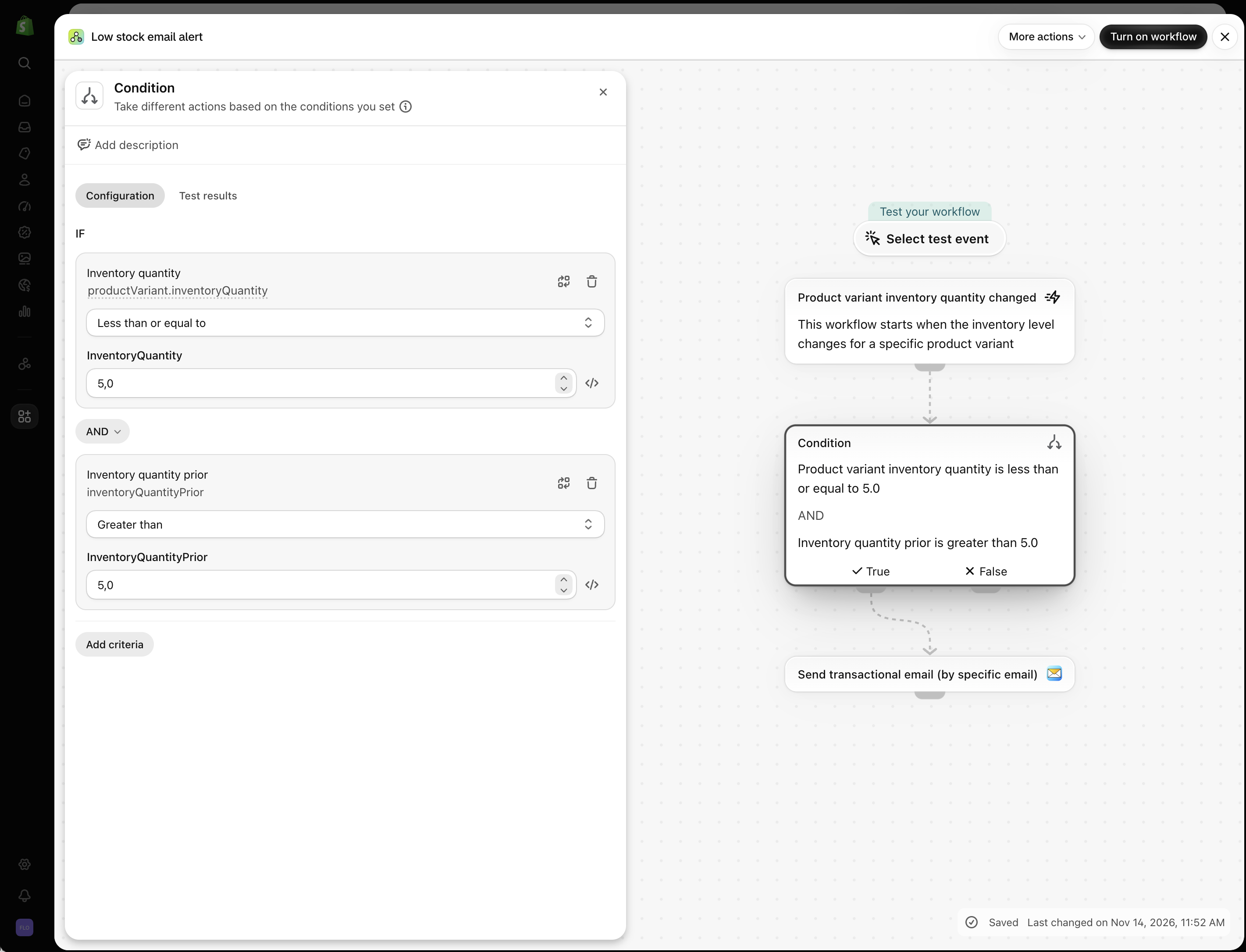
**Post Contents**
- [What is Shopify Flow, exactly?](#what-is-shopify-flow)
- [Which Shopify plans include Flow?](#who-can-use-shopify-flow)
- [Other Shopify Flow limits](#other-flow-limits)
- [How Shopify Flow works: triggers, conditions, actions](#how-does-shopify-flow-work)
- [What you can automate with Shopify Flow](#what-can-you-automate)
- [Before you start: Flow quirks worth knowing](#things-to-know)
- [Building your first Shopify Flow workflow](#how-to-use-shopify-flow)
- [Connecting Flow to other apps](#connectors)
- [Where Flow shines (and where it doesn't)](#benefits-limitations)
- [Frequently asked questions](#faqs)
- [Wrapping up](#final-thoughts)
## What is Shopify Flow, exactly?
[Shopify Flow](https://apps.shopify.com/flow) is Shopify's native automation app. Think of it as a no-code way to write if/then rules against your own store data.
Shopify ships ready-made templates for common jobs — for instance, a daily digest of unfulfilled orders older than two days, or a check that flags when a buyer places a second order within 24 hours and holds the fulfillment so you can review or combine shipments.
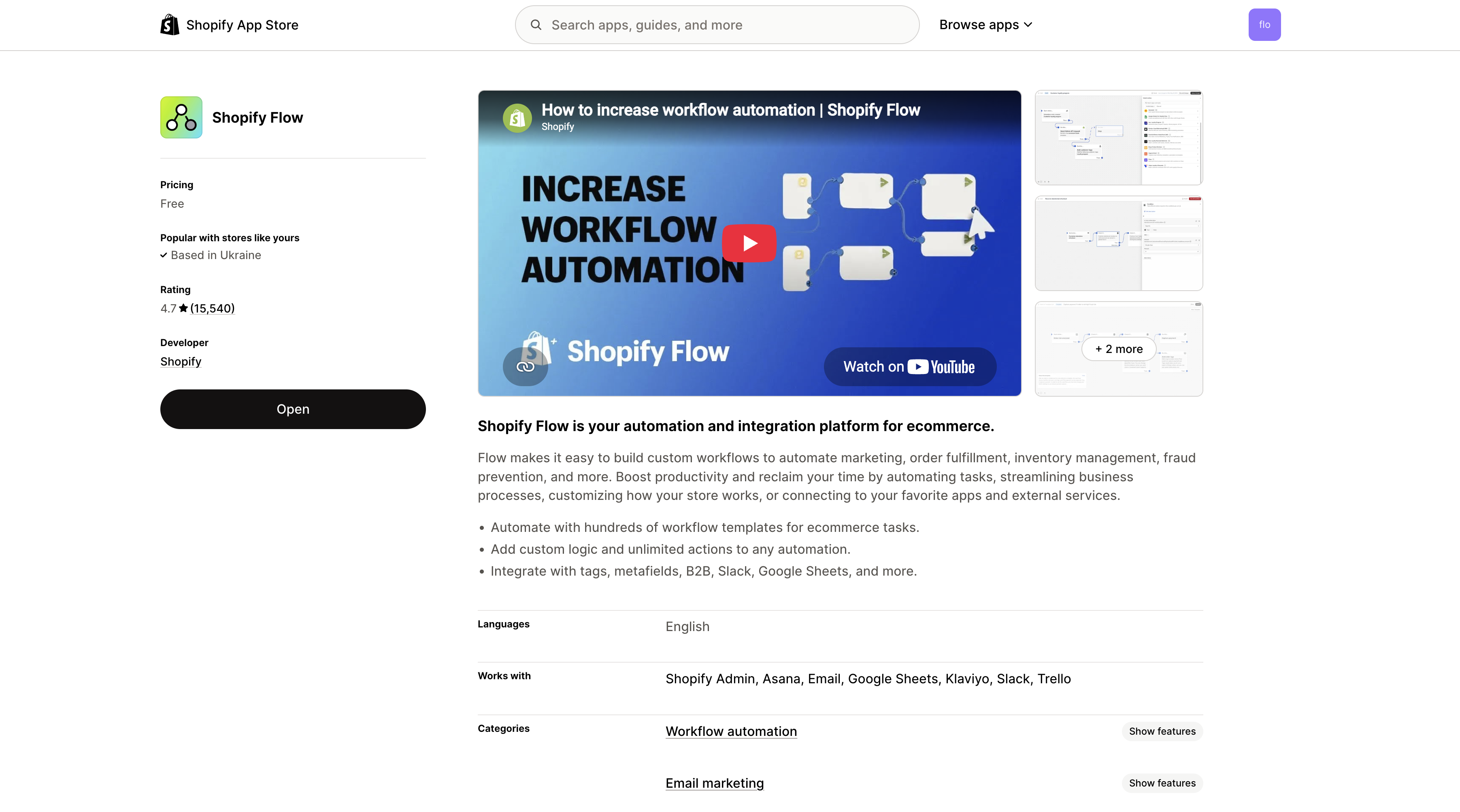
Flow pays off when it removes a step that currently relies on someone remembering to do it. You're not automating the entire business — just the predictable, repeatable pieces.
If you'd rather have someone design and test these automations for you, our [Shopify Flow automation setup service](/shopify-flow-automation-setup-service/) covers everything from simple triggers to complex, API-driven workflows.
## Which Shopify plans include Flow?
Flow is available on [Shopify's Basic, Grow, Advanced, and Plus plans](https://www.shopify.com/pricing). The app is **free** — there is no separate subscription for Flow on any of those plans.
Most capabilities are identical across plans, but a few advanced ones are gated:
- The [Send HTTP Request](https://help.shopify.com/en/manual/shopify-flow/reference/actions/send-http-request) action is available on Grow, Advanced, and Plus — **not on Basic**. That's a real constraint if you want Flow to talk to external services or APIs, because Send HTTP Request is the main way to push data out of Shopify without a dedicated connector.
- Custom app Flow extensions (building your own triggers and actions into a custom Shopify app) are limited to **Shopify Plus** stores, per Shopify's developer documentation. That's relevant when you're building a bespoke integration for a client — and one reason some merchants need a custom app rather than an off-the-shelf connector. (If that's you, our [custom Shopify app development](/shopify-custom-app-creation/) service covers it)
- Usage limits scale with your plan's API limits.
Supported connectors — including [WorkflowMail](https://apps.shopify.com/flowmail), which sends transactional emails directly from a Flow workflow — work across the eligible plans, so you can build useful automations without Shopify Plus. But if your automation depends on calling an outside API, plan on Grow or higher.
## Other Shopify Flow limits
There are also technical limits that apply regardless of subscription tier:
| Limit | Restriction |
| --- | --- |
| Maximum workflows per store | 1,000 (active and inactive combined) |
| Maximum Wait steps per workflow | 40 |
| Maximum cumulative waiting time | 90 days |
| Configuration field value | Less than 50 KB |
| Workflow execution | 36 hours per execution section |
These limits are documented in Shopify's [Flow troubleshooting guide](https://help.shopify.com/en/manual/shopify-flow/create/troubleshoot).
## How Shopify Flow works: triggers, conditions, actions
Every workflow begins with a single trigger. From there you can layer on conditions and actions:
- **Trigger.** The event that kicks the workflow off.
- **Condition.** A rule that chooses which branch runs.
- **Action.** What Flow does once the trigger fires and the conditions pass.
Imagine you want a human to eyeball unusually large orders. You could look for orders above a quantity threshold, add a 'for review' tag, and email a staff member:
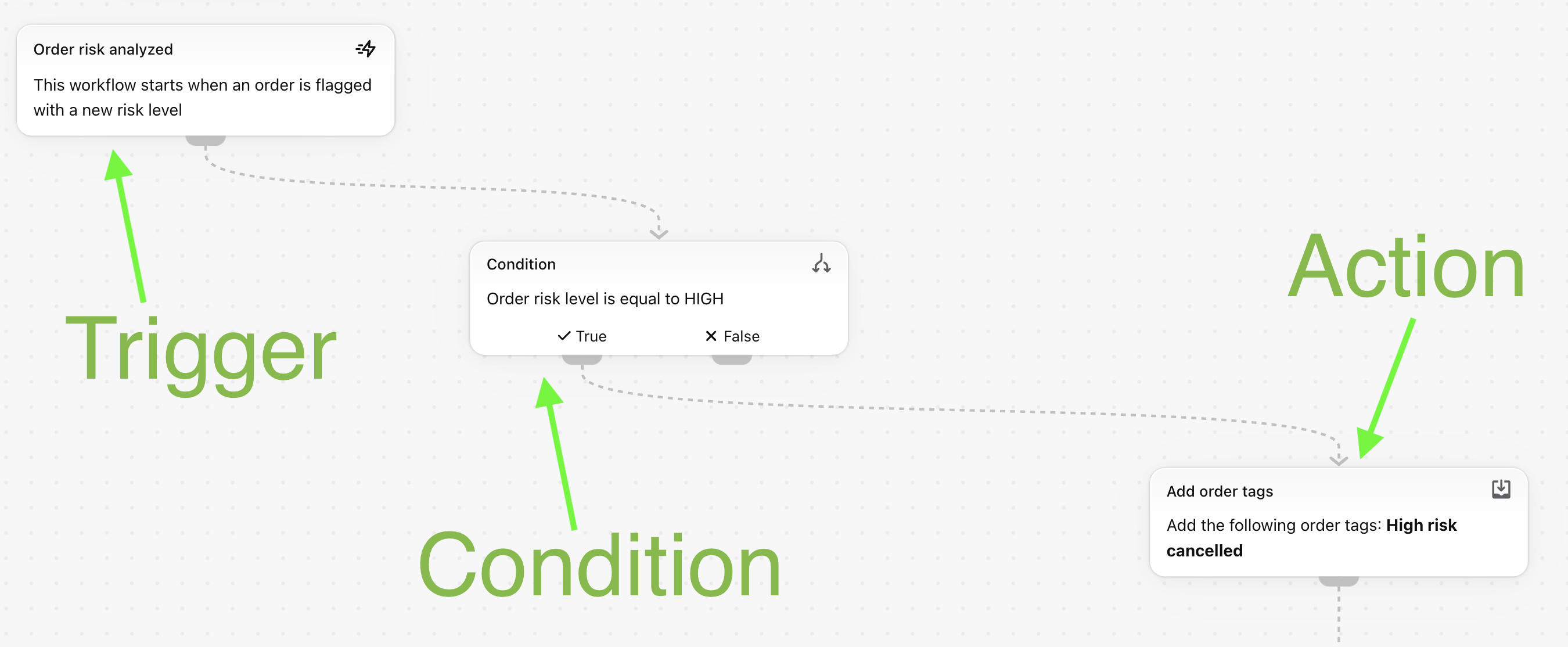
### 1\. Trigger
The trigger starts everything. For the scenario above you'd use 'Order created' so Flow evaluates the order the moment Shopify creates it.
### 2\. Condition
The condition narrows the scope. You might check whether the order holds more than five items, or whether a single line item has more than ten units. Set the threshold to whatever counts as unusual for your store.
### 3\. Action
The action is the payoff. Here Flow would add the 'for review' tag and send an internal email. Orders that fail the condition follow the other branch and get no action.
## What you can automate with Shopify Flow
Flow fits anywhere a repeatable store event should lead to a predictable next step. Shopify's [workflow examples](https://help.shopify.com/en/manual/shopify-flow/getting-started/workflow-examples) cover areas like:
- **Order and fulfillment checks.** Hold high-risk fulfillments, flag outsized orders, or pause repeat orders placed within 24 hours.
- **Customer organization.** Tag buyers by history, spend, or any store data you'll want later.
- **Inventory and product tasks.** Send low-stock summaries, surface out-of-stock products, or update tags and metafields.
- **Reporting and notifications.** Daily summary emails, Slack messages, or rows appended to Google Sheets.
- **Connected app workflows.** Hand data to a supported app when its connector exposes the trigger or action you need.
The best first automation is usually a dull task you already repeat. Clear rule, predictable outcome — that's the sweet spot, far more than a decision that still needs human judgment. For more ideas, see our [Shopify Flow AI prompt examples for email chains](/blog/shopify-flow-ai-prompt-examples-for-email-chains/).
## Before you start: Flow quirks worth knowing
- **No GraphQL needed for basics.** Templates and common triggers, conditions, and actions all work without code. GraphQL field names matter once you build advanced workflows or touch API data.
- **Runs ASAP, not instantly.** There can be a short gap between a trigger firing and its actions completing, depending on Shopify's queue. If you need a deliberate pause — waiting for a fulfillment to update, or spacing out follow-up emails — Flow has a built-in [Wait](https://help.shopify.com/en/manual/shopify-flow/reference/actions/wait) action that can pause a workflow for up to 90 days.
- **Old data isn't replayed automatically.** But [eligible workflows can be run manually](https://help.shopify.com/en/manual/shopify-flow/manage/manual) against existing orders, draft orders, customers, and products when the trigger supports it.
- **Orders and draft orders are separate.** A trigger or action for one doesn't carry over to the other.
- **Tag-heavy records hit a limit.** Conditions involving tags may stop working once a record has more than 250 tags.
- **Some order data lands later.** Risk info, fulfillments, and UTM data can populate asynchronously. If your workflow depends on one of those, pick the right trigger and test before activating.
- **Run history is short-lived.** Shopify keeps completed run logs for 14 days, so don't treat Flow as a permanent audit log.
The practical rule: start small, verify the logic, then automate something more important once you trust it.
## Building your first Shopify Flow workflow
Three routes exist: templates, manual building, and Sidekick generation. For a first workflow, start with a template so you can see a working trigger, condition, and action before changing anything.
### Step 1: Install the Shopify Flow app
In your [Shopify admin](https://www.shopify.com/admin), open Apps and search for 'Flow'.
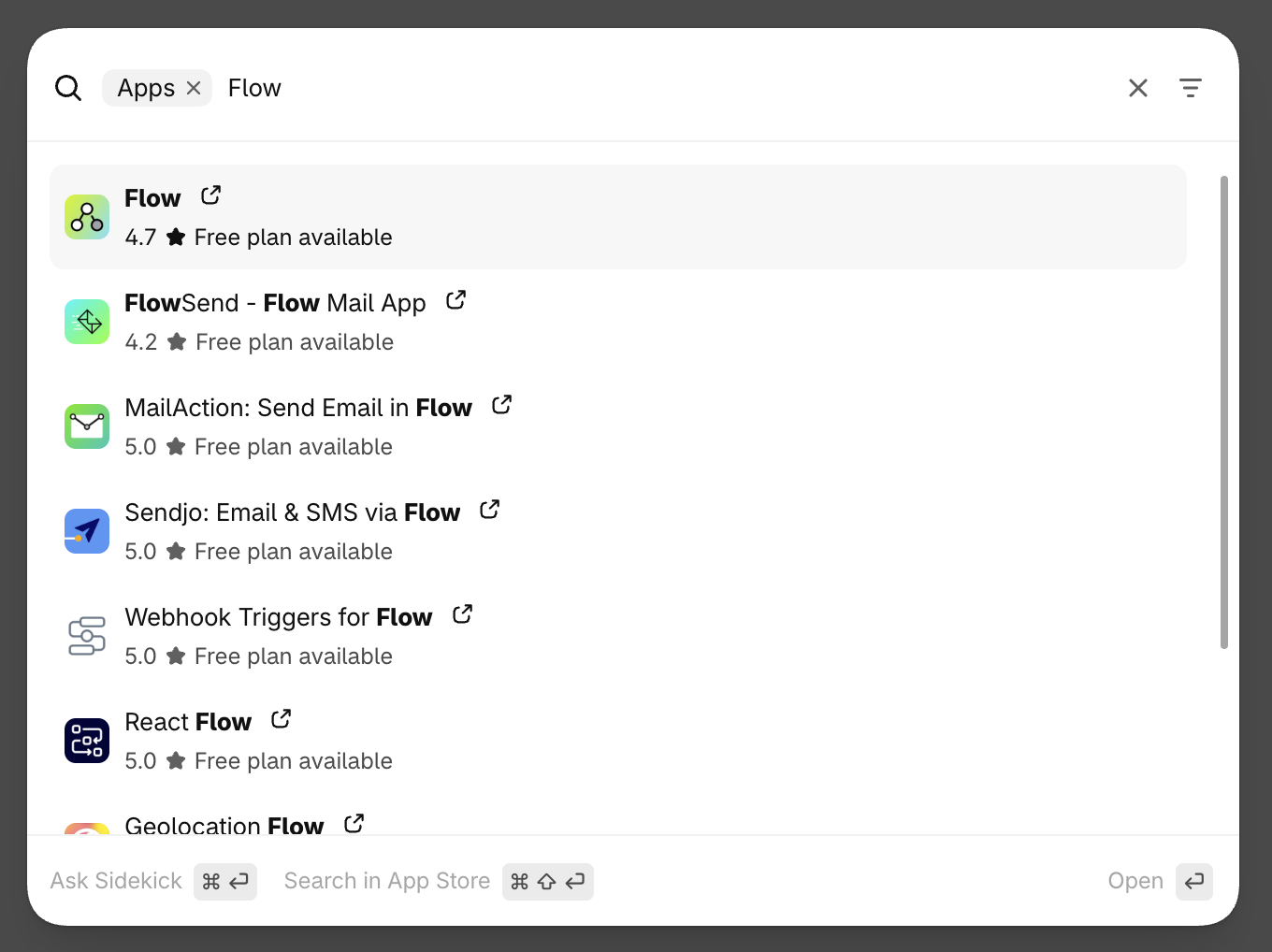
Open the Flow listing and install it. After that, Flow lives in your admin.
### Step 2: Choose how you want to build the workflow
Pick the route that matches how much control you want:
- **Use a template.** Shopify maintains a large library covering orders, inventory, customers, risk, marketing, and fulfillment.
- **Build it manually.** Start with a trigger, then add conditions and actions.
- **Use Sidekick.** On desktop, describe the automation in plain English and let Sidekick generate a workflow to review.
Sidekick-generated workflows are inactive by default, which gives you time to review and test the generated logic before you turn it on. For a deeper walkthrough of building Flow workflows with Sidekick and sending emails with WorkflowMail, see our guide: [Creating Shopify Flow Workflows with Sidekick (and Sending Emails with WorkflowMail)](https://shopify.intelli-ua.com/blog/creating-shopify-flow-workflows-with-sidekick-and-sending-emails-with-flowmail/).
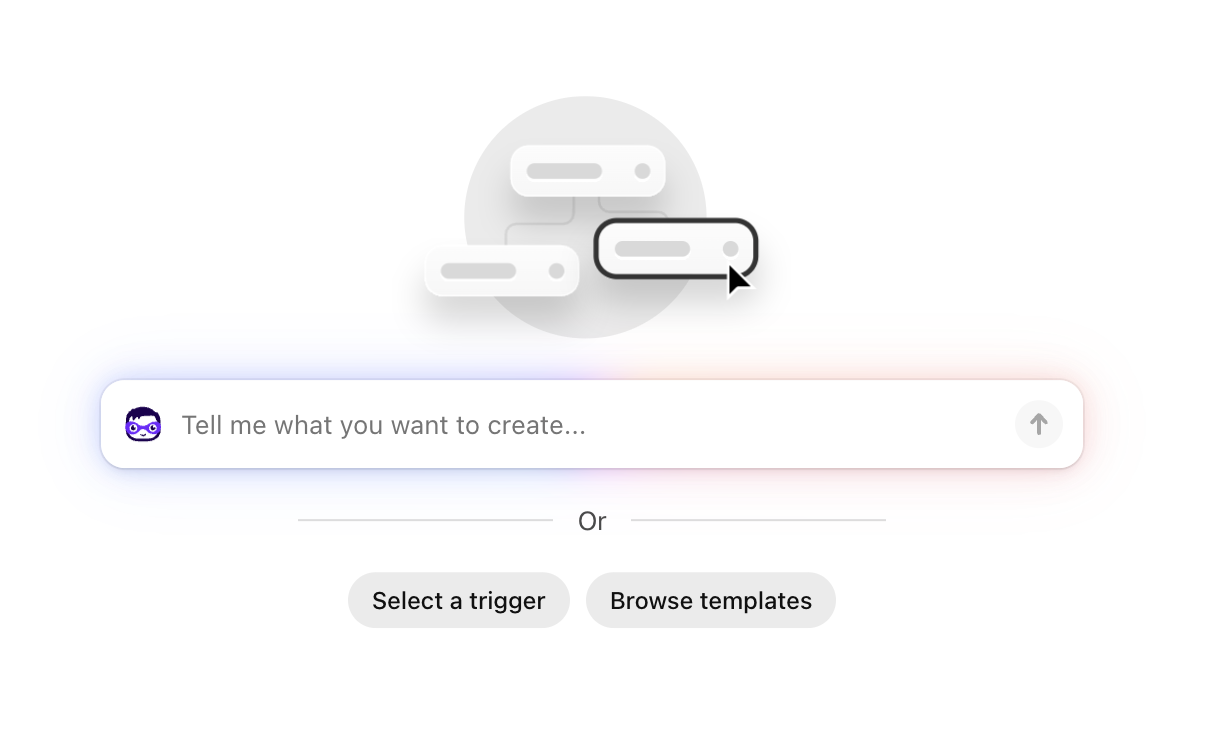
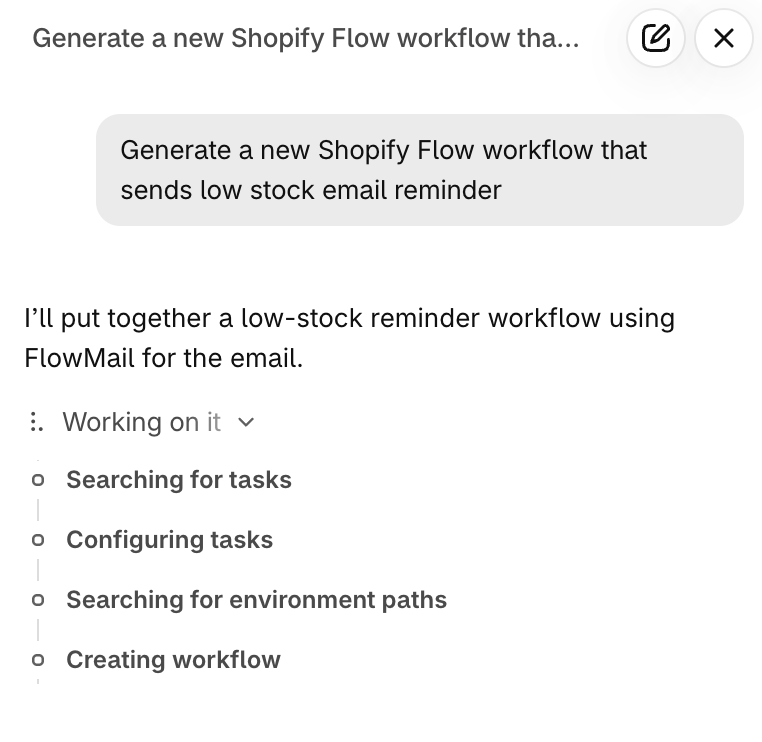
### Step 3: Create a workflow
Let's walk through a real template. Say you gave an influencer a discount code 'WorkflowMail10' and want an email whenever someone uses it. Shopify offers a template called 'Get notified when a specific discount code is used.'
Search for 'Discount' in the template library:
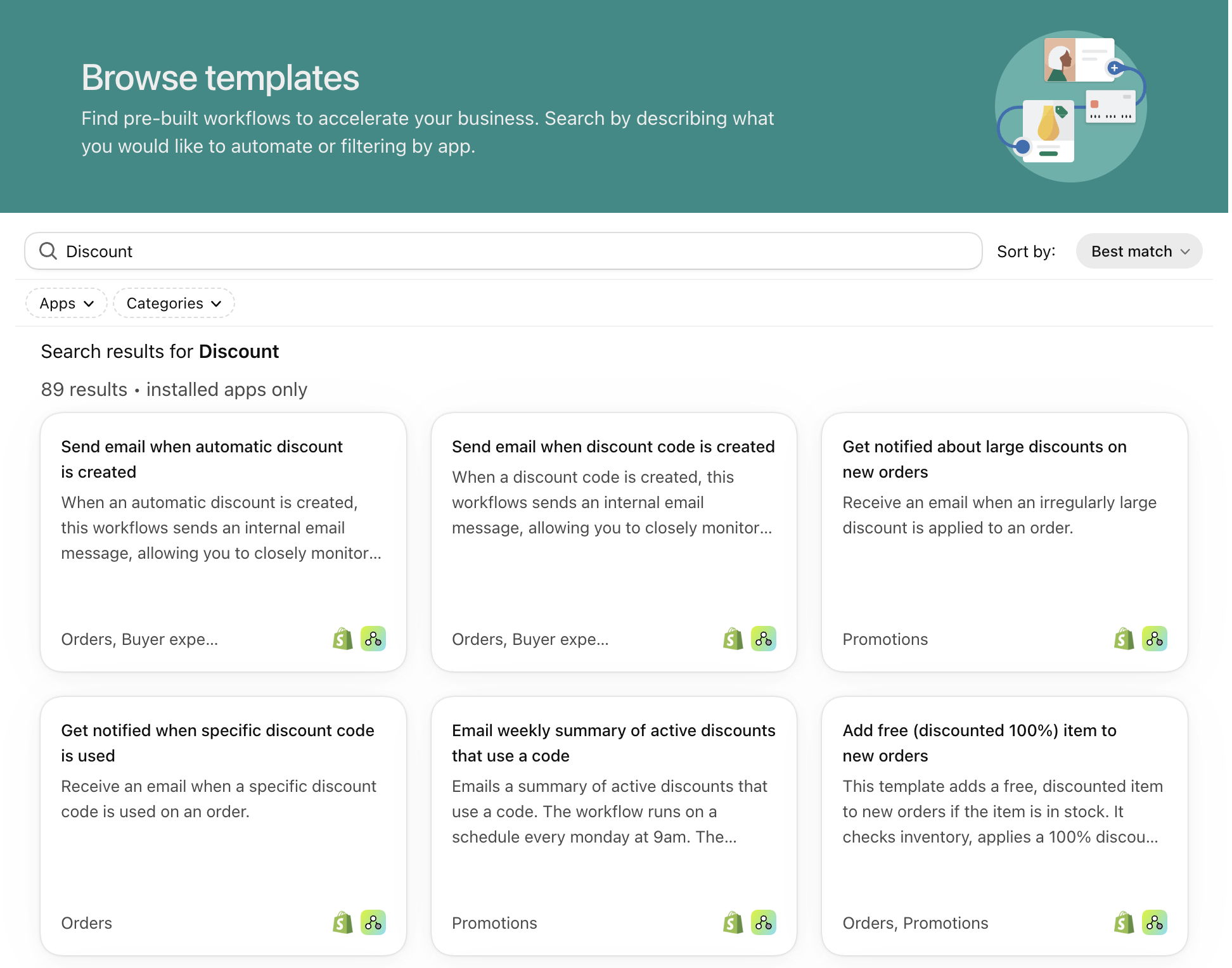
Open it and review the three parts:
- **Trigger.** The workflow starts when an order is created.
- **Condition.** Flow checks whether the order used your specified discount code.
- **Action.** Flow sends the notification you configured.
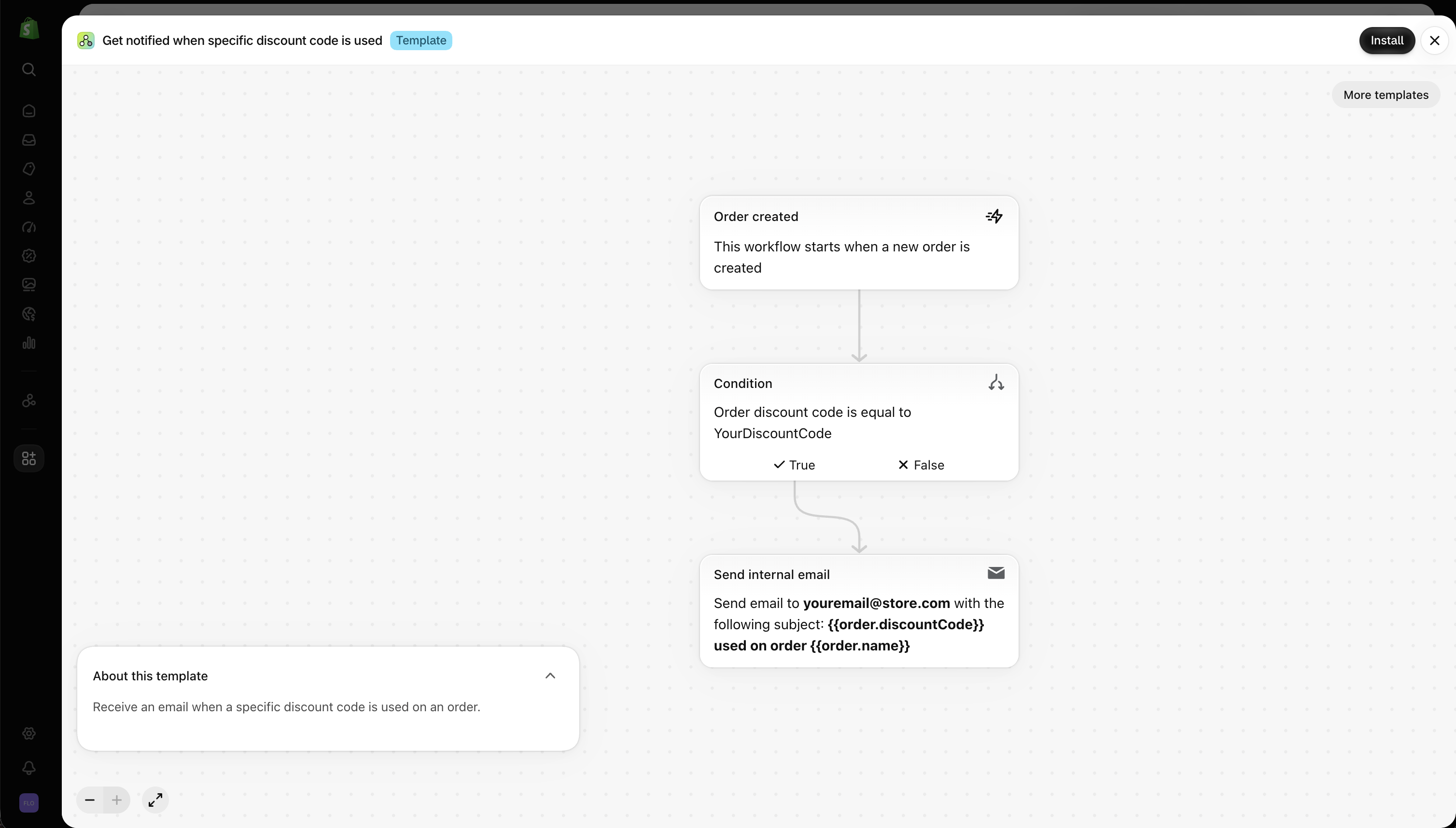
Install the template, then replace the placeholder discount code with 'WorkflowMail10':
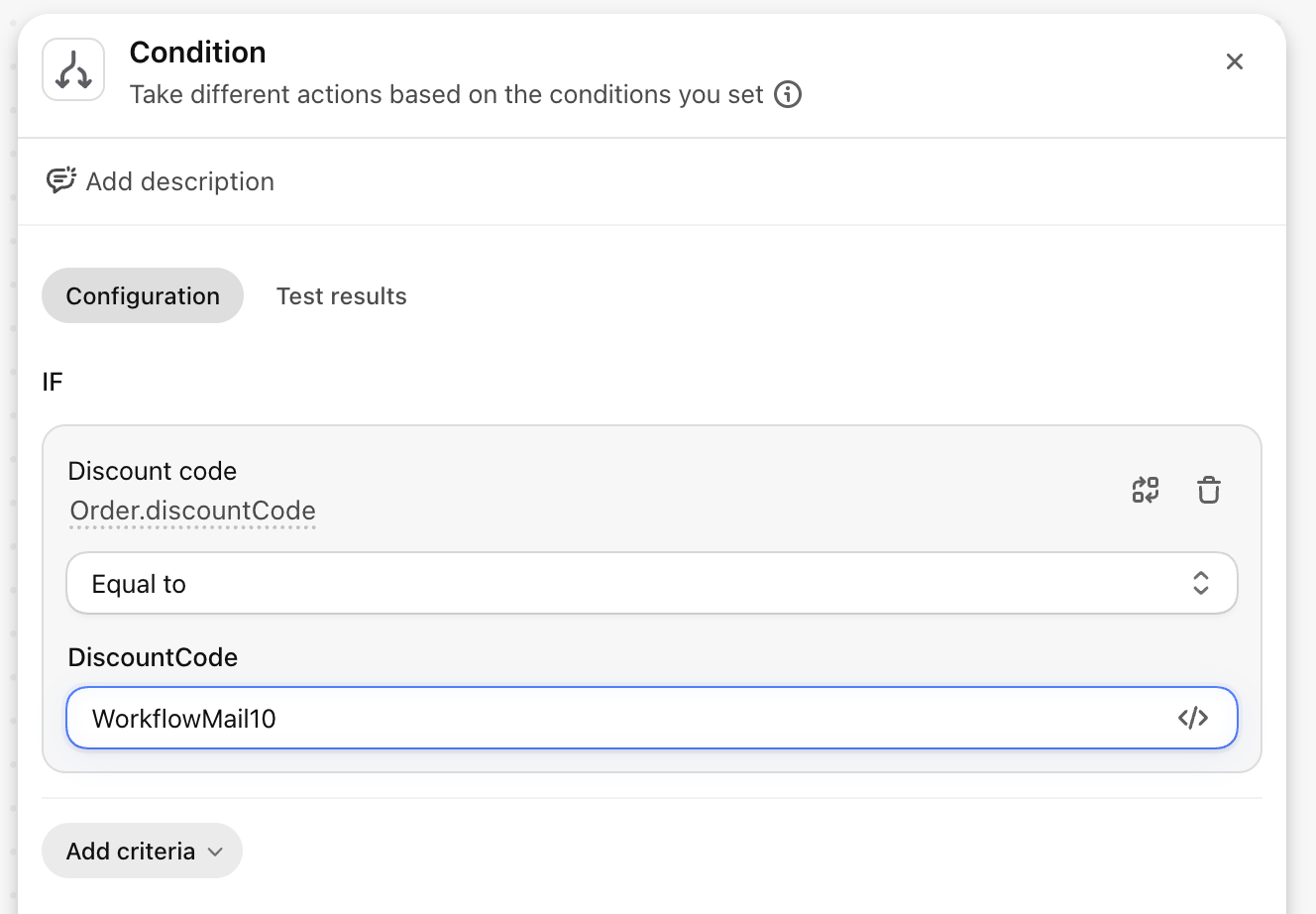
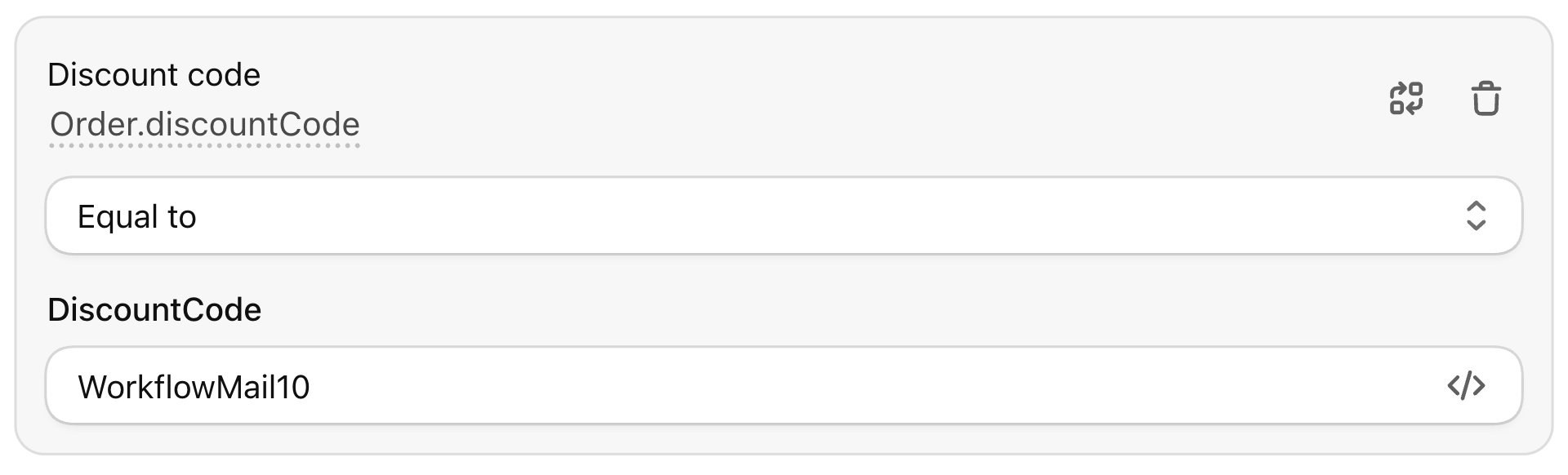
Next, check the email action and confirm the message goes to the right person:
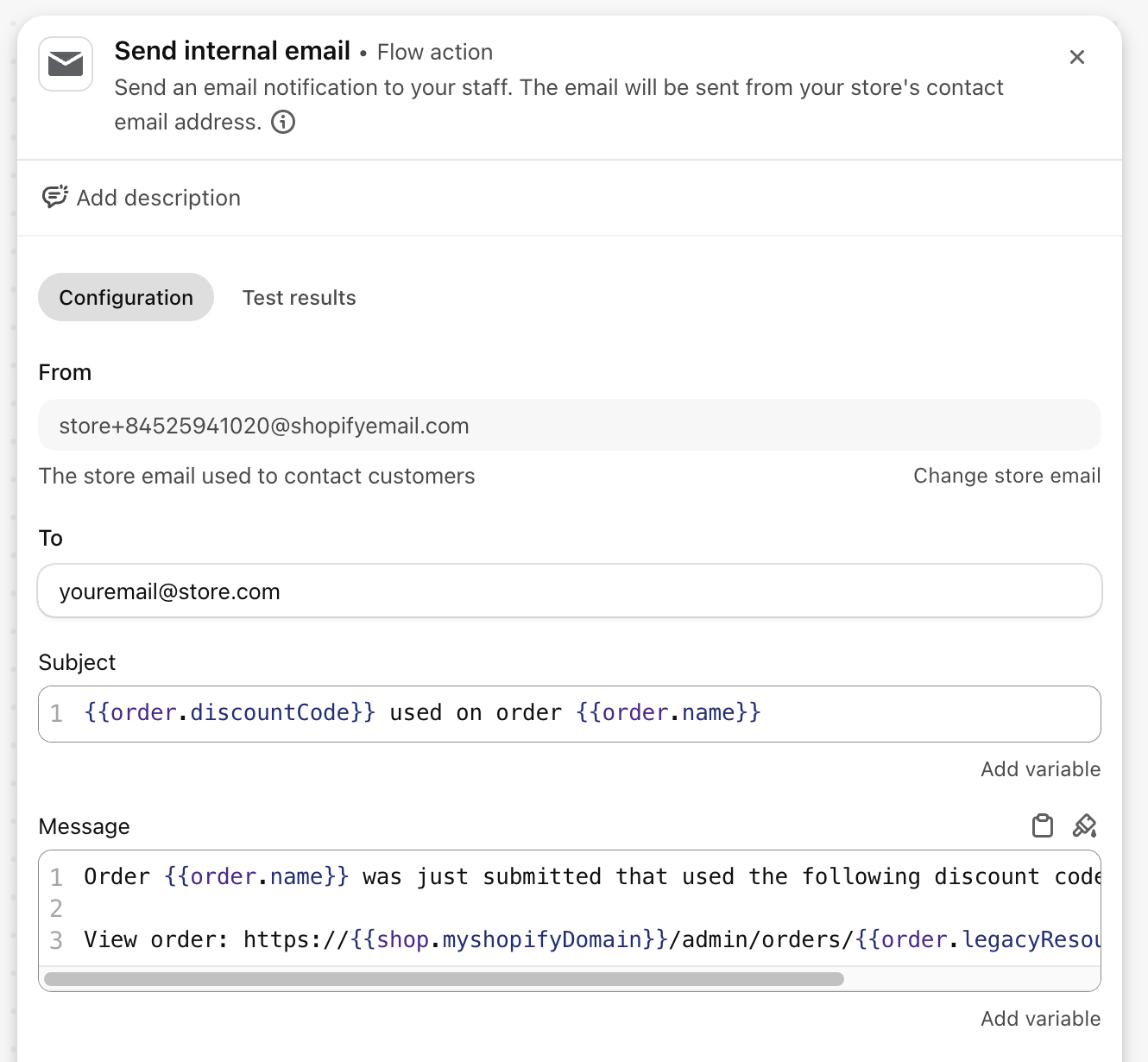
You can add more conditions when they genuinely help. For example, limit the notification to orders above $70 instead of emailing on every use of the code:
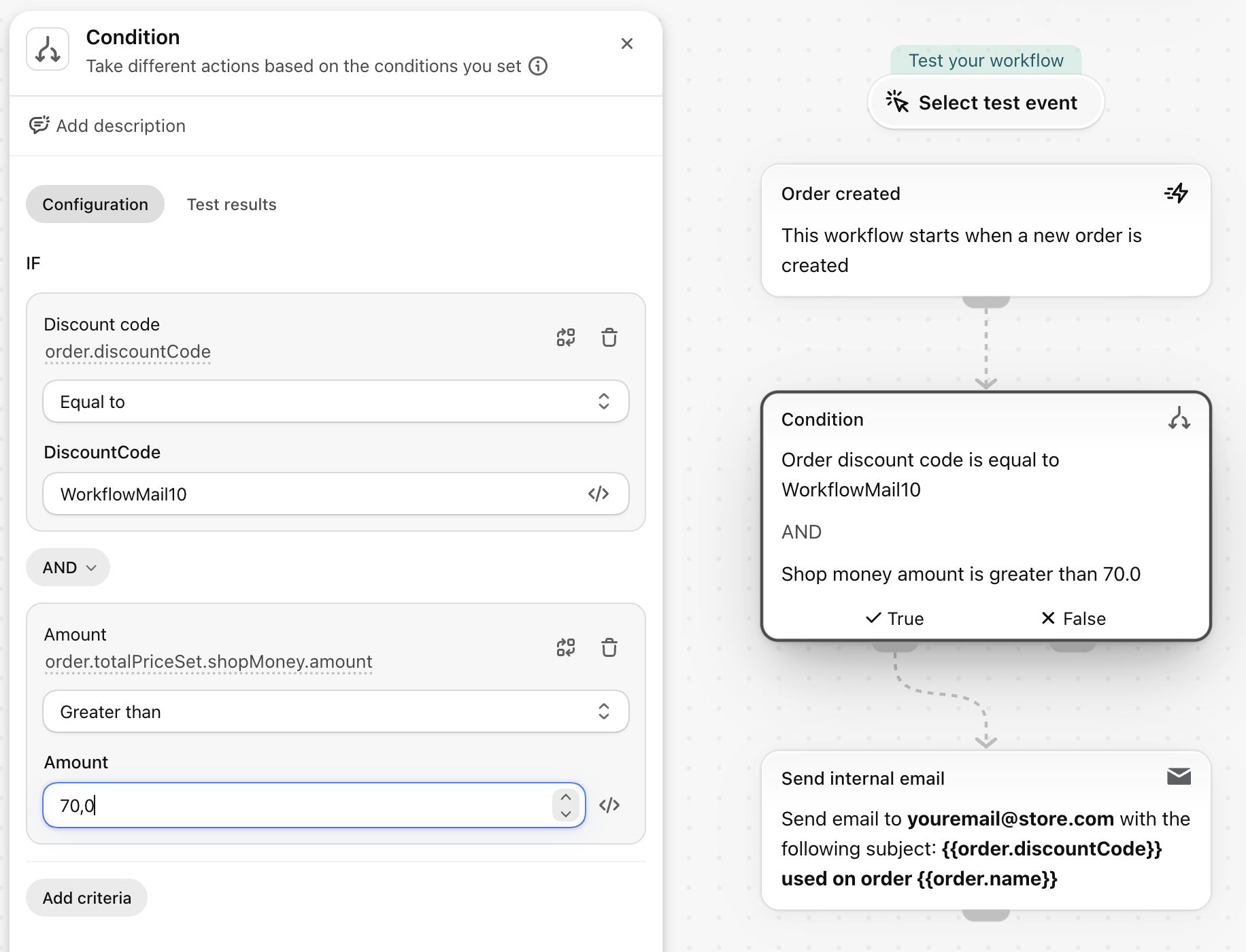
Don't add branches just because Flow allows it. Every extra condition is logic that can be misconfigured later.
### Step 4: Test the workflow before turning it on
One of Flow's better recent additions: you can [test a workflow before activating it](https://help.shopify.com/en/manual/shopify-flow/manage/test-workflow). Use a recorded store event, a simulated event built from real store data, or Sidekick-generated test events.
The test shows which path the event follows, but it does not execute live actions like changing an order or sending a notification. For the 'WorkflowMail10' example, test both sides: one order that uses the code and one that doesn't. That tells you far more than testing only the path you expect to pass.
### Step 5: Turn it on and check the first runs
Once behavior matches expectations, turn the workflow on. Then use Flow's [Recent runs](https://help.shopify.com/en/manual/shopify-flow/manage/monitor) section to see what happened and which path each run took. Shopify keeps completed run logs for 14 days, so investigate errors while the details are still there.

If you'd rather skip the trial and error, our [automation setup service](/shopify-flow-automation-setup-service/) designs, tests, and deploys these workflows for you.
## Connecting Flow to other apps
Connectors let a workflow use supported third-party services. A connector can supply a trigger that feeds data into Flow, or an action that lets Flow instruct another service. Flow can add a row to Google Sheets or send a Slack message, for example. Developers can also build Flow triggers and actions into their own Shopify apps.
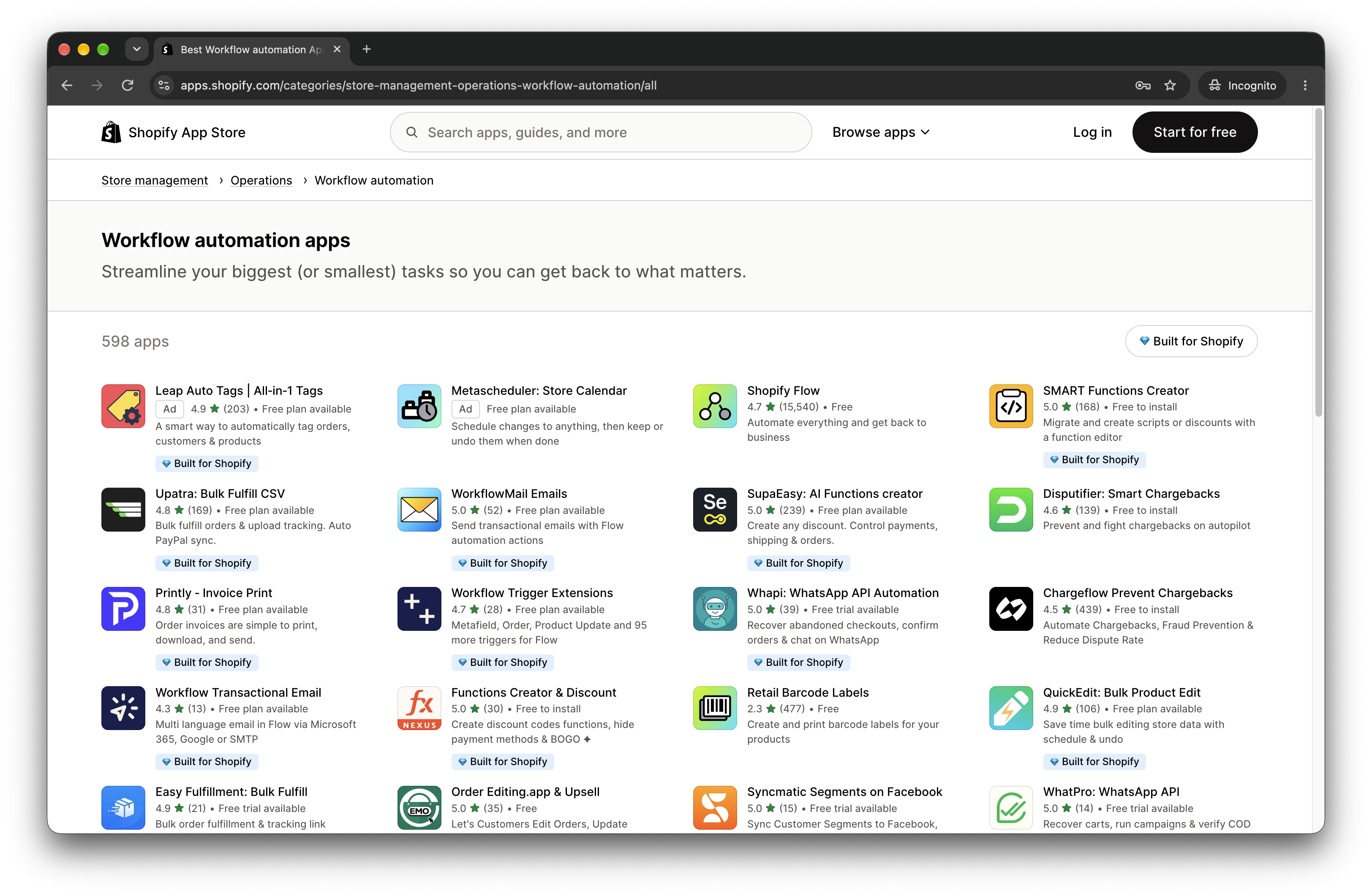
One caveat: the app must have a built-in Flow connector. Installing an arbitrary Shopify app does not automatically expose it in Flow.
### Which apps does Shopify Flow work with?
The list changes over time, so verify before building a workflow around a specific app. At our latest check, Shopify's connectors included:
| App | Rating | App Store |
| --- | --- | --- |
| Klaviyo: Email Marketing & SMS | 4.7 | App Store |
| Omnisend Email Marketing & SMS | 4.7 | App Store |
| Yotpo: Product Reviews App | 4.8 | App Store |
| Judge.me Product Reviews App | 5.0 | App Store |
| Loox – Product Reviews App | 4.9 | App Store |
| Stamped Product Reviews & UGC | 4.7 | App Store |
| Smile: Loyalty Program Rewards | 4.9 | App Store |
| LoyaltyLion Loyalty & Rewards | 4.7 | App Store |
| Growave: Loyalty & Wishlist | 4.8 | App Store |
| Rivo: Loyalty Program, Rewards | 4.7 | App Store |
| Gorgias: AI Helpdesk & Chat | 4.3 | App Store |
| Courses Plus | 4.9 | App Store |
| Recharge Subscriptions App | 4.8 | App Store |
| Appstle Subscriptions App | 5.0 | App Store |
| Seal Subscriptions App | 4.9 | App Store |
| Okendo: Reviews & Loyalty | 4.8 | App Store |
| Swym Wishlist Plus | 4.7 | App Store |
| Rise Gift Cards & Store Credit | 4.8 | App Store |
| AfterShip Order Tracking | 4.6 | App Store |
| Brevo PushOwl: Email,Push,SMS | 4.8 | App Store |
| WorkflowMail – Emails for Flow | 5.0 | App Store |
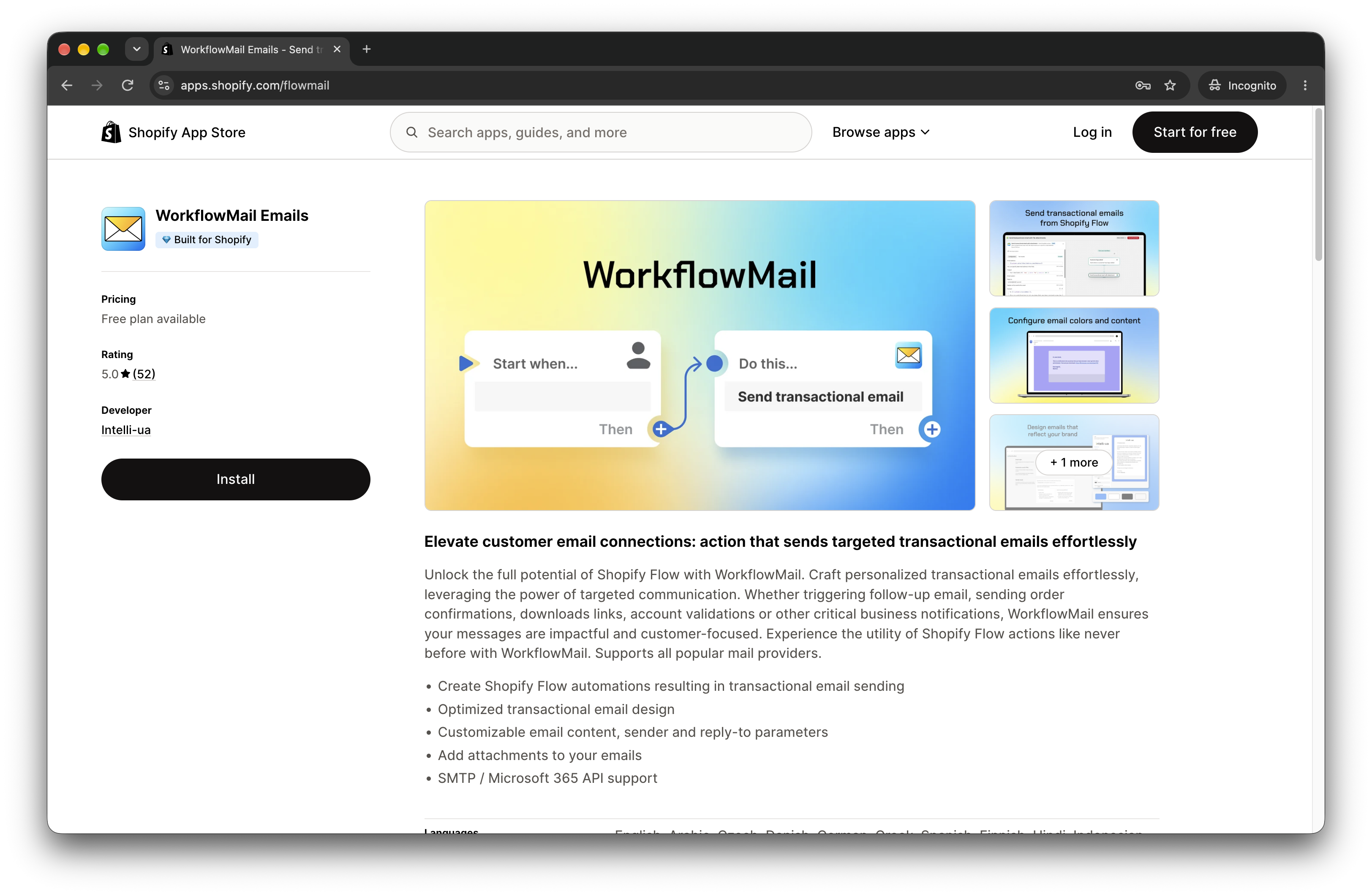
For the current list and the exact triggers or actions each connector supports, check the [Workflow automation apps page](https://apps.shopify.com/categories/store-management-operations-workflow-automation/all).
### Shopify Flow example using a third-party app
Here's a real automation from our [WorkflowMail](https://apps.shopify.com/flowmail) template library: **"Email customers after a negative review."** It follows up with unhappy reviewers to offer help.
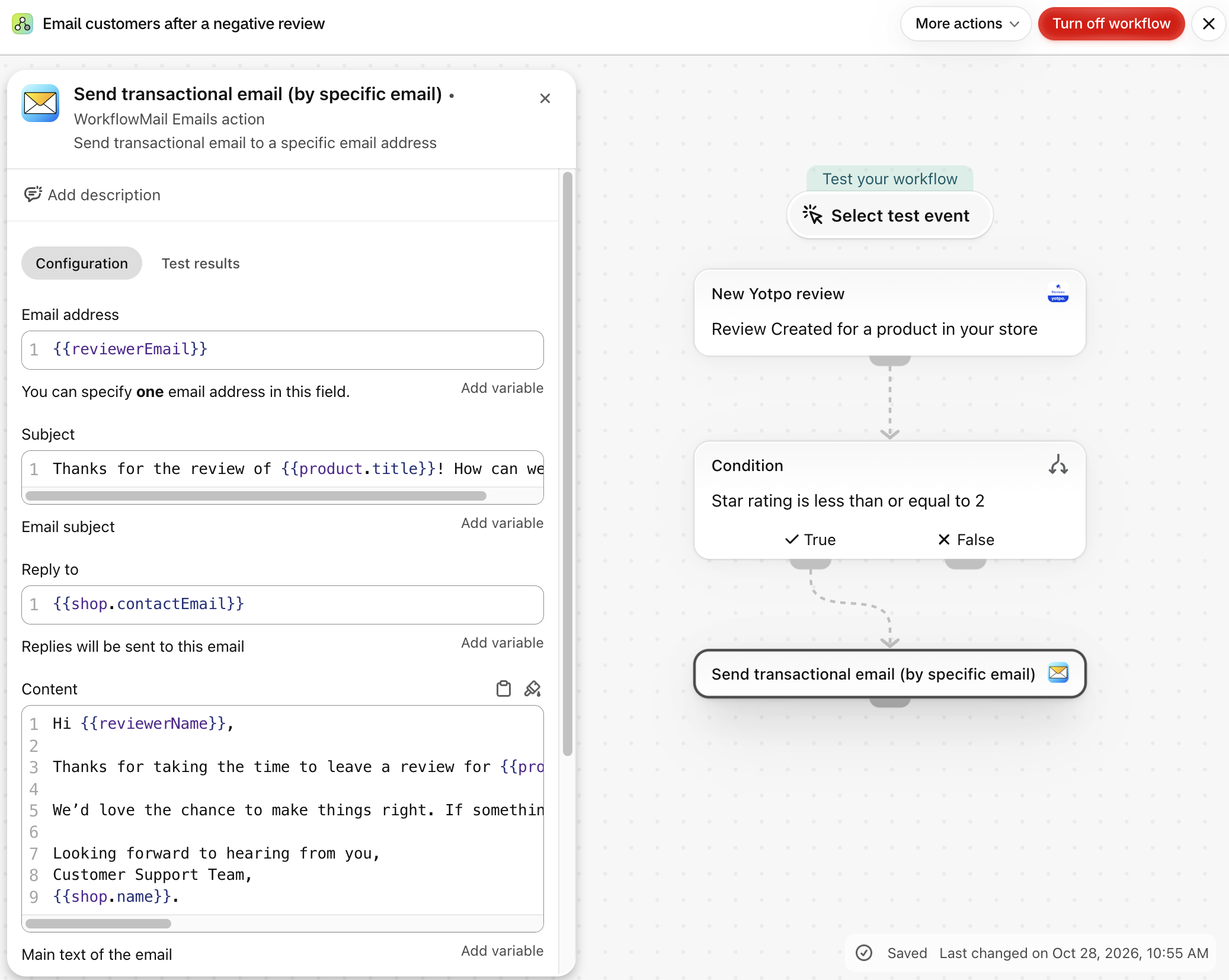
When a review event arrives, the workflow checks whether the rating is 2 stars or lower. If it is, it immediately sends an email to the reviewer, with no wait step. Higher-rated reviews don't receive this email.
The email uses the reviewer's name and product name, thanks them for their feedback, apologizes for the experience, and invites them to reply for support. Its subject is "Thanks for the review of {{product.title}}! How can we help?" Replies go to your store's contact email, and it's signed by your customer support team.
It offers help rather than promising a refund or replacement. The review app needs to supply the reviewer's email address for the message to reach them.
The workflow can follow this logic:
1. Use the review app's "review created" trigger as the trigger.
2. Add a condition that checks whether the rating is 2 stars or lower.
3. On the matching path, add the WorkflowMail 'Send transactional email' action.
4. Complete the subject, body, and recipient fields using review and product variables for personalization.
5. Test the Flow logic before activation, then submit a test review to confirm rendering.
Shopify handles the store event and review data, then the connector passes the right information to the outside service. If you want a head start, our [library of WorkflowMail-powered Flow templates](/blog/shopify-flow-templates-available-in-workflowmail/) includes 38 ready-to-use workflows you can install in one click.
## Where Flow shines (and where it doesn't)
If you already run on Shopify, Flow is usually the first automation tool worth checking for repeatable Shopify tasks. You're already paying for the platform, and Flow adds no extra subscription.
Its strengths:
- **Built around Shopify data.** Automate orders, customers, and products without moving data elsewhere first. Flow also covers inventory, fulfillment, tags, and metafields.
- **No code to start.** Templates handle many common jobs, and Sidekick can draft a first workflow from a plain-English description.
- **Safer testing than before.** You can verify the path a workflow takes before activation, without letting the test touch live store data.
- **Room to grow.** Schedules, loops, and data lookups are available when you need them, plus connectors, HTTP requests, and Admin API actions.
Where Flow falls short:
- **Shopify-only.** If most of the workflow lives outside Shopify, a broader automation platform may fit better.
- **Plan-gated advanced actions.** Send HTTP Request isn't available on Basic, and custom partner-app tasks are Plus-only.
- **Complex setups get technical.** GraphQL fields, Liquid variables, API calls, and asynchronous order data add layers of complexity.
- **Connector coverage isn't universal.** A third-party app needs a supported connector for Flow-specific triggers or actions.
For a small or medium Shopify store that's a fair trade-off. Start with the native automation you already have, and add another tool only when Flow can't cover the job.
## What merchants say about Flow
At our latest check, [Shopify Flow held a 4.7-star rating](https://apps.shopify.com/flow) in the App Store across 15,540 reviews. Strong overall, but recent feedback is mixed.
Merchants frequently praise Flow for quick wins like tagging and metafields, plus notifications and other repetitive tasks. Critical reviews tend to mention occasional glitches, template friction, and limits when a developer wants finer control.
That split matches our take: Flow is excellent for Shopify-native automation, but it won't replace a custom app or a broader automation stack once workflows get highly specialized. If you hit that ceiling, our [automation setup service](/shopify-flow-automation-setup-service/) can take over with code, APIs, and purpose-built tooling.
## Frequently asked questions
### How much does Shopify Flow cost?
Shopify Flow is a free app on Basic, Grow, Advanced, and Plus. Advanced features are plan-dependent: Send HTTP Request is available on Grow, Advanced, and Plus, while custom partner-app tasks are Plus-only.
### How do I create a workflow in Shopify?
Open Apps in your Shopify admin, open Flow, and click 'Create workflow.' Start from a template or build manually. On desktop you can also use Sidekick. Review the trigger, conditions, and actions, test, then turn it on.
### How do I test Shopify Flow?
You can test before activation using a recorded event, a simulated event based on real store data, or Sidekick-generated test events. The test shows the logic path without executing actions that would change live data.
## Wrapping up
[Shopify Flow](https://apps.shopify.com/flow) is worth learning once repetitive Shopify admin starts piling up. Start with one frequent, boring task — tagging an order type or tracking a campaign code. Flagging unusual orders or sending a fulfillment summary are good candidates too.
Build it, test both the passing and failing paths, then watch the first few runs. If Flow handles the job, you've removed a recurring task without adding another subscription.
If it can't reach the app or system you need, that's the signal to look at a broader automation tool, a connector like [WorkflowMail](https://apps.shopify.com/flowmail) for email delivery, or a [custom automation setup](/shopify-flow-automation-setup-service/).
For more help, Shopify has extensive [Flow documentation](https://help.shopify.com/en/manual/shopify-flow), and the [Shopify Community](https://community.shopify.com/) is useful for workflow-specific problems. You can also browse our guides on [building Flow workflows with Sidekick](/blog/creating-shopify-flow-workflows-with-sidekick-and-sending-emails-with-flowmail/) and [WorkflowMail-powered Flow templates](/blog/shopify-flow-templates-available-in-workflowmail/).
[Try WorkflowMail free on the Shopify App Store](https://apps.shopify.com/flowmail)
Free plan available · 500 free lifetime Flow actions to try
FlowShopify FlowautomationWorkflowMailFlowMailShopifyworkflowtriggersconditionsactions
Share:[X](https://twitter.com/intent/tweet?text=What%20Is%20Shopify%20Flow%3F%20A%20Practical%20Guide%20to%20Store%20Automation&url=https%3A%2F%2Fshopify.intelli-ua.com%2Fblog%2Fwhat-is-shopify-flow-practical-guide%2F)[LinkedIn](https://www.linkedin.com/sharing/share-offsite/?url=https%3A%2F%2Fshopify.intelli-ua.com%2Fblog%2Fwhat-is-shopify-flow-practical-guide%2F)[Facebook](https://www.facebook.com/sharer/sharer.php?u=https%3A%2F%2Fshopify.intelli-ua.com%2Fblog%2Fwhat-is-shopify-flow-practical-guide%2F)Copy link
* * *
### Keep reading
- [New Shopify Flow Trigger: Product Updated](/blog/shopify-flow-product-updated-trigger/)
- [Shopify Flow templates available in WorkflowMail](/blog/shopify-flow-templates-available-in-workflowmail/)
- [Restrict M365 Graph API Mail.Send to a Mailbox](/blog/restrict-microsoft-365-graph-api-mail-send-to-single-mailbox/)
---
## WorkflowMail vs FlowSend, MailAction, Sendjo & Workflow Transactional Email: Which Shopify Flow Email App Should You Pick?
URL: https://shopify.intelli-ua.com/blog/workflowmail-vs-flow-send-email-apps-comparison
Compare five Shopify Flow email apps — WorkflowMail, FlowSend, MailAction, Sendjo and Workflow Transactional Email — on features, pricing and maturity.
[← Blog](/blog/)
# WorkflowMail vs FlowSend, MailAction, Sendjo & Workflow Transactional Email: Which Shopify Flow Email App Should You Pick?
2026-10-20 · Apps

Shopify Flow is brilliant at _deciding_ what should happen — but its native email options are limited. That's why a whole category of apps has appeared that add a proper **send transactional email** action to your workflows: order confirmations, download links, internal alerts, fraud checks, B2B invoices and more.
If you're evaluating that category right now, you'll probably run into these five apps:
- [**WorkflowMail**](https://apps.shopify.com/flowmail) (formerly FlowMail) — by Intelli-ua
- [**FlowSend ‑ Flow Mail App**](https://apps.shopify.com/flowsend) — by Final Apps
- [**MailAction: Send Email in Flow**](https://apps.shopify.com/flowrelay) — by IE Aleksei Kulikov
- [**Sendjo: Emails & SMS via Flow**](https://apps.shopify.com/sendjo-flow-email-sms) — by ToastCode
- [**Workflow Transactional Email**](https://apps.shopify.com/flow-action-extensions) — by Code Creation Labs GmbH
All five do the same core job. So how do you actually choose? Below is an honest, side-by-side look based on the public Shopify App Store listings — with a particular focus on the two things merchants ask us about most: **file attachments** and **email design that survives Outlook**.
## The quick comparison
| App | Rating (as of 20 Oct 2026) | Launched | Attachments | Built for Shopify |
| --- | --- | --- | --- | --- |
| WorkflowMail | ★ 5.0 (50 reviews) | Feb 8, 2024 | Yes — static upload + dynamic via URL | |
| FlowSend | 4.2 (5 reviews) | Mar 9, 2026 | Yes | No |
| MailAction | 5.0 (1 review) | May 18, 2026 | Not listed | No |
| Sendjo | 5.0 (1 review) | Jul 15, 2026 | Not listed | No |
| Workflow Transactional Email | 4.3 (12 reviews) | Mar 20, 2026 | Yes — stored in app file storage | |
Ratings and review counts stated **as of 20 Oct 2026**, taken from the public Shopify App Store listings. Ratings, review counts and pricing change over time — check each listing for current details.
## Why attachments matter more than you think
For a lot of merchants, "send an email from Flow" is only half the story. The real requirement is sending an email _with a file attached_:
- a **per-order invoice or packing slip** as a PDF
- a **contract, certificate or membership document**
- a **download link file, serial key or event ticket**
- an internal **report or audit export** attached to a team notification
This is exactly where the apps in this category start to differ — and where the details of the implementation matter a lot:
- **Static attachment** — you upload a file once (a standard terms PDF, a brand letterhead, a return label template) and every email from that action carries it. Cheap, simple, no external dependencies.
- **Dynamic attachment from a URL** — the file is generated somewhere else (your ERP, an invoicing service, a PDF generator endpoint) and the app downloads it at send time. This is the only way to attach a _unique_ document per order.
WorkflowMail supports **both**: static file upload attachments from the Professional plan, and dynamic **attachment from a URL with parameters** from the Advanced plan — so you can pass an order ID, a token or any other variable in the URL and get the right file for each recipient.
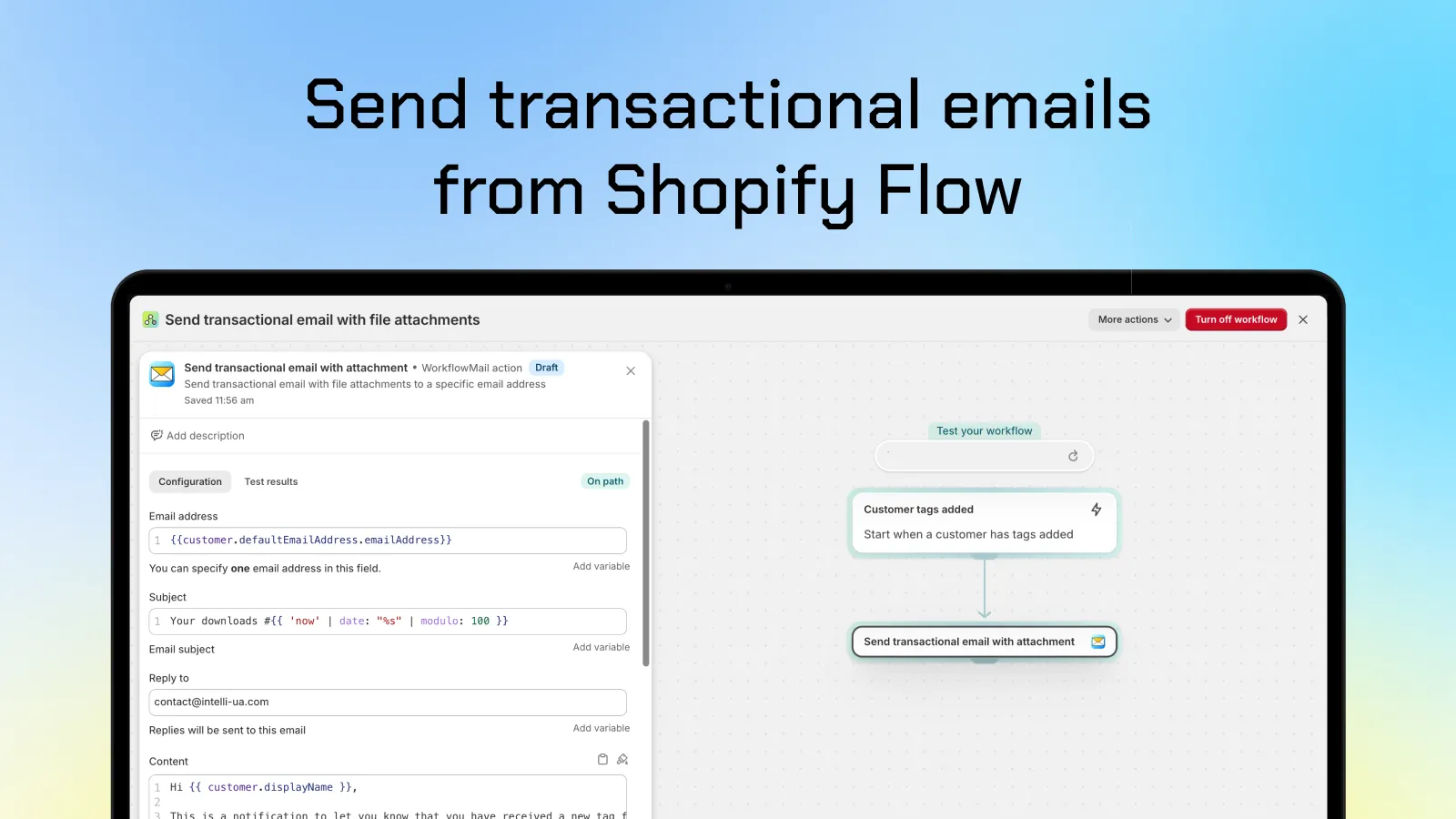
One Flow action, attachments included: the WorkflowMail action sitting directly inside a Shopify Flow workflow.
## The case for WorkflowMail
### 1\. Attachments are a first-class feature — static or dynamic
WorkflowMail was built around the transactional email use case, and attachments are part of that core, not an afterthought. You can attach a static file uploaded in the app, or fetch a dynamic file from a URL with query parameters — the same action, one Flow step, no middleware, no custom code, no external service in the middle.
### 2\. Built for Shopify

WorkflowMail carries Shopify's [Built for Shopify](https://shopify.dev/docs/apps/launch/built-for-shopify#built-for-shopify-status) badge — the highest quality standard Shopify awards to apps. It means the app was reviewed against strict performance, design and integration criteria. Only one other app in this comparison holds the same badge.
### 3\. ★ 5.0 rating across 50 reviews (as of 20 Oct 2026)
As of **20 Oct 2026**, WorkflowMail holds a perfect **5.0 out of 5 from 50 reviews** (98% of them 5 stars) — a very different signal from a 5.0 based on a single review. It's a rating that has been earned across merchants, stores and use cases — including, notably, requests for exactly this kind of flexible attachment support:
> "We asked WorkflowMail if it was possible to attach a dynamically generated file (a per-order PDF) to transactional emails sent through Shopify Flow… The team took the request seriously and built out support for exactly that — genuinely responsive and willing to extend the app for a real merchant use case, which isn't something you see from every app team."
>
> — Teamsportausstatter, Germany (Shopify App Store review)
### 4\. The oldest app in this category — production proven
WorkflowMail launched on **February 8, 2024**. Every other app in this comparison appeared on the App Store in **2026** — FlowSend in March, Workflow Transactional Email in March, MailAction in May and Sendjo in July. That's roughly two extra years of production traffic, Shopify API version migrations (2025-01, 2025-04, 2025-10, 2026-01…), edge cases and support conversations behind the app. When the app sits in the middle of your order automations, maturity is a feature.
### 5\. Email designs that actually render in Outlook and Microsoft 365
This is the benefit nobody puts on their listing page, and it matters more than it sounds: **transactional emails have to survive Microsoft's rendering engine.** Outlook desktop doesn't use your browser's HTML/CSS engine — it renders email with a Word-based engine that quietly ignores modern CSS, flexbox, web fonts and background images. A template that looks perfect in Gmail can collapse into a broken mess for every recipient on Outlook or Microsoft 365.
WorkflowMail's email templates are built for that reality: layout that holds up under Word-based rendering, the Microsoft-specific `mso-` attributes where they're needed, and safe fallbacks for what Outlook ignores — so an email that looks right in the preview also looks right in the inbox. And because sending can go through the [Microsoft 365 Graph API](/blog/configure-microsoft-365-graph-api-for-flowmail/) as well as SMTP, you can deliver from your own Microsoft 365 mailbox with your domain as the sender.
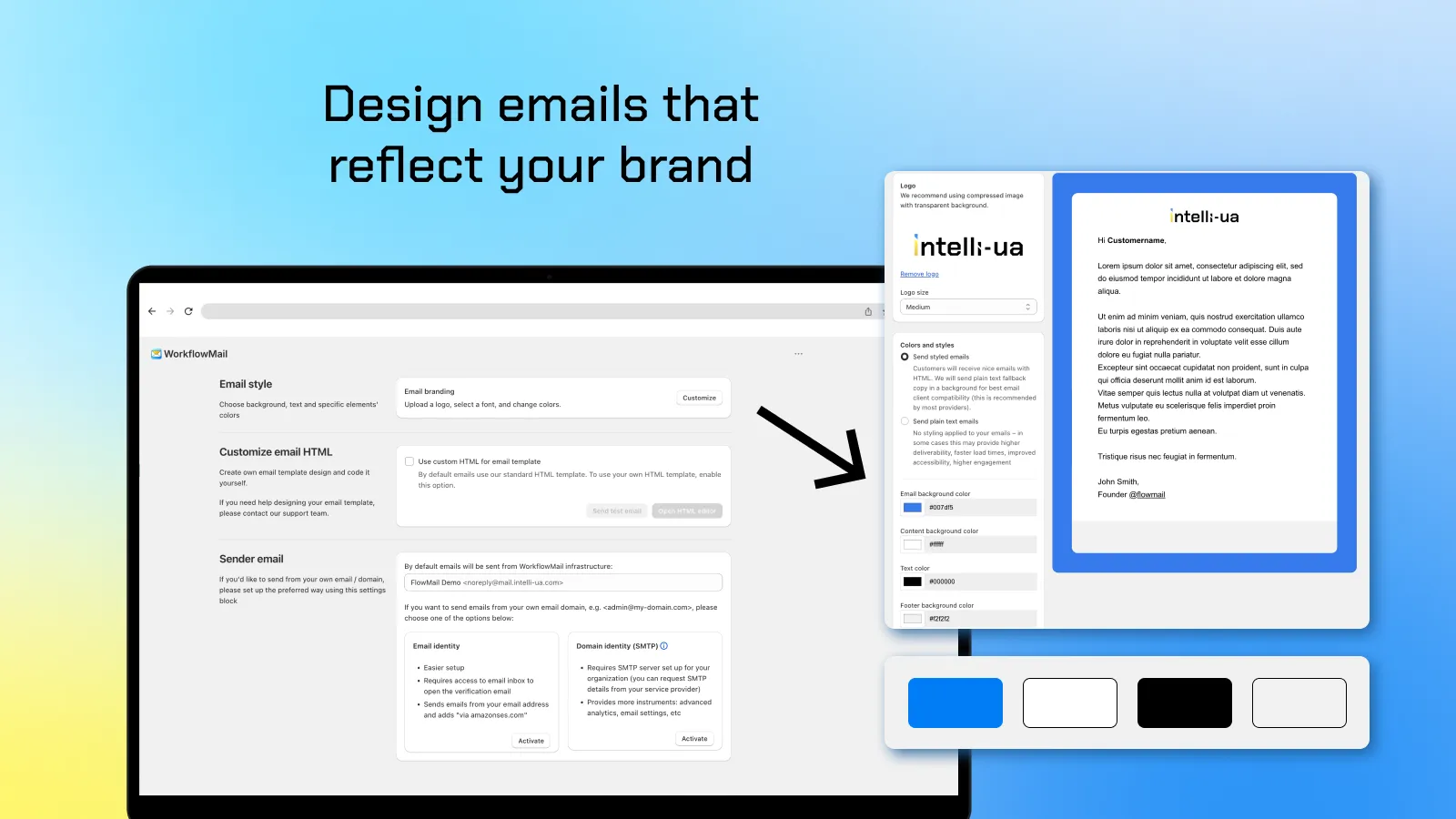
Design emails that reflect your brand: colors, logo, typography and sender identity — with a live preview of the result.
Prefer full control? Every template can be replaced with **your own HTML** in the built-in editor. That's where you get pixel-perfect control over the email that lands in Outlook, Apple Mail, Gmail and every mobile client your customers use:
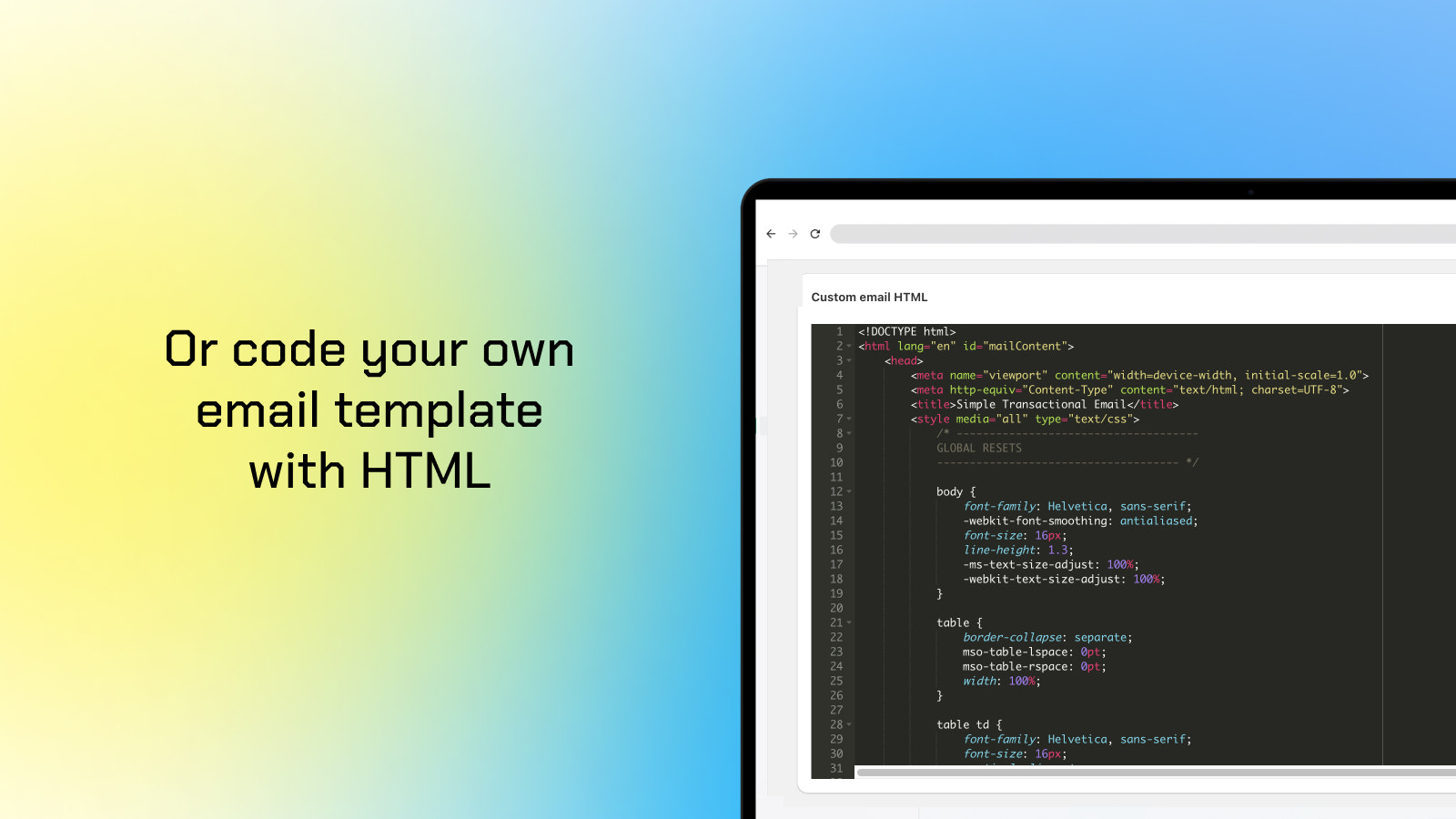
Or code your own email template with HTML — down to the `mso-` table styles Outlook needs.
### Bonus: built for Shopify, not bolted on
WorkflowMail is a native Shopify Flow action with SMTP _and_ Microsoft 365 Graph API support, works with dev and production stores, and even has a free plan (500 free lifetime Flow actions to try) so you can test the whole setup before paying anything.
## The alternatives, briefly
The other apps are competent and might be the right fit depending on your priorities — here's a fair summary of each.
FlowSend ‑ Flow Mail App (Final Apps)
Launched March 2026, rated **4.2 (5 reviews, as of 20 Oct 2026)** including one 1-star review. Supports SMTP, Liquid templates, CC/BCC and email attachments, and its listing now mentions accepting a dynamic file URL. Categorized under Email marketing rather than Workflow automation. Pricing mirrors WorkflowMail's tiers ($9.99 / $29.99 / $49.99 per month). A young app with a small review base.
MailAction: Send Email in Flow (IE Aleksei Kulikov)
Launched May 2026, rated **5.0 (1 review, as of 20 Oct 2026)**. Interesting extras include a primary + backup provider fallback and delivery status tracking (delivered / bounced / spam). Attachments are **not listed** as a feature. English only. Pricing: free (50 emails/month), then $9.99 / $29.99 / $49.99 per month.
Sendjo: Emails & SMS via Flow (ToastCode)
Launched July 2026, rated **5.0 (1 review, as of 20 Oct 2026)**. The one app here that also adds an **SMS action** to Flow, plus open/click/bounce tracking and drag & drop templates. Attachments are **not listed**. Pricing: free (50 one-time emails), then $5.99 / $19.99 / $39.99 per month _plus usage charges_ (SMS credits, phone number fee).
Workflow Transactional Email (Code Creation Labs GmbH)
Launched March 2026, rated **4.3 (12 reviews, as of 20 Oct 2026)** including two 1-star reviews. Also **Built for Shopify** and the closest direct competitor: it supports attachments (stored in its own file storage — 500 MB on free, up to 50 GB), multi-language layouts with AI translation, and a bonus HTTP request action. Attachments come from uploaded storage rather than a dynamic URL with parameters, and its pricing starts higher: $15 / $35 / $100 per month.
## Pricing at a glance
| App | Free plan | Entry paid plan | Mid plan | Top plan |
| --- | --- | --- | --- | --- |
| WorkflowMail | 500 free lifetime Flow actions to try | $9.99/mo — 500 actions, static attachments | $29.99/mo — 2,500 actions, URL attachments | $49.99/mo — unlimited |
| FlowSend | Free to install | $9.99/mo — 500 actions | $29.99/mo — 2,500 actions | $49.99/mo — unlimited |
| MailAction | 50 emails/month | $9.99/mo — 500 emails | $29.99/mo — 2,500 emails | $49.99/mo — unlimited |
| Sendjo | 50 emails (one time) | $5.99/mo — 500 emails + usage | $19.99/mo — 3,000 emails + usage | $39.99/mo — 15,000 emails + usage |
| Workflow Transactional Email | 500 actions/30 days | $15/mo — 5,000 actions | $35/mo — 15,000 actions | $100/mo — unlimited |
All prices in USD per month, from the public App Store listings in October 2026. Overage and usage charges apply on some plans.
## So which one should you pick?
- **You need attachments — especially a unique file per order → [WorkflowMail](https://apps.shopify.com/flowmail).** Static upload _and_ dynamic URL with parameters, in a single Flow action, on an app that has been doing this since 2024.
- **You want the most mature, best-reviewed app in the category → WorkflowMail.** 5.0 from 50 reviews as of 20 Oct 2026 plus Built for Shopify is the strongest quality signal available here.
- **Your recipients live in Outlook / Microsoft 365 → WorkflowMail.** Templates are built to render correctly under Outlook's Word-based engine, and you can send through the Microsoft 365 Graph API from your own mailbox.
- **You need multi-language layouts with AI translation and an HTTP request action → Workflow Transactional Email** is worth a look — it's the only other Built for Shopify app, though it starts at $15/month.
- **You need SMS from Flow → Sendjo** is the only app in this list with an SMS action (note the usage charges).
- **You want provider failover / delivery status tracking → MailAction** offers primary + backup routing, on a very new app with a single review.
And if you simply want the safest default: an app with two years of production history, a perfect 50-review rating (as of 20 Oct 2026), the Built for Shopify badge, attachment support that covers both static and dynamic files, and email templates that hold up in Outlook — that's WorkflowMail.
[Try WorkflowMail free on the Shopify App Store](https://apps.shopify.com/flowmail)
Free plan available · 500 free lifetime Flow actions to try
* * *
_Disclosure: WorkflowMail is our own app. This comparison is based on publicly available Shopify App Store listings as of October 2026 and is intended to help you make an informed choice — each app's features and pricing may change, so please verify details on the individual listings._
emailtransactional emailemail automationemail attachmentsShopify appsFlowFlowMailWorkflowMailworkflowmailShopifycomparisonFlow email appFlow email
Share:[X](https://twitter.com/intent/tweet?text=WorkflowMail%20vs%20FlowSend%2C%20MailAction%2C%20Sendjo%20%26%20Workflow%20Transactional%20Email%3A%20Which%20Shopify%20Flow%20Email%20App%20Should%20You%20Pick%3F&url=https%3A%2F%2Fshopify.intelli-ua.com%2Fblog%2Fworkflowmail-vs-flow-send-email-apps-comparison%2F)[LinkedIn](https://www.linkedin.com/sharing/share-offsite/?url=https%3A%2F%2Fshopify.intelli-ua.com%2Fblog%2Fworkflowmail-vs-flow-send-email-apps-comparison%2F)[Facebook](https://www.facebook.com/sharer/sharer.php?u=https%3A%2F%2Fshopify.intelli-ua.com%2Fblog%2Fworkflowmail-vs-flow-send-email-apps-comparison%2F)Copy link
* * *
### Keep reading
- [Shopify Flow templates available in WorkflowMail](/blog/shopify-flow-templates-available-in-workflowmail/)
- [Shopify Flow upgrades to GraphQL Admin API v2026-01 – what it means for automations](/blog/shopify-flow-upgrades-to-graphql-admin-api-v2026-01-what-it-means-for-automations/)
- [WorkflowMail is Built for Shopify!](/blog/flowmail-is-built-for-shopify/)
---
## Contact
URL: https://shopify.intelli-ua.com/contact
Contact Intelli-UA for Shopify apps, Flow automation services, and custom app development.
# Contact
---
## Privacy Policy
URL: https://shopify.intelli-ua.com/privacy-policy
Privacy Policy for Intelli-UA Shopify apps: how we collect, use, protect and share your data.
# Privacy Policy
**Effective date:** 4 November 2026
## Highlights
- We are **LLC "Intelli-UA"**, a Shopify Partner that builds and operates Shopify apps.
- For data about your store and your staff, we act as a **data controller** and this Policy explains how we handle it.
- For data about your customers that our apps process on your behalf, **you are the controller** and we act as a **data processor** under our Data Processing Agreement (DPA).
- We do not sell personal data. We do not use advertising networks with your app data.
- We only collect the minimum data needed for each app to work.
## Who we are
We are **LLC "Intelli-UA"** ("we", "us"), the developer of public Shopify apps, including WorkflowMail Emails, Commentify, Smart Customer Account Editor, and Discoursify.
If you install or use one of our apps, this Privacy Policy explains how we collect, use, and protect personal information.
Contact us at: [contact@intelli-ua.com](mailto:contact@intelli-ua.com)
Address: Bohdana Khmelnytskogo boulevard 10, ap.39, Kharkiv, Ukraine, 61099
## Scope of this Policy
This Policy applies to personal information we process through our website at shopify.intelli-ua.com and through our apps. It does not apply to personal information we process on behalf of merchants as a processor; that is governed by our Data Processing Agreement (DPA), which forms part of our Terms of Service. Custom development or consulting work is governed by separate terms.
## Our two roles
**We are the controller** for personal data we process for our own purposes: about merchants who install our apps and their staff, website visitors, people who contact our support, and business contacts. This Policy describes that processing.
**We are a processor** for personal data of merchants' customers, members, and store visitors that our apps process on a merchant's behalf. For that data, the merchant is the controller and decides how it is used. We process it only on the merchant's instructions under our DPA. If you are a customer of a Shopify store that uses our apps, please read that store's privacy policy and contact the store first. The section "Data our apps process on behalf of merchants" explains what data each app processes.
## Data we process as controller
The table below shows what we collect, why, on which legal basis under Article 6(1) GDPR, and how long we keep it.
| Category | Examples | Purpose | Legal basis | Retention |
| --- | --- | --- | --- | --- |
| Merchant and store data | Store name, domain, store owner and staff names and emails, Shopify account IDs, app settings | Provide and operate the apps, support merchants | Performance of a contract | While the app is installed, then 14 days after Shopify's store data erasure request |
| Billing and accounting data | Plan, charges, invoices, company details received from Shopify | Billing, accounting, tax compliance | Legal obligation | 5 years (or longer if required by law) |
| Support communications | Name, email, store URL, messages, screenshots you send | Customer support | Performance of a contract; legitimate interest in helping merchants | As needed to handle and follow up on your request |
| Security and error monitoring | IP address, device and browser data, logs, error reports | Security, fraud prevention, debugging | Legitimate interest in keeping the apps secure and working | Logs up to 90 days; security incident records as needed |
| Product analytics | Feature usage, install and uninstall events, plan changes | Improve and develop the apps | Legitimate interest in improving our apps | Aggregated or anonymized where possible; as needed for improvement |
| Website analytics | Pages visited, approximate location, device data, cookie identifiers | Website analytics | Consent | Up to 14 months (default Google Analytics retention) |
| Marketing communications | Name, email, apps installed | Product news and updates to merchants | Legitimate interest for existing merchants, with an easy opt-out; consent where required by law | Until you unsubscribe |
| Legal claims and compliance | Any of the above, as needed | Establish or defend legal claims; comply with law | Legal obligation; legitimate interest | For the applicable limitation period |
Where we rely on legitimate interest, we have balanced it against your rights. You can object at any time (see "Your rights"). Where we rely on consent, you can withdraw it at any time without affecting earlier processing.
We receive most merchant data from Shopify when you install an app, and the rest directly from you.
## Data from Shopify
When you install an app, Shopify asks you to approve the access (scopes) the app needs. We access only that data and use it only to provide the app's functionality.
We respond to the mandatory privacy requests Shopify sends us: requests for a customer's data, requests to erase a customer's data, and requests to erase a store's data after an app is uninstalled.
## Data our apps process on behalf of merchants
We process the data below as a processor, only to provide the app's features to the merchant. The merchant decides what data its store sends to the app.
| App | Main categories of personal data |
| --- | --- |
| WorkflowMail Emails (Flowmail) | Recipient email addresses, email subject and body content, attachments sent through the app, sending logs, sender configuration |
| Commentify | Commenters' name and email (if provided), comments, replies, votes, IP address for spam prevention |
| Smart Customer Account Editor | Profile data customers edit (first and last name, email, phone, profile picture, custom fields) |
| Discoursify | Shopify customer identifiers used to authenticate users in Discourse (such as email and customer ID) |
We keep this data while the app is installed and delete it within 14 days after Shopify's store data erasure request, with backup copies removed within a reasonable period, unless the merchant deletes it earlier or the law requires us to keep it.
## How we use your information
We use the collected data to:
- Provide and operate the app.
- Authenticate and support merchants (Shopify store staff and administrators).
- Analyze and improve app performance.
- Comply with Shopify's requirements and applicable laws.
We **do not sell** or rent your data.
We process personal data under the following legal bases:
- performance of a contract (providing app functionality),
- legitimate interests (security, analytics, improvements),
- legal obligations (compliance with applicable laws),
- consent (where required).
When providing the app to merchants, we act as a data processor on behalf of the merchant, who is the data controller of customer data processed through Shopify.
## Sharing your personal information
We do not sell personal data. We share it only with:
- **Service providers** who process data for us under contract: hosting, content delivery, email delivery, customer support, error and performance monitoring. The current list, with locations and transfer safeguards, is set out in our DPA, which merchants can request at [contact@intelli-ua.com](mailto:contact@intelli-ua.com).
- **Shopify**, as the platform on which our apps run and through which billing is handled.
- **Our team members and contractors**, who access data only as needed for their work and are bound by confidentiality.
- **Professional advisers**, such as lawyers and accountants, under confidentiality.
- **Authorities**, where we are required by law.
- **A buyer or successor**, if our business or apps are sold or merged, under this Policy.
We do not let advertising networks use personal data from our apps.
These providers process data under contractual safeguards.
## International data transfers
Data may be processed in countries outside the European Economic Area, including where our infrastructure providers and team members operate. Where required, we rely on Standard Contractual Clauses approved by the European Commission, an adequacy decision, or another lawful transfer mechanism.
Merchants located in the EEA may request a copy of the applicable safeguards by contacting us.
## Data retention
- We keep data:
- Logs are retained for up to 90 days for security purposes;
- Shop data and settings are retained for 14 days after uninstall to allow reinstallation and restoration, then deleted or anonymized;
- Backups: 7-90 days;
- Legal records: per law.
- If you uninstall the app, we retain shop data and settings for 14 days so you can reinstall and restore them. After 14 days, we delete or anonymize that data unless retention is required for legal or security purposes.
## Data security
We implement appropriate technical and organizational measures designed to protect personal data against unauthorized access, disclosure, alteration, or destruction.
These measures include the use of encryption in transit, access controls, authentication mechanisms, monitoring and logging, and the use of reputable cloud infrastructure providers. Access to personal data is restricted to persons who require such access for the operation, maintenance, security, or support of the Service.
While no method of transmission over the Internet or electronic storage is completely secure, we take reasonable measures designed to protect personal data in accordance with applicable data protection laws.
## Data protection contact details
**LLC "Intelli-UA"**
Bohdana Khmelnytskogo boulevard 10, ap.39,
Kharkiv, Ukraine, 61099
[contact@intelli-ua.com](mailto:contact@intelli-ua.com)
## Your rights
Depending on your location, you may have rights to:
- Access, correct, or delete your personal data;
- Request a copy of your data;
- Object to or restrict processing;
- right to portability;
- right to withdraw consent;
- right to complain to supervisory authority.
You can exercise these rights by contacting us. We will respond within one month, which may be extended by two months for complex requests, as allowed by law. If your request concerns data that an app processes for a Shopify store, we will forward it to the merchant, who is the controller, and help them respond.
If you believe we process your data unlawfully, you may complain to the supervisory authority in the EEA or UK country where you live or work, or, if you are in Ukraine, to the Ukrainian Parliament Commissioner for Human Rights.
## Merchants responsibility
Merchants are responsible for ensuring they have obtained any necessary permissions from their customers before using our apps.
## Role under GDPR
When merchants use our Shopify app, the merchant acts as the data controller of customer data. LLC "Intelli-UA" acts as a data processor and processes such data only on the merchant's instructions and for the purpose of providing the app's functionality.
Merchants are responsible for ensuring they have obtained any necessary permissions from their customers before using our apps.
## Data Subject Requests and Security Incidents
Where we process personal data on behalf of merchants, we will provide reasonable assistance to merchants in responding to requests from data subjects to exercise their rights under applicable data protection laws, including requests for access, correction, deletion, restriction, portability, or objection, to the extent required and reasonably possible given the nature of the processing.
We maintain procedures designed to detect, investigate, and respond to security incidents involving personal data. In the event of a confirmed personal data breach affecting data processed through our app, we will notify the affected merchant without undue delay after becoming aware of the breach and will provide available information necessary for the merchant to comply with applicable legal obligations, including data breach notification requirements.
## Cookies and analytics
This website does not offer user accounts, logins, or comments.
We do not set advertising or tracking cookies by default. We use a consent banner to manage analytics:
- Your consent choice is stored in your browser's local storage (_cookie-consent_: granted / denied), not in a cookie;
- Google Analytics (GA4, provided by Google LLC) is loaded only on shopify.intelli-ua.com and only after you click Accept. It may then set cookies such as _\_ga_ to measure site traffic;
- If you click Reject, no analytics script is loaded.
You can change or withdraw your consent at any time via "Cookie settings" in the site footer.
Our apps may use cookies or similar storage in a store's storefront to provide their features. Merchants are responsible for including these in their own cookie notices.
## Children
Our website and apps are intended for businesses. We do not knowingly collect personal data from children for our own purposes. Merchants who use our apps with children's data are responsible for meeting the legal requirements that apply.
## Third-party links
As a convenience, our website and apps may contain links to third-party websites, applications, or services. We are not responsible for the privacy practices or content of those third parties. We recommend that you review their privacy policies before use.
## Changes
We may update this Privacy Policy to reflect changes in our practices. Updates will be posted with a new "Effective Date." We will notify merchants of material changes by email or in the apps.
---
## Services
URL: https://shopify.intelli-ua.com/services
Shopify automation and custom app development services by Intelli-UA.
# Services
Automation and development help for Shopify merchants – without hiring in-house.

### [Flow automation setup service](/shopify-flow-automation-setup-service/)
Your on-demand Shopify automation team. From simple triggers to complex workflows – efficient, reliable automations using Shopify Flow, code, APIs, and purpose-built tools.
[View service](/shopify-flow-automation-setup-service/)

### [Shopify custom app creation](/shopify-custom-app-creation/)
Custom apps built exclusively for your store. Solve specific business challenges, tailored to your workflow, secure and compliant.
[View service](/shopify-custom-app-creation/)
---
## Shopify custom app creation
URL: https://shopify.intelli-ua.com/shopify-custom-app-creation
Need to create a custom app or a feature that is built exclusively for your Shopify store and aren't listed on the Shopify App Store? We can do that for you. W…
# Shopify custom app creation
Need to create a custom app or a feature that is built exclusively for your Shopify store and aren't listed on the Shopify App Store? We can do that for you.

While public and private apps offer general solutions, **Shopify Custom Apps** are built exclusively for your store – no app store listing, no unnecessary features, no compromises.
### Why Choose a Custom Shopify App?
**✓ Solve Specific Business Challenges**
Custom apps can automate processes, connect to external systems, or add unique functionality not possible with standard apps.
**✓ Built to Your Workflow**
From admin tools to storefront enhancements, everything is tailored to your existing infrastructure and daily operations.
**✓ Secure and Compliant**
We follow Shopify’s latest API and security guidelines to ensure full compatibility, data safety, and long-term support.
**✓ No App Store Approval Required**
Since custom app is built for your store only, you get faster deployment without the delay caused by Shopify review process.
[Submit custom app request](/contact/)
---
## Flow automation setup service
URL: https://shopify.intelli-ua.com/shopify-flow-automation-setup-service
Your On-Demand Shopify Automation team From simple triggers to complex workflows – we craft efficient, reliable automations using Shopify Flow, code, APIs, and…
# Flow automation setup service
## **Your On-Demand Shopify Automation team**
From simple triggers to complex workflows – we craft efficient, reliable automations using Shopify Flow, code, APIs, and purpose-built tools.
[Book a service](https://form.typeform.com/to/Rc68NlRj)
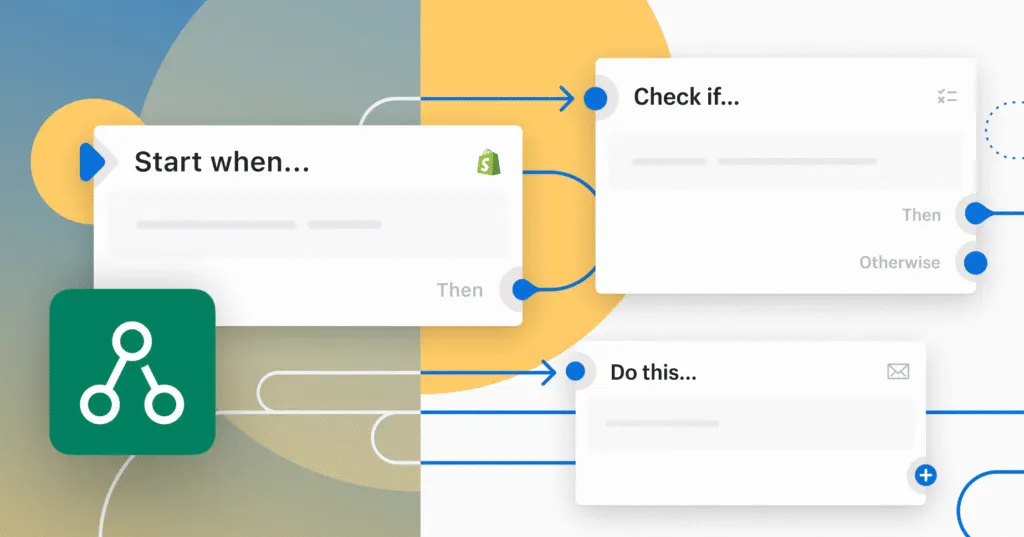
## What's Shopify Flow?
Shopify Flow is a first-party tool to build custom workflows to automate marketing, order fulfilment, inventory management, fraud prevention, and more.
### Custom workflows built fast
We design, test, and deploy reliable automations tailored to your needs.
### Continuous support
Access expert Shopify automation help whenever you need it – no hiring required.
### 7 years of experience
Helping Shopify brands automate smarter, faster, and more reliably since 2018.
_“Intelli-UA helped me so much allowing my emails to be really bespoke. Something Shopify only allow if I pay a LOT. No question was to difficult and we worked together until it was solved.”_

Robert Myers
Dakoda's Dance Academy & Knightsbridge Ballet
## Submit your request
---
## Terms of Service
URL: https://shopify.intelli-ua.com/terms-of-service
Terms of Service for Intelli-UA Shopify apps: eligibility, billing, data processing, acceptable use and more.
# Terms of Service
**Effective date:** 4 November 2026
## 1\. General
### 1.1 Who we are
**LLC "Intelli-UA"** ("Intelli", "we", "us", "our") is a Shopify Partner that develops and operates Shopify applications (the "App" or "Apps") and maintains the website at shopify.intelli-ua.com (the "Website"). Our Apps are distributed through the Shopify App Store and are designed to extend the functionality of Shopify stores.
### 1.2 Scope of these Terms
These Terms govern the installation and use of the Shopify applications developed and operated by us, including WorkflowMail Emails, Commentify, Smart Customer Account Editor, and Discoursify (each an "App").
These Terms consist of (a) the general terms below, (b) the app-specific terms in Annex A, and, where you use an App's API, (c) our API access terms. If they conflict, the API access terms prevail for API use, then Annex A for the relevant App, then the general terms.
Our Privacy Policy and our Data Processing Agreement (DPA) form part of these Terms. Custom development or consulting work is governed by separate terms and is not covered here.
### 1.3 Services
The "Services" means the Apps, the Website, related documentation, support, and any features, updates, or functionality we make available. References to "Service" may mean any individual App.
### 1.4 Who is bound
These Terms apply to all users of the Services, including "Merchants" (individuals or organizations that install or use an App on a Shopify store) and their "Users" (employees, contractors, agents, or representatives who access an App on a Merchant's behalf). "You" and "your" refers to you individually, or to the legal entity on whose behalf you are acting. If you act on behalf of a legal entity, you represent that you have the authority to bind that entity, and you are responsible for ensuring that your Users comply with these Terms.
Even where you access our Services through Shopify or another integrated platform, these Terms apply to your use of our Services.
### 1.5 Acceptance
These Terms, together with any plan or subscription terms, Shopify billing terms, and any other documents expressly incorporated by reference (collectively, the "Agreement"), form a legal agreement between you and us and govern your access to and use of the Services. By installing, accessing, or using any Service, you accept and agree to be bound by this Agreement. If you do not agree, you must not install or use the Services.
### 1.6 Changes to these Terms
We may update these Terms from time to time. The current version and its effective date are published on the Website.
We will give at least 5 days' notice of material changes by email to your store's contact address or in the App. Changes required by law, by Shopify, or for security reasons may apply sooner.
If you continue to use an App after a change takes effect, you accept the updated Terms. If you do not agree, uninstall the App before the change takes effect.
* * *
## 2\. The Services
### 2.1 Description
Our Apps provide features that support Shopify merchants in operating their stores, such as sending transactional emails from Shopify Flow, blog comments and reviews, customer profile editing, and single sign-on between Shopify and Discourse. We may add, change, or remove features at any time.
### 2.2 Not professional advice
The Services provide tools and information for convenience. They are not legal, tax, accounting, or other professional advice. You are responsible for determining whether the Services meet your obligations under applicable law, including privacy, data protection, and marketing laws.
### 2.3 Account access
Access to an App is provided through your Shopify store and Shopify admin. You are responsible for maintaining the security of your Shopify account credentials and for all activity under your account. You must notify us promptly of any suspected unauthorized access.
### 2.4 Usage limits
Some Apps or plans are subject to usage limits, such as monthly email actions, comment counts, or feature availability, as described in the Shopify App Store listing or within the App. You are responsible for staying within applicable limits. We may add or change limits with notice.
### 2.5 Equipment
You are responsible for obtaining and maintaining the hardware, software, network connectivity, and services needed to use the Services.
### 2.6 Changes to the Services
We may modify, suspend, or discontinue any part of the Services at any time, with or without notice, including for maintenance, security, or business reasons. We are not liable for such changes.
### 2.7 Service availability
We strive for reliable service but do not guarantee uninterrupted availability. Maintenance, updates, or third-party outages may affect functionality.
### 2.8 Account and store access
When you install an App, you authorize it to access the store data and permissions (scopes) shown on the Shopify installation screen. We use that access only to provide the App's functionality.
You are responsible for the security of your Shopify account and staff accounts, and for all activity performed through them.
### 2.9 Support
We provide support by email at [contact@intelli-ua.com](mailto:contact@intelli-ua.com) and in the App where available. We aim to reply within a reasonable time. Response times are targets, not guarantees, unless agreed otherwise in writing.
### 2.10 Changes to Apps
We may improve, change, or remove App features. If we remove a feature that is a material part of a paid plan you are on, we will give notice, except where the change is required by Shopify, law, or security.
### 2.11 Discontinuing an App
If we decide to discontinue an App, we will give at least 30 days' notice so you can export your data and move to an alternative.
* * *
## 3\. Eligibility
### 3.1 Business use
The Apps are provided only to businesses for business purposes. By installing an App you confirm that you are acting in the course of your business and not as a consumer.
### 3.2 Age and authority
You must be at least 18 years old and have the authority to enter into agreements on behalf of your business to use the Services.
By installing an App, you confirm that you meet these requirements.
* * *
## 4\. Relationship with Shopify
Our Apps integrate with the Shopify platform. Your use of Shopify is governed by Shopify's own terms and policies.
We are an independent Shopify Partner and are not responsible for Shopify's platform availability, performance, or policies. You must comply with Shopify's terms and policies when using our Apps.
Changes made by Shopify to its platform, APIs, or policies may require us to change, limit, or discontinue App features. Such changes are not a breach of these Terms.
* * *
## 5\. Merchant Responsibilities
You are responsible for:
- maintaining accurate store data
- complying with applicable laws and regulations
- obtaining any required customer permissions and consents
- ensuring your use of the App complies with Shopify policies
- your Users' compliance with these Terms
- the accuracy and legality of your store data and of the content you create, upload, or publish through an App
- configuring each App correctly and checking that its output meets your needs before relying on it
- keeping your own backups of data that is important to your business
The Apps are tools. They do not provide legal, tax, or compliance advice, and their use does not by itself make your store compliant with any law.
You remain the data controller of any customer data processed through your store.
* * *
## 6\. Fees and Billing
### 6.1 Service fees
Some features of the App may require payment. Pricing and plans are described in the Shopify App Store listing and within the App. All billing is handled through Shopify's billing system unless otherwise specified.
### 6.2 Free trials
If a plan includes a free trial, you will not be charged until the trial ends. If you uninstall the App before the trial ends, you will not be charged for that plan.
### 6.3 Plan changes
Upgrades take effect immediately. Downgrades take effect according to Shopify's billing rules. Usage-based charges, where applicable, are shown and approved in Shopify before they apply.
### 6.4 Price changes
We may change prices with notice by email or in the App. A new price applies only after you approve it in Shopify. If you do not approve it, you may continue on a still-available plan or uninstall the App.
### 6.5 Refunds
Fees already charged are non-refundable, except where required by law or where we decide otherwise. We may, at our discretion, issue a full or partial refund, for example if a material App defect we confirmed prevented you from using a paid feature and we could not fix it within a reasonable time. Refunds are issued through Shopify.
### 6.6 Uninstalling and charges
Uninstalling an App stops future recurring charges. It does not entitle you to a refund for the current billing period.
### 6.7 Taxes
Fees are exclusive of taxes, duties, and similar charges, which are your responsibility.
### 6.8 Usage-based charges
For plans with usage-based components (for example, email actions beyond an included allowance), additional charges apply at the rates in effect for your plan.
### 6.9 Payment terms
Fees are payable in advance for each billing cycle through Shopify. While Shopify provides payment processing, we are not responsible for Shopify's payment services.
* * *
## 7\. Acceptable Use
You agree not to, and not to allow your Users to:
- use the Services for unlawful, fraudulent, or deceptive purposes
- use an App in breach of Shopify's terms, policies, or API requirements
- interfere with or disrupt the Services or their infrastructure, including by excessive automated requests or security testing without our prior written consent
- attempt unauthorized access to systems or data
- reverse engineer, decompile, or copy the Apps, except where this restriction is prohibited by law
- resell, rent, or provide an App to third parties as a service, or use it to build a competing product
- upload or transmit malicious code, or content that infringes third-party rights or is illegal
- misuse customer data accessed through the Apps
- use the Services to send unsolicited or unlawful communications
- violate any applicable law or third-party rights
Violation of this section may result in suspension or termination of access.
* * *
## 8\. Intellectual Property
### 8.1 Ownership
All intellectual property rights in the Apps, Website, and related materials remain the property of LLC "Intelli-UA". The Services are licensed, not sold.
### 8.2 License to you
Subject to these Terms and payment of applicable fees, we grant you a limited, non-exclusive, non-transferable, non-sublicensable, revocable license to use each App you install, on the Shopify store(s) where it is installed, for the duration of the installation.
You may allow your staff, contractors, and agencies to use the App on your behalf. You are responsible for their acts and omissions.
### 8.3 Restrictions
You may not copy, modify, distribute, sell, sublicense, or create derivative works from the Apps or our content, except as expressly permitted.
### 8.4 Trademarks
You may not use our names, logos, or trademarks without prior written permission, except as needed to identify that you use our Services in accordance with our guidelines.
### 8.5 Feedback
If you provide feedback or suggestions, you grant us a worldwide, perpetual, irrevocable, royalty-free license to use, modify, and incorporate them into our Services without obligation to you.
* * *
## 9\. Merchant Data and User Content
### 9.1 Definitions
"Merchant Data" means data pertaining to you, your Users, and your customers that is uploaded to, collected by, or generated through the Services, including personal information for which you are the controller. "User Content" means content you or your Users submit through the Services (for example, comments, reviews, or profile information).
### 9.2 Ownership
As between you and us, you retain ownership of your Merchant Data and User Content.
### 9.3 License to us
You grant us a non-exclusive, worldwide, royalty-free license to host, copy, process, and display Merchant Data and User Content only as needed to provide, secure, and support the Apps.
You confirm that you have all rights needed to use Merchant Content with the Apps and that it does not infringe third-party rights or violate law.
### 9.4 Responsibility to obtain consents
You are responsible for obtaining all necessary rights, releases, and consents from your customers and other third parties to allow Merchant Data to be collected, used, and disclosed as contemplated by these Terms and our Privacy Policy. You represent and warrant that you have done so.
### 9.5 Prohibited content
You agree not to submit content that is unlawful, infringing, defamatory, obscene, hateful, harassing, spam, or otherwise objectionable, or that violates any third-party rights or applicable law. We may remove such content and suspend or terminate access.
### 9.6 Data preservation and disclosure
We may preserve, disclose, or store Merchant Data or User Content if required by law or in good faith belief that it is necessary to comply with legal process, enforce these Terms, respond to claims, or protect rights, property, or safety.
* * *
## 10\. Compliance with Laws
### 10.1 General
You represent and warrant that your use of the Services complies with all applicable laws. It is your responsibility to determine whether the Services meet your legal requirements.
### 10.2 Privacy and data protection
If you are a Merchant, your compliance includes privacy, data protection, and anti-spam laws. You agree to:
- post and maintain a publicly accessible privacy notice on the properties from which data is collected
- obtain and maintain all necessary permissions and consents to transfer data to us and enable us to process it
- comply with marketing and anti-spam laws, including notice, consent, identification, and unsubscribe requirements
- not use the Services to send unlawful communications
### 10.3 California privacy (CCPA/CPRA)
To the extent personal information we process on your behalf is subject to California privacy laws, we act as a service provider and process such information only to provide the Services, and do not sell it, as those terms are defined by applicable law.
### 10.4 Shopify policies
You must comply with Shopify's terms, policies, and acceptable use requirements when using our Apps.
* * *
## 11\. Privacy and Data Processing
Your use of the Services is also governed by our [Privacy Policy](/privacy-policy/).
For personal data of your customers, students, members, or store visitors processed through an App, you are the controller and we act as your processor. We process that data only on your documented instructions, which consist of these Terms, your App configuration, and your use of the App, and in accordance with our Data Processing Agreement. The DPA applies automatically when you accept these Terms.
For personal data about you and your staff (for example, contact details, support conversations, and billing information received from Shopify), we act as controller as described in our Privacy Policy.
We use sub-processors such as hosting, content delivery, email delivery, customer support, monitoring, and AI providers. The current list is set out in the DPA. Where personal data is transferred outside the European Economic Area to a country without an adequacy decision, we use the European Commission's Standard Contractual Clauses (Implementing Decision (EU) 2021/914) or another lawful transfer mechanism.
We maintain appropriate technical and organizational measures to protect personal data, as described in the DPA. We will notify you without undue delay, and where feasible within 48 hours, after becoming aware of a personal data breach affecting Merchant Content.
We respond to customer data and erasure requests that Shopify forwards to us under its privacy requirements.
If you uninstall an App, we retain shop data and settings for 14 days to allow reinstallation and restoration, after which such data is deleted or anonymized, except where longer retention is required by law or for security purposes. See our Privacy Policy for details.
* * *
## 12\. Data Security
### 12.1 Measures
We implement appropriate technical and organizational measures designed to protect personal data against unauthorized access, disclosure, alteration, or destruction, including encryption in transit, access controls, monitoring, and reputable cloud infrastructure.
### 12.2 No guarantee
Use of the Services involves transmission over networks not controlled by us. We cannot guarantee that transmissions will always be secure or that unauthorized parties will never defeat our security measures.
### 12.3 Vulnerability reporting
If you become aware of a security vulnerability, please notify us at [contact@intelli-ua.com](mailto:contact@intelli-ua.com) with as much detail as possible. We will treat reports confidentially and work to address identified issues.
### 12.4 Security incidents
If you become aware of a security breach involving the Services, notify us promptly. We will notify affected Merchants without undue delay upon becoming aware of a confirmed personal data breach affecting their data, and provide information reasonably necessary for legal compliance.
### 12.5 Maintenance
Access may be suspended for repairs, maintenance, or upgrades. We may not always be able to provide advance notice of unplanned outages.
* * *
## 13\. Third-Party Services
### 13.1 Dependencies
The Services rely on third-party providers, including Shopify, cloud hosting and infrastructure providers, monitoring tools, and email delivery providers. Where these providers process personal data outside the European Economic Area (EEA), transfers are protected by appropriate safeguards, including Standard Contractual Clauses.
### 13.2 At your own risk
Third-party services are operated independently. We do not own, operate, or endorse them and are not responsible for their availability, performance, or acts or omissions. Your use of third-party services is at your own risk and subject to their terms.
### 13.3 Third-party integration
Some features require third-party accounts or services (for example, SMTP, Gmail, or Microsoft 365). We are not responsible for those providers.
* * *
## 14\. International Data Transfers
If personal data originating from the EEA, the United Kingdom, or Switzerland is transferred to countries without an adequate level of protection, such transfers are safeguarded using the European Commission's Standard Contractual Clauses (Commission Implementing Decision (EU) 2021/914) or another lawful mechanism. Where we act as a data processor, the applicable transfer mechanism is governed by our DPA or other contractual safeguards. Merchants in the EEA may request a copy of applicable safeguards by contacting us.
* * *
## 15\. Disclaimer of Warranties
The Services are provided "as is" and "as available" without warranties of any kind, express or implied, including merchantability, fitness for a particular purpose, and non-infringement, to the maximum extent permitted by law. We do not warrant that the Services will be uninterrupted, error-free, secure, or meet your requirements. We do not warrant that an App will be compatible with every theme or third-party app, or produce any particular business result. Nothing in these Terms affects warranties that cannot be excluded by applicable law.
* * *
## 16\. Indemnification
You will indemnify LLC "Intelli-UA" against third-party claims, and related losses, liabilities, and reasonable legal costs, arising from: (a) your breach of these Terms or applicable law; (b) Merchant Content; (c) your processing of personal data through an App in breach of data protection law; or (d) your relationship with your customers, including your products, prices, promises, and refund decisions.
This obligation does not apply to the extent a claim is caused by our breach of these Terms, intent, or gross negligence.
We will notify you promptly of any claim, let you control its defence and settlement (you may not settle in a way that imposes obligations or admissions on us without our consent), and cooperate reasonably at your expense.
* * *
## 17\. Limitation of Liability
To the maximum extent permitted by law, LLC "Intelli-UA" shall not be liable for indirect, incidental, special, consequential, or punitive damages, or for loss of profits, revenue, business, goodwill, anticipated savings, or data, arising from use of the Services.
To the maximum extent permitted by law, our total aggregate liability arising out of or in connection with the Apps and these Terms shall not exceed the greater of (a) the fees you paid us for the App giving rise to the claim during the 12 months before the event giving rise to the claim, and (b) USD 10.
We are not liable for losses caused by your breach of these Terms, by your or your contractors' configuration or actions in an App, by third-party services, or by changes to or outages of the Shopify platform.
Nothing in these Terms excludes or limits liability for damage caused intentionally or through gross negligence, or any other liability that cannot be excluded or limited under applicable law.
* * *
## 18\. Term and Termination
### 18.1 Term
These Terms apply to each App from installation until it is uninstalled or access is terminated.
### 18.2 Termination by you
You may stop using the Services at any time by uninstalling the Apps from your Shopify store.
### 18.3 Suspension by us
We may suspend access to an App, in whole or in part, without prior notice if reasonably necessary to address a security risk, prevent harm to the App, other merchants, or third parties, comply with law or a Shopify requirement, or stop a breach of Section 7. We will tell you the reason promptly, unless the law prevents us.
### 18.4 Termination by us
We may terminate your access to an App: (a) immediately if you materially breach these Terms and do not remedy the breach within 1 day after notice, or if the breach cannot be remedied; or (b) for any reason with at least 30 days' notice.
### 18.5 Effect of termination
Upon termination, your right to use the Services ends immediately. Your license to the App ends and Section 11 applies to your data. Provisions that by their nature should survive (including fees already accrued, intellectual property, data protection, content, disclaimer, indemnification, limitation of liability, and governing law) survive termination.
### 18.6 Data after termination
After you uninstall an App, it loses access to your store. Storefront elements added by the App may stop working, and content stored only in the App will no longer be available to your customers.
We delete or anonymize your store's data within 14 days after receiving Shopify's store data erasure request following uninstallation, and remove backup copies within a reasonable period, except data we must keep by law or for the establishment or defence of legal claims.
Where an App offers an export feature, use it before uninstalling. We cannot restore data after deletion.
### 18.7 Publicity
You grant us a non-exclusive license to use your name and logo to identify you as a customer in our marketing materials, unless you notify us otherwise in writing.
* * *
## 19\. General Provisions
### 19.1 Force majeure
Neither party is liable for delays or failures caused by circumstances beyond its reasonable control, including outages of Shopify or hosting providers, war, sanctions, cyberattacks, and power or network failures. This does not apply to payment obligations.
### 19.2 Rights and remedies
Except as expressly stated, the rights and remedies of both parties are cumulative and in addition to any other rights or remedies provided by law.
### 19.3 Entire agreement
These Terms, together with the Privacy Policy, the DPA, and the documents referred to in the Annexes, constitute the entire agreement between you and us regarding the Services and supersede prior agreements on the subject.
### 19.4 Assignment
You may not assign these Terms without our prior written consent. We may assign them in connection with a merger, acquisition, or sale of all or substantially all of the business or assets relating to the Apps.
### 19.5 Waiver and severability
A waiver is effective only if in writing. If any provision is found invalid or unenforceable, it will be applied to the maximum extent permitted and the remaining provisions stay in effect.
### 19.6 Conflict
If there is a conflict between these Terms and a plan or subscription terms, these Terms govern unless the plan expressly states otherwise.
### 19.7 Governing law and disputes
These Terms are governed by the laws of Ukraine, excluding its conflict-of-law rules. The United Nations Convention on Contracts for the International Sale of Goods does not apply.
Before starting court proceedings, the parties will try in good faith to resolve the dispute by negotiation for at least 30 days after one party notifies the other in writing.
Disputes that are not resolved by negotiation will be settled by the courts of Ukraine, unless mandatory law provides otherwise.
### 19.8 Relationship
Nothing in these Terms creates a partnership, joint venture, agency, or employment relationship between you and us.
### 19.9 International users
We are established in Ukraine. Parts of the Services, including hosting and infrastructure, may be operated from other countries, including the United States. Users access the Services at their own initiative and are responsible for compliance with local laws. We may limit availability of the Services in any jurisdiction.
### 19.10 Notices
We send notices to your store's contact email or through the App. You send notices to the addresses in Section 20. Email notices are deemed received on the next business day after sending.
### 19.11 Language
These Terms are drafted in English. If they are translated, the English version prevails.
### 19.12 Interpretation
Headings are for convenience only. "Including" means "including without limitation." Words in the singular include the plural and vice versa.
* * *
## 20\. Contact Information
If you have questions about these Terms, contact:
**LLC "Intelli-UA"**
Email: [contact@intelli-ua.com](mailto:contact@intelli-ua.com)
Support: [contact@intelli-ua.com](mailto:contact@intelli-ua.com)
Address: Bohdana Khmelnytskogo boulevard 10, ap.39, Kharkiv, Ukraine, 61099
* * *
## Annex A. App-Specific Terms
The terms below apply in addition to the general Terms when you use the relevant App.
### A.1 WorkflowMail Emails (Flowmail)
- You are responsible for the content of the emails you send, including their accuracy and lawfulness, and for compliance with applicable marketing, privacy, and anti-spam laws.
- You are responsible for obtaining any consents required from recipients.
- Usage is counted per Flow action that sends an email, subject to your plan's limits.
- We are not responsible for email deliverability, recipient actions, or content you send.
### A.2 Commentify
- You operate your comments, reviews, and discussions and are responsible for setting and enforcing rules, moderating member content, and responding to complaints.
- Members' posts, comments, and files are Merchant Content. You must not use the community for illegal purposes, and you must remove content you know to be illegal.
- We may remove or disable access to content we reasonably believe is illegal or violates these Terms, and will inform you where appropriate.
### A.3 Smart Customer Account Editor
- You are responsible for choosing which fields customers may edit, for the accuracy of the resulting data, and for informing customers about this processing in your privacy notice.
- You are responsible for having a lawful basis for processing profile data, including profile pictures and custom fields.
### A.4 Discoursify
- You are responsible for the configuration and security of single sign-on between Shopify and Discourse, and for the data exchanged.
- Your use of Discourse is governed by Discourse's own terms. We are not responsible for Discourse's availability, performance, or data handling.